integralm41212501
Known Participant
August 6, 2019
Answered

horizontal text inside a shape?

  • August 6, 2019
  • 3 replies
  • 966 views

Hi ...

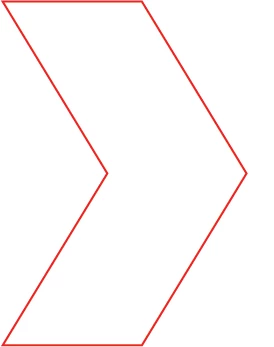
I want to fill the inside of this shape with horizontal lines of text - left to right - but following the left inside edge of the shape.

So that the shape will be filled with lines of text following the arrow created by this shape.

How do I do that?

thanks

Debra
    This topic has been closed for replies.
    Correct answer Jon Fritz

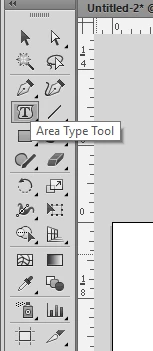
    Have you tried the Area Type Tool...

    3 replies

    kphotopage
    Legend
    August 9, 2019

    Here is another method

    2 Lines

    Blend Steps

    Replace Spine

    Expand Blend Steps

    Type>Thread Text>Create.

    Copy and Paste your text.

    K

    integralm41212501
    Known Participant
    August 13, 2019

    hi kphotopage

    I will give this a try next time,

    thank you

    Debra

    Myra Ferguson
    Community Expert
    Community Expert
    August 6, 2019

    You can set your lines of text, rotate the text 90 degrees clockwise, and make your shape (make sure the shape is on top). With both text and shape selected, go to Object > Envelope Distort > Make with Top Object. Illustrator will adjust your lines of text to fit within the shape.

    integralm41212501
    Known Participant
    August 6, 2019

    Myra ..

    This is cool ... but not quite what I had in mind ... more looking for the text to horizontal within the shape.

    Certainly something to try out

    thanks

    Debra

    Jon Fritz
    Community Expert
    Jon FritzCommunity ExpertCorrect answer
    Community Expert
    August 6, 2019

    Have you tried the Area Type Tool...

    integralm41212501
    Known Participant
    August 6, 2019

    Thank you, Jon!

    I had not, and that is exactly what I wanted

    Debra