chrissydetroit
Known Participant
December 18, 2017
Answered

How can I add detail to hair?

  • December 18, 2017
  • 3 replies
  • 1124 views

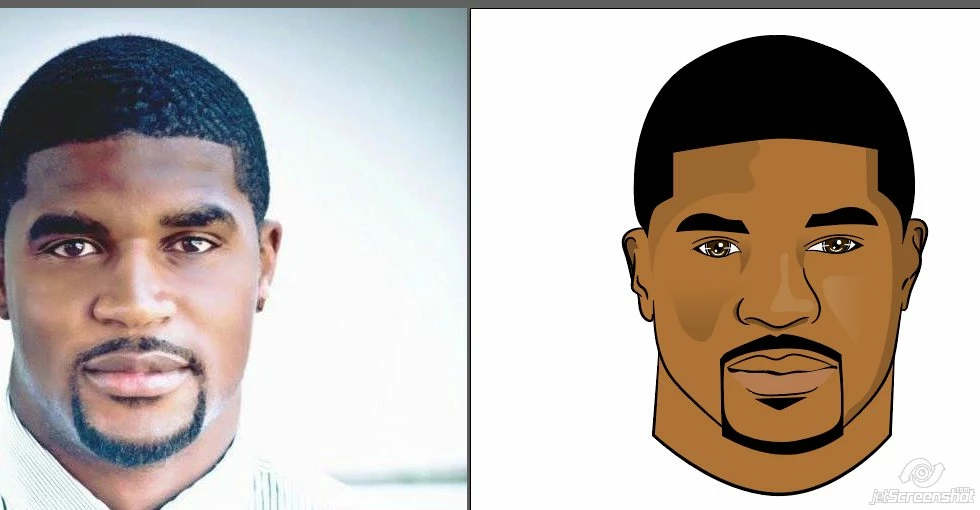
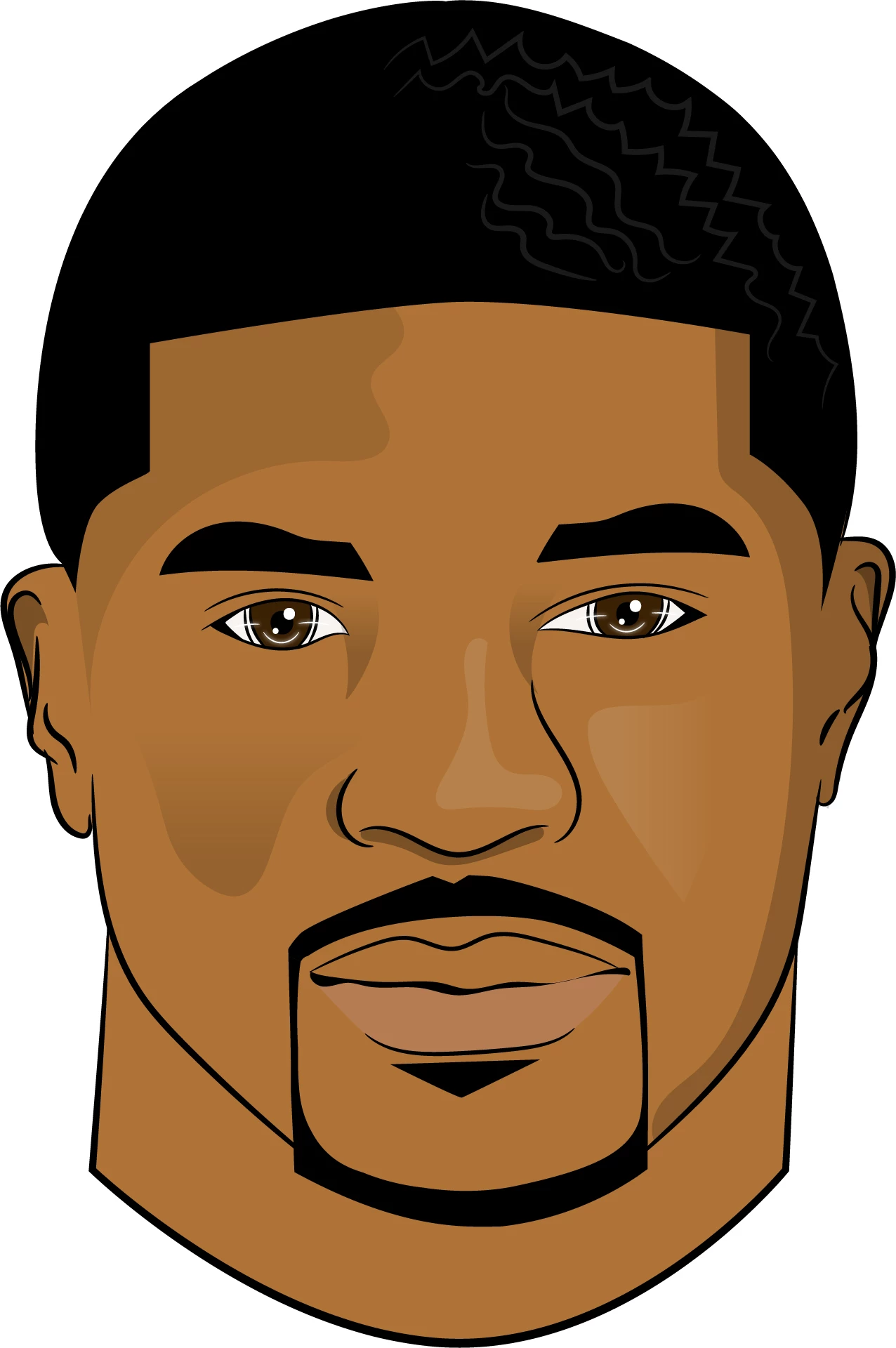
As you can see, in the picture on the left, he has waves in his hair. I'm trying to add that effect in Illustrator but for some reason it doesn't look right. Can someone give me some advice?
This topic has been closed for replies.
Correct answer tromboniator

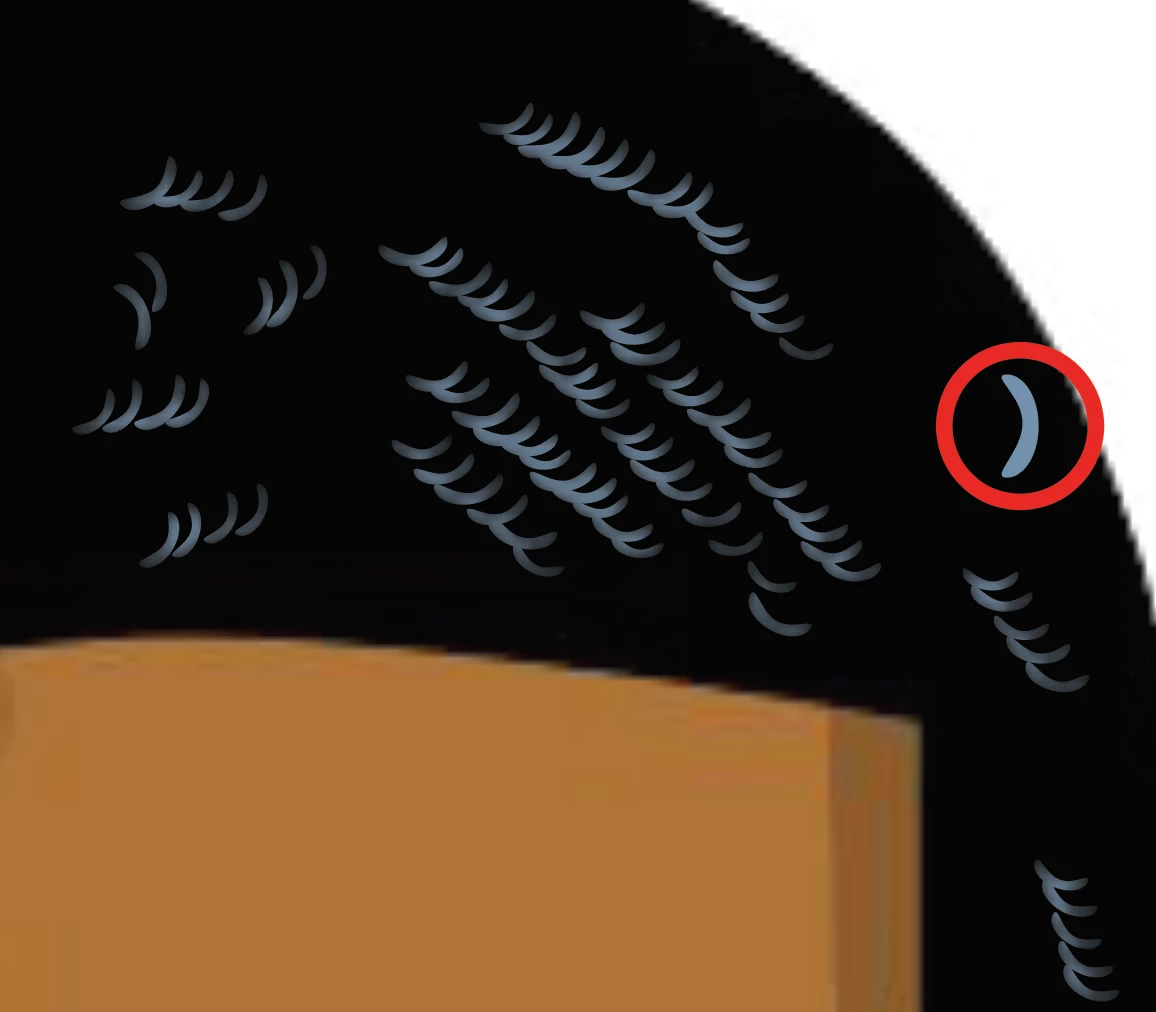
This doesn't begin to match the style of your artwork, but it's a quick and crude example of making and using a scatter brush, made from the arc in the red circle, plus feather effect and opacity adjustment, to at least suggest the highlights.
3 replies

tromboniator
Community Expert
tromboniatorCommunity ExpertCorrect answer
Community Expert
December 18, 2017

This doesn't begin to match the style of your artwork, but it's a quick and crude example of making and using a scatter brush, made from the arc in the red circle, plus feather effect and opacity adjustment, to at least suggest the highlights.

Doug A Roberts
Community Expert
Community Expert
December 18, 2017

i was going to post something but it was along exactly the same lines as tromboniator

macpawel
Participating Frequently
December 18, 2017

You can use some sort of brushes - try brush library as a start point

You can also edit some curved path wist distort tools (try Shift +R to open some distort tools)

You can also use effect to adjast curved path

Pawel

Participating Frequently
December 18, 2017

David Pounds has created a video on Male Hair Male hair with Adobe Illustrator - YouTube

chrissydetroit
Known Participant
December 18, 2017

Thank you. I'm going to check it out.
