

How can I avoid a recursive Action loop?
I'm creating a script called "Export Assets to Cavalry". It uses custom Actions in functions to work around the lack of native Illustrator scripting API. In my case, I'm using a make_action() function to get an array of highlighted layers in the Layers palette. Everything works great when launched from the File menu. Now I want to attach a Function Key keyboard shortcut to it, but since Illustrator once again lacks the ability to attach shortcuts to user Scripts (like PS can), the workaround is to attach a Menu Item to an action in the Actions palette. But now this creates a recursive loop, wherein, when executed from the Action palette, when I fire off specific parts of my script , my script creates a temp folder called 'Scripted_Actions' and causes Illustrator to hang. I have to Force Quit and I get a crash report from Illustrator.
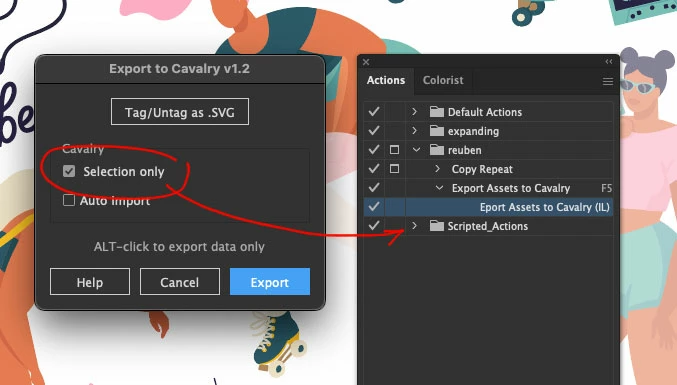
The attached image shows what's on screen when it hangs. The "Selection only" functionality is calling the internal script actions, which create the temporary actions folder, which causes the loop.
Is there a way to avoid this Action battle?


 AdChoices