Participating Frequently
September 8, 2018
Answered

how can I can make somthing like this and what is called ?

  • September 8, 2018
  • 4 replies
  • 1845 views

    This topic has been closed for replies.
    Correct answer Jeff Witchel, ACI
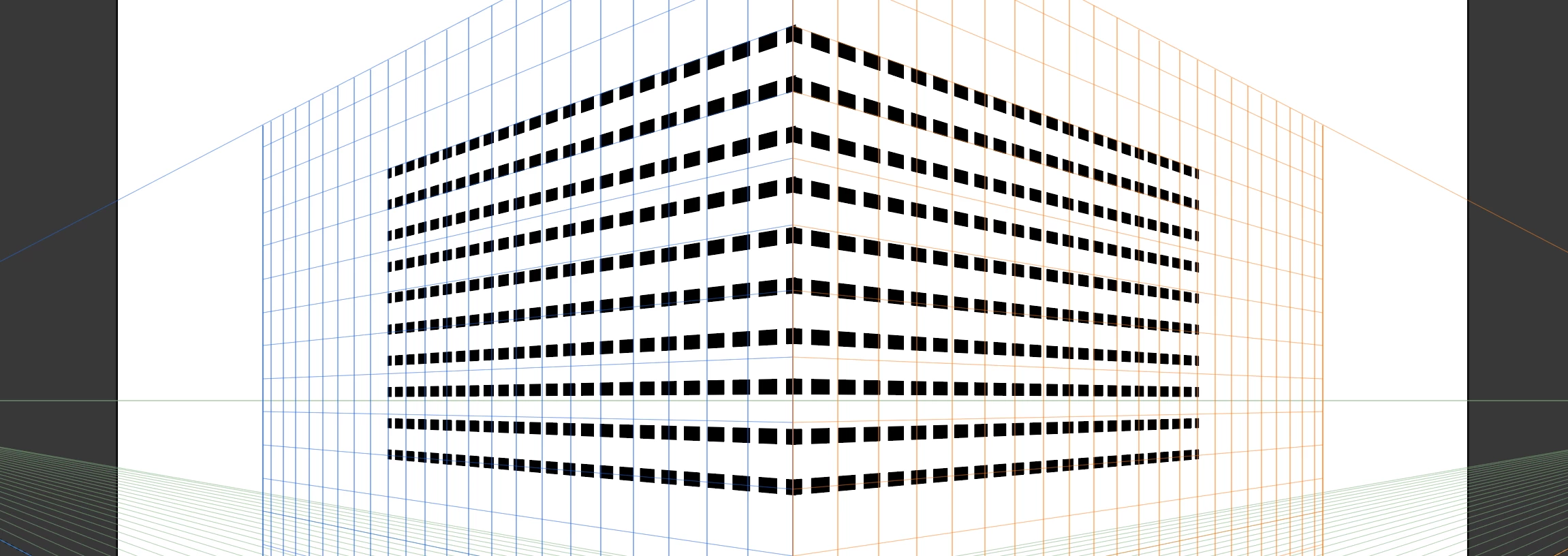
    1. As Ton suggested, I would start with a Blend between two dashed lines (the second line is a duplicate of the first).
    2. With the Blend selected, go to Object > Flatten Transparency and make sure "Convert All Strokes to Outlines" is checked and click OK. This will make the Dashed Strokes into Filled Rectangles (and will will solve the "slanted dash" problem).
    3. Then take a look a how to use Perspective Grid. Here's a video: http://www.jeffwitchel.net/2014/05/now-perspective-grid-is-amazing/

    See screenshot below for results.

    Hope this helps!
    4 replies

    Jeff Witchel, ACI
    Community Expert
    Jeff Witchel, ACICommunity ExpertCorrect answer
    Community Expert
    September 8, 2018
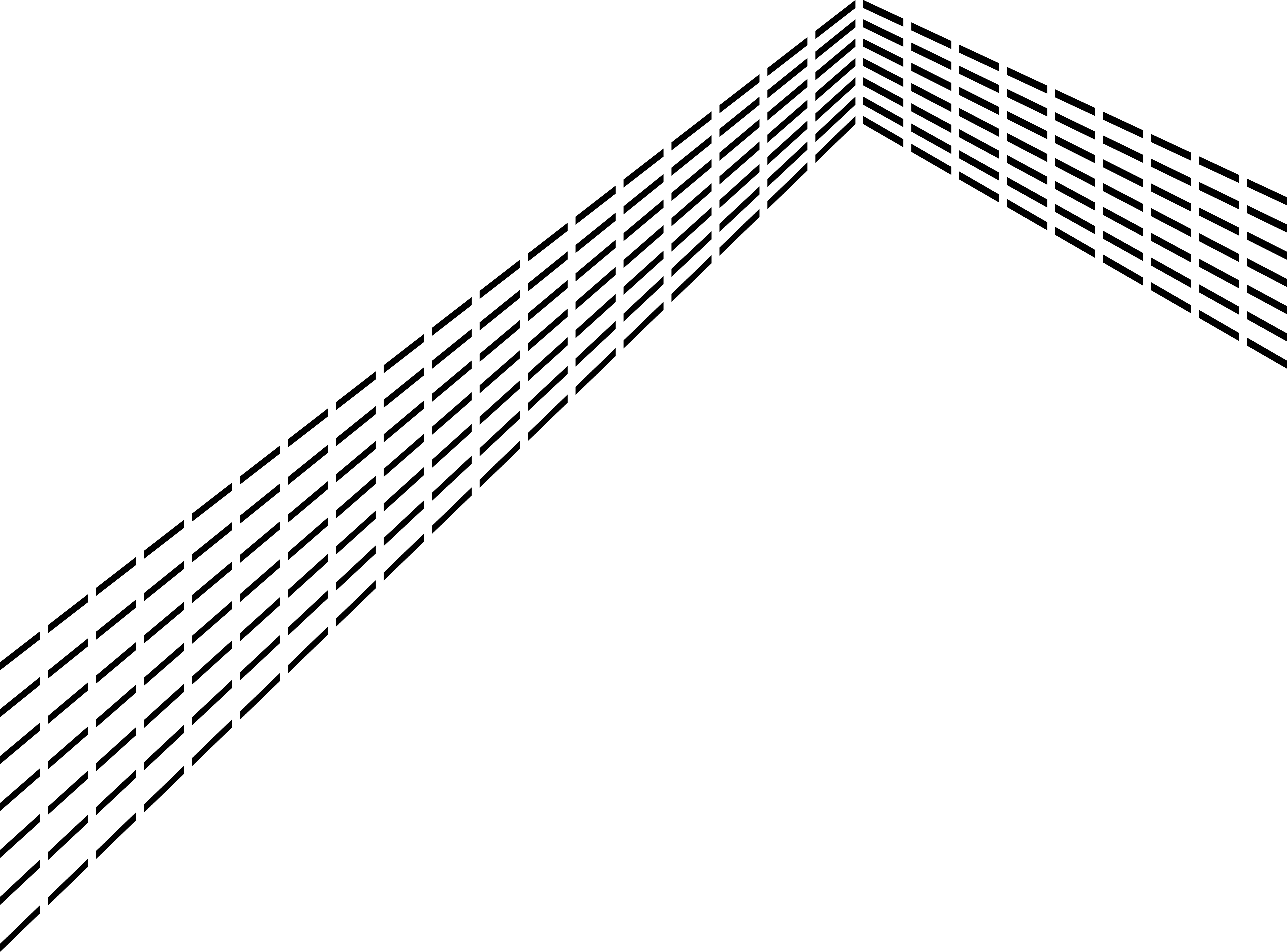
    1. As Ton suggested, I would start with a Blend between two dashed lines (the second line is a duplicate of the first).
    2. With the Blend selected, go to Object > Flatten Transparency and make sure "Convert All Strokes to Outlines" is checked and click OK. This will make the Dashed Strokes into Filled Rectangles (and will will solve the "slanted dash" problem).
    3. Then take a look a how to use Perspective Grid. Here's a video: http://www.jeffwitchel.net/2014/05/now-perspective-grid-is-amazing/

    See screenshot below for results.

    Hope this helps!
    barbara_a7746676
    Community Expert
    Community Expert
    September 8, 2018

    Another option would be to use a gradient. The technique is described at Photoshop/Illustrator: Angled Dashed Line (example included) - Graphic Design Stack Exchange

    Ton Frederiks
    Community Expert
    Community Expert
    September 8, 2018

    I would make them with Blends and use one blend as a mask.

    Use Black lines for the mask (I used red which give a semi transparent result).

    lambiloon
    Community Expert
    Community Expert
    September 8, 2018

    you can make it easily using pen tool

    Ali Sajjad / Graphic Design Trainer / Freelancer / Adobe Certified Professional
    Ray Yorkshire
    Participating Frequently
    September 8, 2018

    Maybe, but the edge of the dashes needs to be vertical to match ghadah's example, so it's  not so straightforward either.

    With a dashed line:


    lambiloon
    Community Expert
    Community Expert
    September 8, 2018

    hi this can be easily done using line tool and in stroke section choose dash line option let me know if you not understand understand..thanks

    Ali Sajjad / Graphic Design Trainer / Freelancer / Adobe Certified Professional
    Participating Frequently
    September 8, 2018

    thanks , I know how to make the line , but I dont know how to make the sheap with lines
