
How can I close path gaps automatically?
I traced my scanned pencil drawing with "Image Trace"
and pressed the "Expand" button.
This is a zoomed part of my drawing with the blue marked paths:
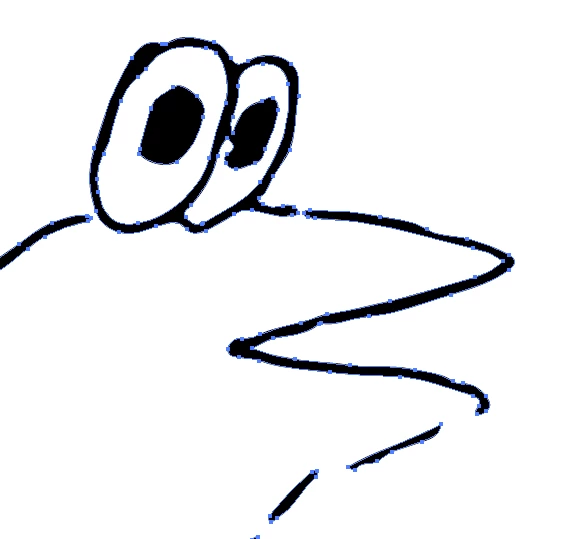
You can see there are a lot of gaps.
I thought I could close them with Object->Path->Join
But then I get the message:
"The selected objects cannot be joined as they are invalid objects
(Compound paths, Closed paths, Text objects, Graphs, Live Paint group).
You can use Join command to connect two or more paths, paths in groups;
or to close an open path."
Is that the right function to close path gaps?
And what have I to do so that I don't get that message.
Or is there another function to close all path gaps automatically?
For the "Live Paint Bucket" function there is a gap detection function
to colour not really closed paths.
I saw there is a "Close gaps with paths" button in the
"Live Paint Bucket" function. But first of all it is
disabled (why?) and second I don't know if it's the right place
because I don't want to paint an area. I only want to
close all path gaps of my drawing automatically.
So how can I do this?
 AdChoices