Participant
September 2, 2021
Answered

How can I combine the paths with a shape?

  • September 2, 2021
  • 1 reply
  • 567 views

Hey community,

I am very new to Adobe Illustrator and I am still trying to understand this difficult program.

For a presentation in school, I am trying to draw a neuron cell with this tutorial on youtube. 

Unfortunately, I am stuck at 5:45, where the creator of the video is combining the paths with the "cell body" using the pathfinder. But if I use this, illustrator combines the shapes to this weird shape: 
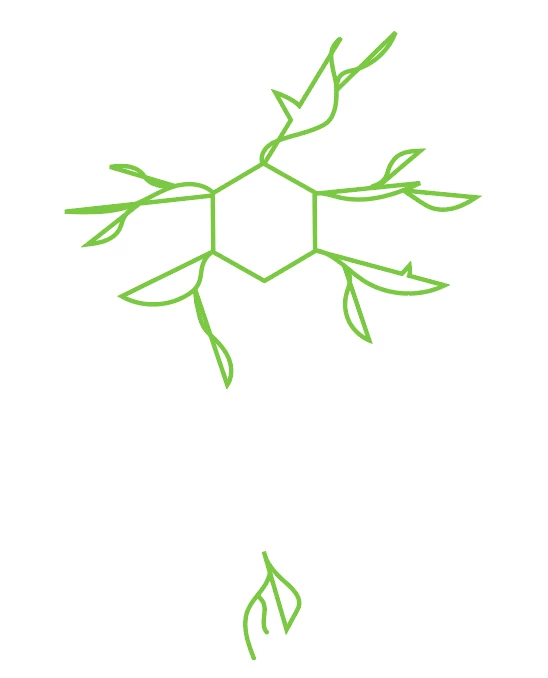
I think it does this because I didn't expandet the paths or something, but I can't find the "Expand" option in my illustrator.

Can someone help me please?


Thank you very much!

This topic has been closed for replies.
Correct answer Filip5FC6

I figured out now how to make it work. I don't know why, but I need to expand the path before I create some other paths. 

1 reply

Anshul_Saini
Community Manager
Community Manager
September 2, 2021

Hi there,


Thanks for reaching out. You can find expand option under the Object menu. If it is greyed out, then you have not selected the elements, or they are already expanded.


Also, you may visit this help article (https://helpx.adobe.com/illustrator/using/combining-objects.html) to learn more about combing paths in Illustrator.


Let us know if you need any further assistance. We'd be happy to help.


Thanks & Regards,

Anshul Saini

Filip5FC6AuthorCorrect answer
Participant
September 10, 2021

I figured out now how to make it work. I don't know why, but I need to expand the path before I create some other paths. 

Anshul_Saini
Community Manager
Community Manager
September 10, 2021

We are glad to hear that. Please feel free to reach out if you run into any other questions or issues in the future. We'd be happy to help.


Regards,

Anshul Saini