


Inspiring
Oct 10, 2024 2:21 PM UTC
Answered

How can I copy a layer with its complete appearance settings from one doc to another?

I have it set to remember layers when I copy/paste between documents, but no matter what I do, it does not copy across the layers' settings for fill and stroke.
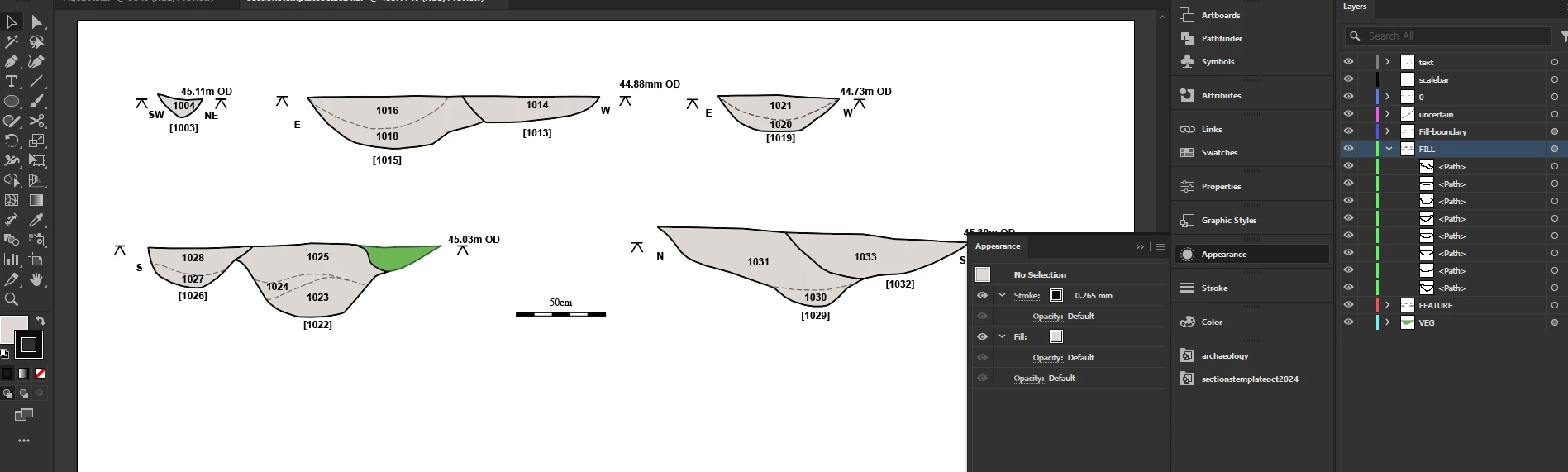
I set up  a template for my sections, where each layer  has a fill and stroke set, but the objects themselves are set to blank so that they get their appearance from the layer. But when I copy those objects into a new document, the colors that I set the layer to do not also copy across.
I tried saving graphic styles, but they save blank for these objects.
Template document:


Pasted into a second doc:
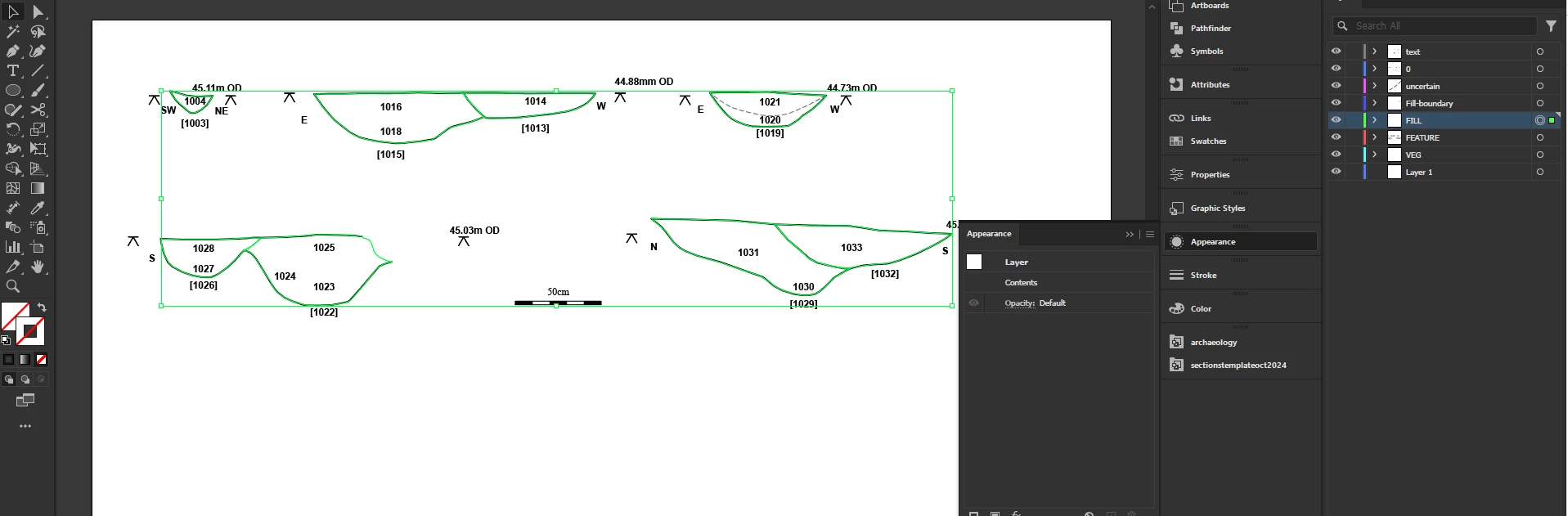
Almost all colours have vanished.

This topic is closed to new replies. Start a new post to keep the conversation going.
Joan29111648tlszCorrect answer
Inspiring
Oct 10, 2024 2:46 PM UTC

Many thanks to Monika Gause who just answered my comment in a zombie thread about this.
The answer is to drag the layers into a new layer as sublayers of it and then when you select the objects and copy/paste they bring the sublayers through with the settings intact.

2 replies

Joan29111648tlszAuthorCorrect answer
Inspiring
Oct 10, 2024 2:46 PM UTC

Many thanks to Monika Gause who just answered my comment in a zombie thread about this.
The answer is to drag the layers into a new layer as sublayers of it and then when you select the objects and copy/paste they bring the sublayers through with the settings intact.

Translate
Monika Gause
Community Expert
Community Expert
Oct 10, 2024 3:16 PM UTC

Glad you could solve it!

Translate