

sonofmrsnak
Inspiring
February 21, 2019
Answered

How can I divide layered concentric circles into independent object rings?

  • February 21, 2019
  • 1 reply
  • 2182 views

Is there an easy way to divide this design so that each color block ring segment is independent? It's currently made with layered concentric circles achieving the look of rings.

I need to be able to select only the gold color segments so that I can knock them out of an underlying white plate.
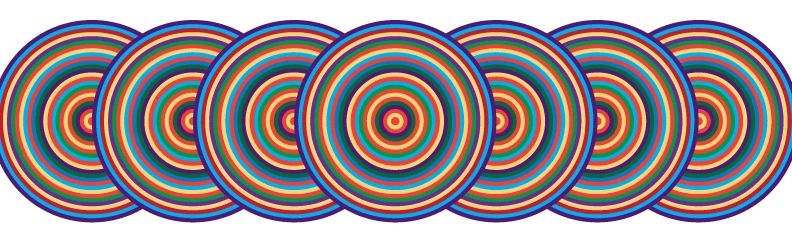
I don't want to have to rebuild this another way if at all possible. If so, I would have probably created the rings as strokes, and then outlined them.
AI has so many tricks, hoping there is one for this challenge.

    This topic has been closed for replies.
    Correct answer Jacob Bugge

    son,

    How about this reversible way?

    1) Select one gold colour circle,

    2) Select>Same>Fill Color,

    3) Set Opacity to 0 in the Transparency palette,

    4) Group everything,

    5) Tick Knockout Group in the Transparency palette.

    1 reply

    Monika Gause
    Community Expert
    Community Expert
    February 22, 2019

    The pathfinder "Merge" can do this.

    Select them either one by one and apply it. Or select them all at once - your description is not clear to me as to what kind of result you want.

    sonofmrsnak
    Inspiring
    February 22, 2019

    Hi Monika, thanks! This is the result I need to achieve (from above): I need to be able to select only the gold color segments so that I can knock them out of an underlying white plate.

    The "merge" also separates the underlapping rings underneath into many segments, so this is not quite practical.

    I just got the easy solution from the prepress house who will be printing these:

    "Since we can use overprints in the white layer, true knockouts are not necessary. You can just use a 0/0/0/0 fill to indicate that. So, just copy the whole shape, set all colors that are to be solid to your white ink spot, and the knockout colors to 0/0/0/0."

    Crisis averted!

    Monika Gause
    Community Expert
    Community Expert
    February 22, 2019

    Please show.

    Can you just make a sketch of it? I don't understand what you want it to look like.