Hi there,
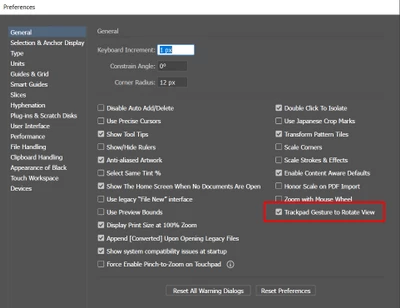
Sorry about the trouble. We have tried to address this issue in Illustrator v25.4.1. Please update Illustrator to the v25.4.1 or newer to access this option (Trackpad Gesture to Rotate View) in Illustrator Preferences > General. You can toggle on/off as per your requirement.
Also, you can quickly reset your already rotated artboard using any of the following methods:
- Press the Esc key.
- Press Cmd + Shift+1 (Mac) or Ctrl+Shift+1 (Windows).
- Double click the Rotate View tool.
Please feel free to reach out if you run into any other questions or issues in the future. We'd be happy to help.
Thanks & Regards
Anshul Sani

 AdChoices