
Inspiring
April 29, 2024
Answered

How can I make this perspective grid with even lines

  • April 29, 2024
  • 2 replies
  • 458 views

Hi community.


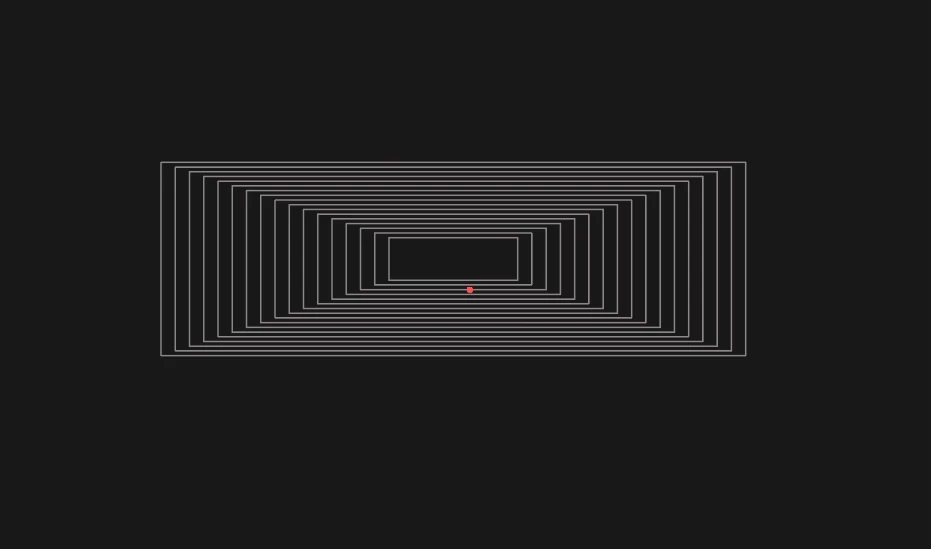
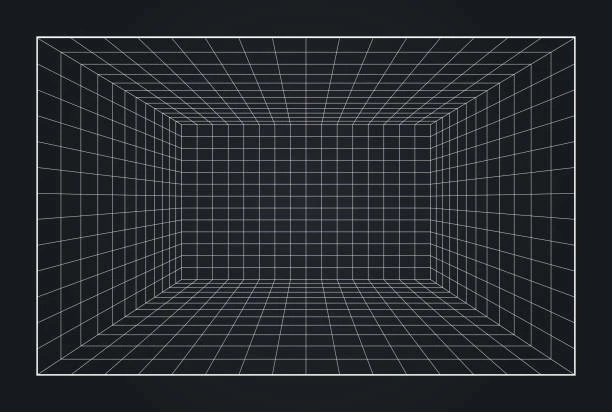
How can I make this shape with the lines being equal distance? I tried with the Blend tool, making a large outer  rectangle and a smaller rectangle in the middle, and then tried to blend them, but the result isnt correct as the image posted. ( 2nd image is correct ).


Symmetric equal lines like this:


This topic has been closed for replies.
Correct answer Monika Gause

You need a 1-Point perspective and the rectangular grid tool

Draw a grid on the left and the bottom plane

Then take the perspective selection tool and while pressing Alt + 5 copy the grids. You need to copy them one by one

Like this:

https://youtu.be/XH8hcJAkypk

2 replies

Ton Frederiks
Community Expert
Community Expert
April 29, 2024

Or try this with a blend and transform effects.


Monika Gause
Community Expert
Monika GauseCommunity ExpertCorrect answer
Community Expert
April 29, 2024

You need a 1-Point perspective and the rectangular grid tool

Draw a grid on the left and the bottom plane

Then take the perspective selection tool and while pressing Alt + 5 copy the grids. You need to copy them one by one

Like this:

https://youtu.be/XH8hcJAkypk

Inspiring
April 29, 2024

Awesome tutorial Monika, thanks for the demonstration!


Kind regards.

Monika Gause
Community Expert
Community Expert
April 29, 2024

Glad you could solve it!