

Jimmy Papas
Inspiring
June 17, 2021
Answered

How can I merge 2 overlapping anchor points in Illustrator?

  • June 17, 2021
  • 7 replies
  • 23501 views

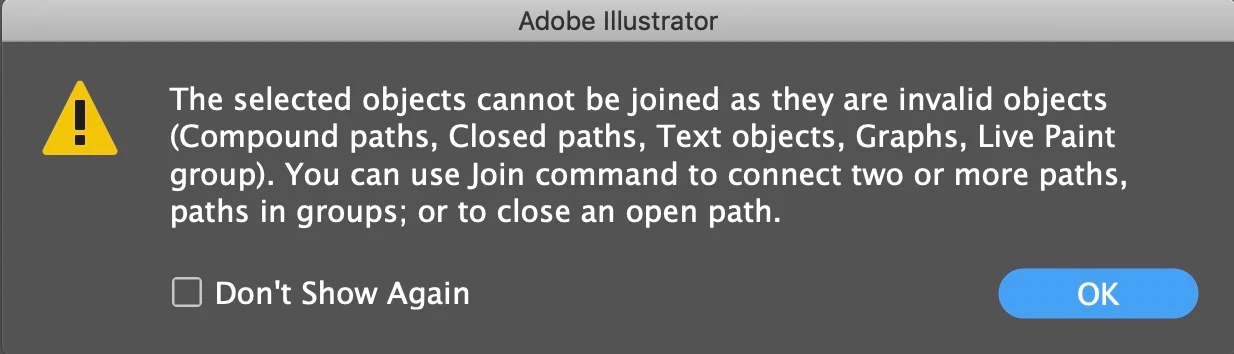
When bring 2 points together (right-click > Average) and then I try to join them together (right-click > Join), I receive an error message saying: "the selected objects cannot be joined as they are invalid objects":
 

Correct answer Jimmy Papas

Seems that if 2 points are part of the same closed vector shape, you cannot joine them, the solution is to delete the line between them, then before you join them together.


7 replies

Known Participant
July 8, 2024

Select both both anchor points with direct selection tool>Object>Path>Average path.
Then hit unite button in pathfinder.

Participant
December 18, 2023

if anybody is interested I solved it using this tutorial: https://youtu.be/r3GXhAFoX1A?si=36V09QIv4lrrhkMA

Jimmy Papas
Jimmy PapasAuthorCorrect answer
Inspiring
June 18, 2021

Seems that if 2 points are part of the same closed vector shape, you cannot joine them, the solution is to delete the line between them, then before you join them together.


Larry G. Schneider
Community Expert
Community Expert
June 17, 2021

Instead of doing it in two steps have you tried the shortcut Cmd(Ctrl)-Shift-Opt(Alt)-J? This will make a single point of two selected points.

Ton Frederiks
Community Expert
Community Expert
June 17, 2021

Or click once with the Delete Anchor Points tool (-).

Ton Frederiks
Community Expert
Community Expert
June 17, 2021

Or as Jacob said 41 seconds earlier.

Jacob Bugge
Community Expert
Community Expert
June 17, 2021

Ton, as you may remember, quite recently Susan was 45 seconds ahead of me.


Jacob Bugge
Community Expert
Community Expert
June 17, 2021

Jimmy,


How about just deleting (the topmost) one of them with the The Delete Anchor Point tool (-)?


Jimmy Papas
Inspiring
June 17, 2021

It will change the shape of the layer.

Jacob Bugge
Community Expert
Community Expert
June 17, 2021

Jimmy,


In some (simple) cases, you can get away fine with bringing 2 points together, but in many cases it can make a mess, sometimes obvious from the beginning. It may be better to make changes in other ways, also to fully obtain the desired shape.


A screenshot could be useful; it is easiest for helpers if you use the Insert Photos button at the top of the reply box.


Monika Gause
Community Expert
Community Expert
June 17, 2021

Are the points on the same path?

Jimmy Papas
Inspiring
June 17, 2021

yes

Monika Gause
Community Expert
Community Expert
June 17, 2021

If it's a closed path, in the pathfinder panel click on unite. This should help in a lot of cases.

And/or try Object > Path > Simplify