
How can I quickly fix knock out issues with Outlined Characters?
Hello,
I commonly come across outlined characters that have clipping masks, and other garbage. I have an action that breaks everything down to aid in cleaning it up. However, because the last step is Pathfinder - Exclude to knock out the center (or plugs as we call them) of letters like "A,B,D" I often run into an issue with over lapped character combos. Is there a way I can still break things down but keep the characters intact? This would be a whole lot easier if there were no compound pathed letters 🙂
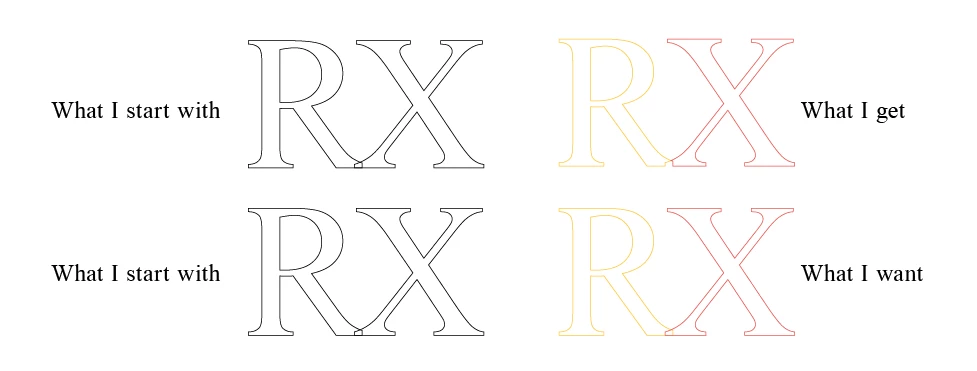
The letters in the image are only outlined to illustrate the issue.
Thank you!
My Current Action Steps are:
Ungroup
Release Compound Path
Release Clipping Mask
Set Color to Rich Black
Pathfinder - Outline
Set Color to "Swap fill and stroke"
Ungroup
Pathfinder - Exclude
Ungroup
 AdChoices