Answered
How can I restore the default settings
how to restore 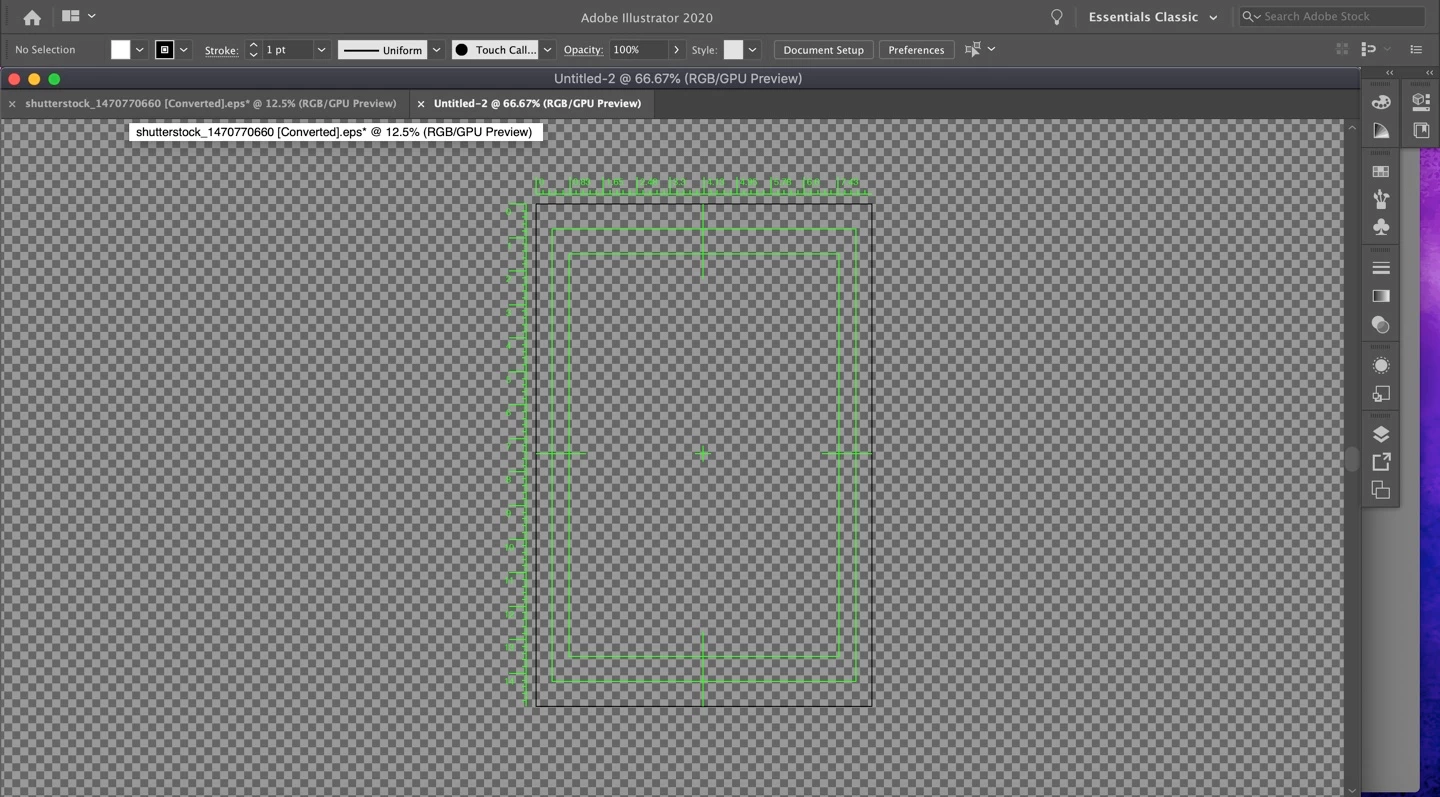
how to restore
Hi, to reset Adobe Illustrator preferences, press and hold Alt+Control+Shift (Windows) or Option+Command+Shift (macOS) as you start Illustrator. The new preferences files are created the next time you start Illustrator.
Don't do this. This is not about resetting all preferences, just not using the video presets.
Ohood, the simplest way around this is to not use a Video preset when starting a new document.
If you absolutely need to use the document you already have:
1. Go to View > Rulers > Hide Video Rulers
2. Go to View > Hide Transparency Grid
2. Select the Artboard tool. Go to the artboard options and turn off Centre Mark, Crosshairs, and Video Safe Areas
3. Delete the 14400 pixel square second artboard that the video preset creates
Already have an account? Login
Enter your E-mail address. We'll send you an e-mail with instructions to reset your password.
 AdChoices