wpabix
Participant
May 15, 2021 9:01 PM UTC
Answered

How can i skew a group of objects into a trapezoid?

Hi i have not been able to find a way to make a group of shapes into a single object i can manipulate.


I want to stretch this QR code into a trapezoid shape.
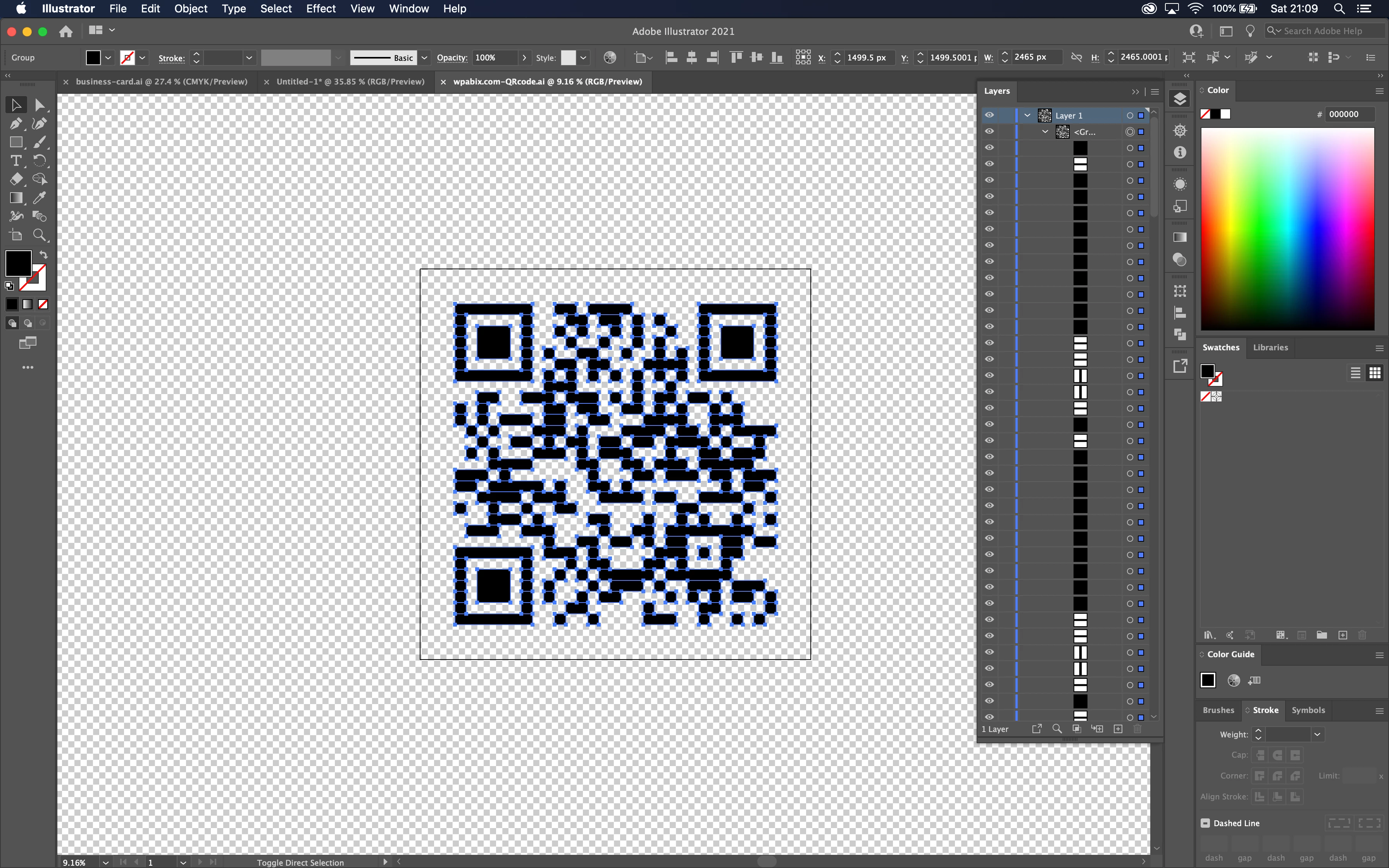
 

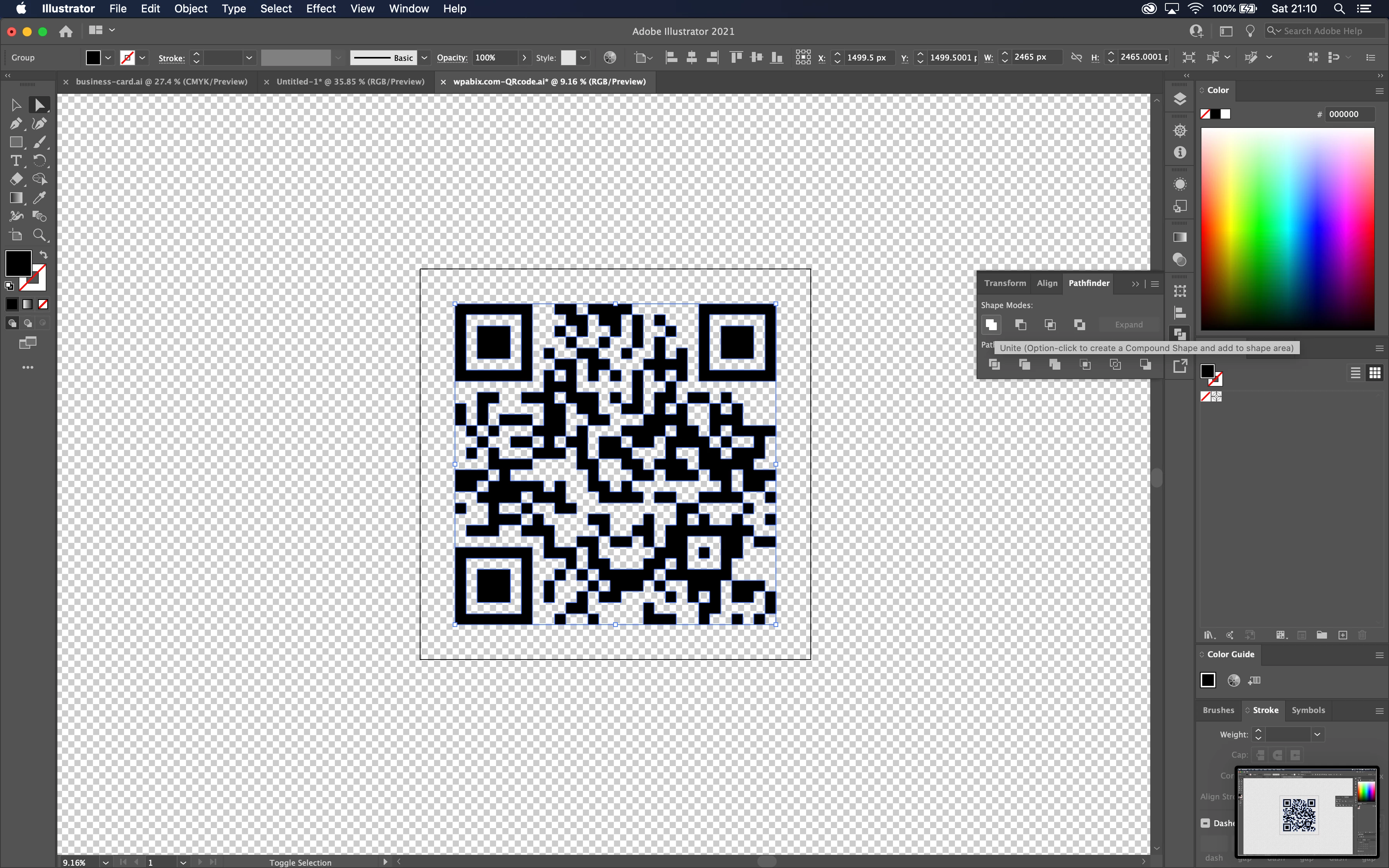
I selected all of the layers and used the "unite shape" tool.
 

I then tried to manipulate the shape using the anchor points. It was then i realised the "unite shape" tool didnt work how i thought it would.
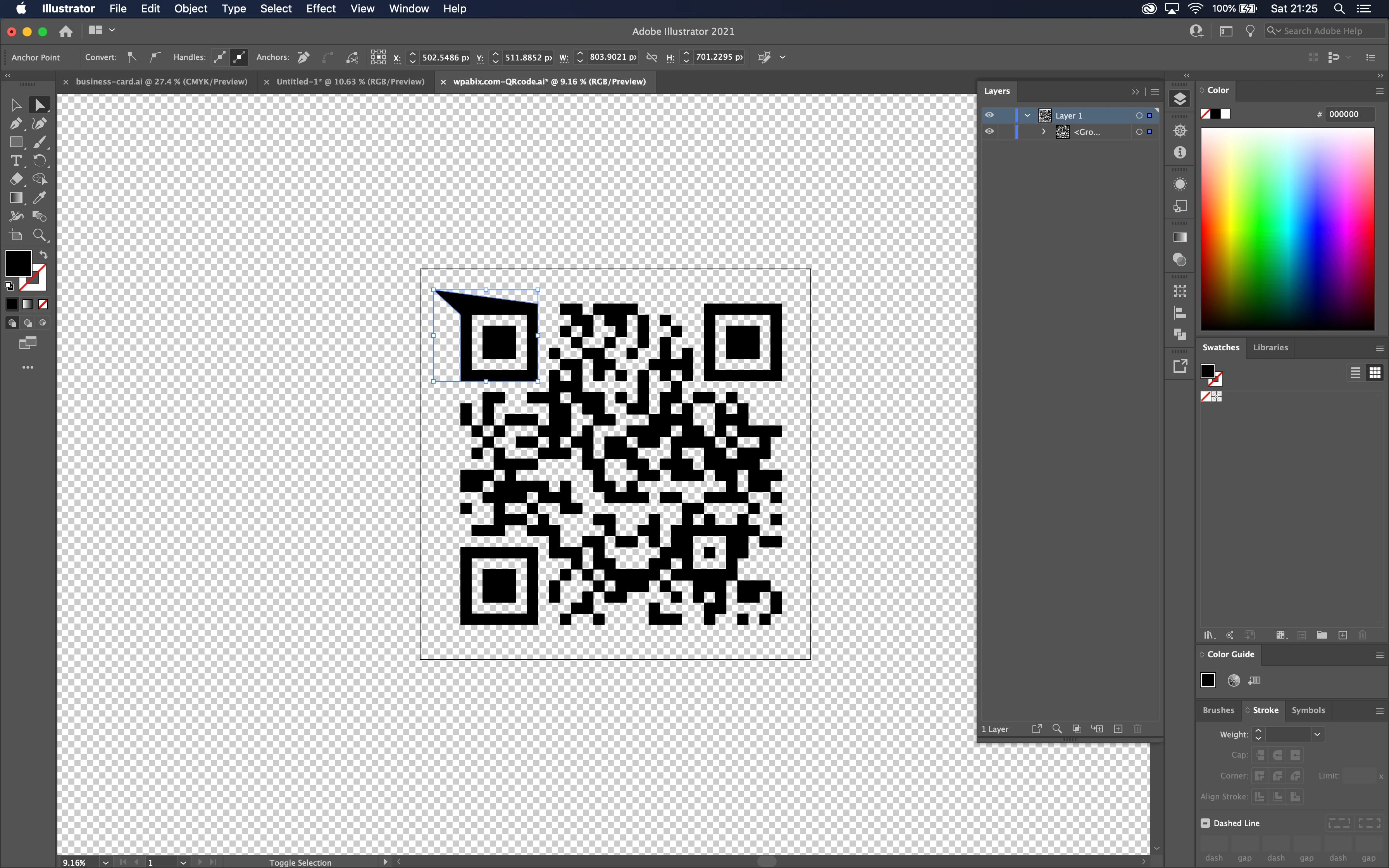
 

How can i stretch this shape into a trapezoid?

Is there a way make this into a single object?

("Flatten Artwork" didnt do anything, i also tried making the layers a "Symbol" but was unable to manipulate it using the anchor points)


I am sorry if have missed something obvious. I am new to Illustrator and my Googling and Adobe community searches came up with nothing this time.


Thanks

 

This topic is closed to new replies. Start a new post to keep the conversation going.
tromboniator
tromboniatorCorrect answer
Community Expert
May 15, 2021 10:20 PM UTC

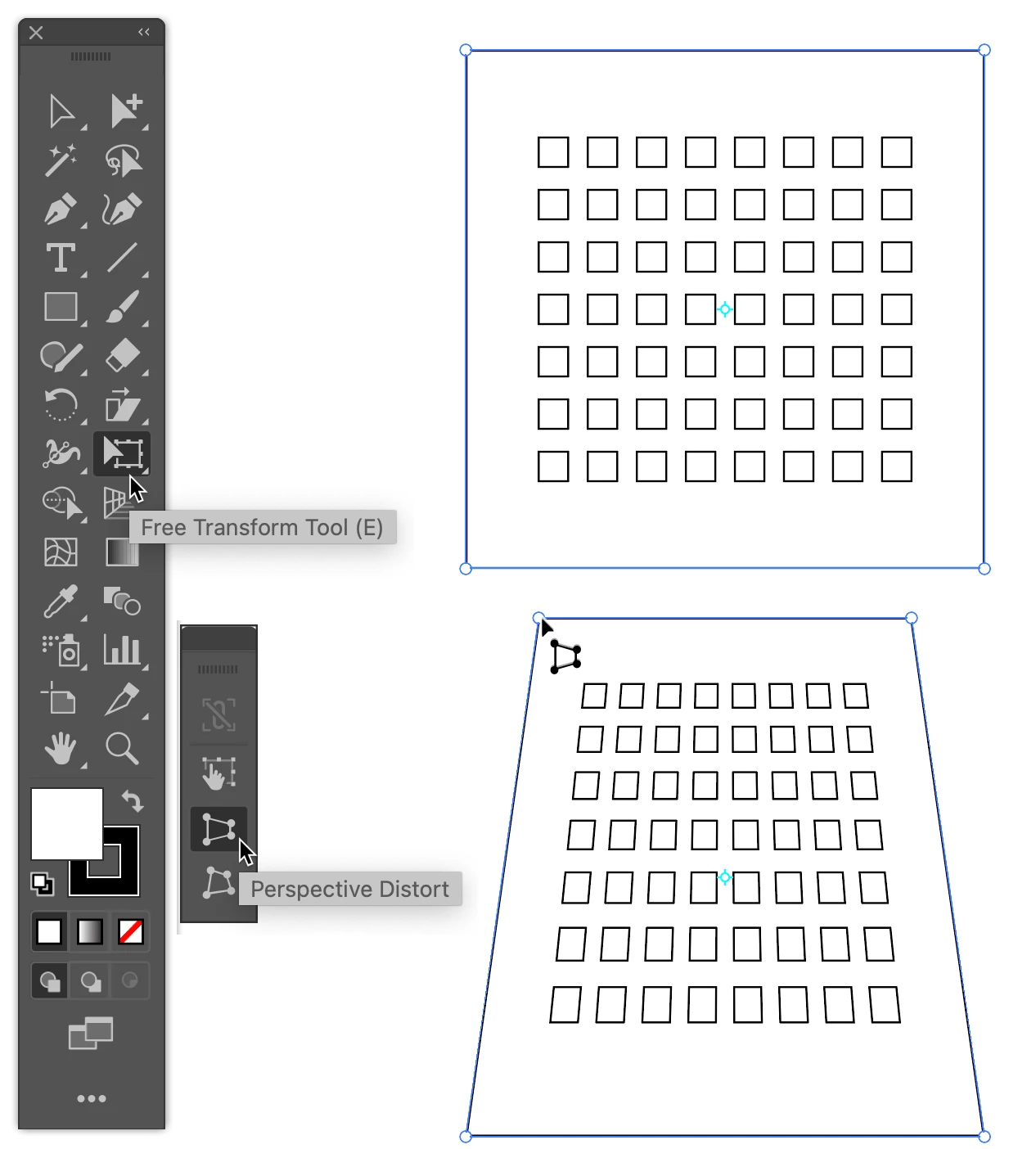
I think the Free Transform Tool/Perspective Distort is what you want. It appears that you already have everything grouped, so with the group selected choose that tool, grab a corner, and trapezoid as you will. You can, of course, adjust the height or width as needed with the Selection Tool.


Peter


7 replies

Kurt Gold
Community Expert
Community Expert
May 16, 2021 3:59 PM UTC

You may also have a look at the Effect menu > 3D > Rotate effect.


Translate
wpabix
wpabixAuthor
Participant
May 23, 2021 7:14 PM UTC

Thank you for your suggestion. I tried it and it did work.


I found the free transform / perspective distort more suitable for my particular use case.


Though I can see how the 3D rotate effect might be the better option when changing the perspective and retaining the proportions of a shape.


Translate
tromboniator
Community Expert
tromboniatorCommunity ExpertCorrect answer
Community Expert
May 15, 2021 10:20 PM UTC

I think the Free Transform Tool/Perspective Distort is what you want. It appears that you already have everything grouped, so with the group selected choose that tool, grab a corner, and trapezoid as you will. You can, of course, adjust the height or width as needed with the Selection Tool.


Peter


Translate
wpabix
wpabixAuthor
Participant
May 16, 2021 3:01 PM UTC

Thank you Peter, this was exactly what i was looking for and worked perfectly!

Translate
tromboniator
Community Expert
Community Expert
May 16, 2021 7:31 PM UTC

You're welcome! I'm glad that worked for you.

Translate