
Answered
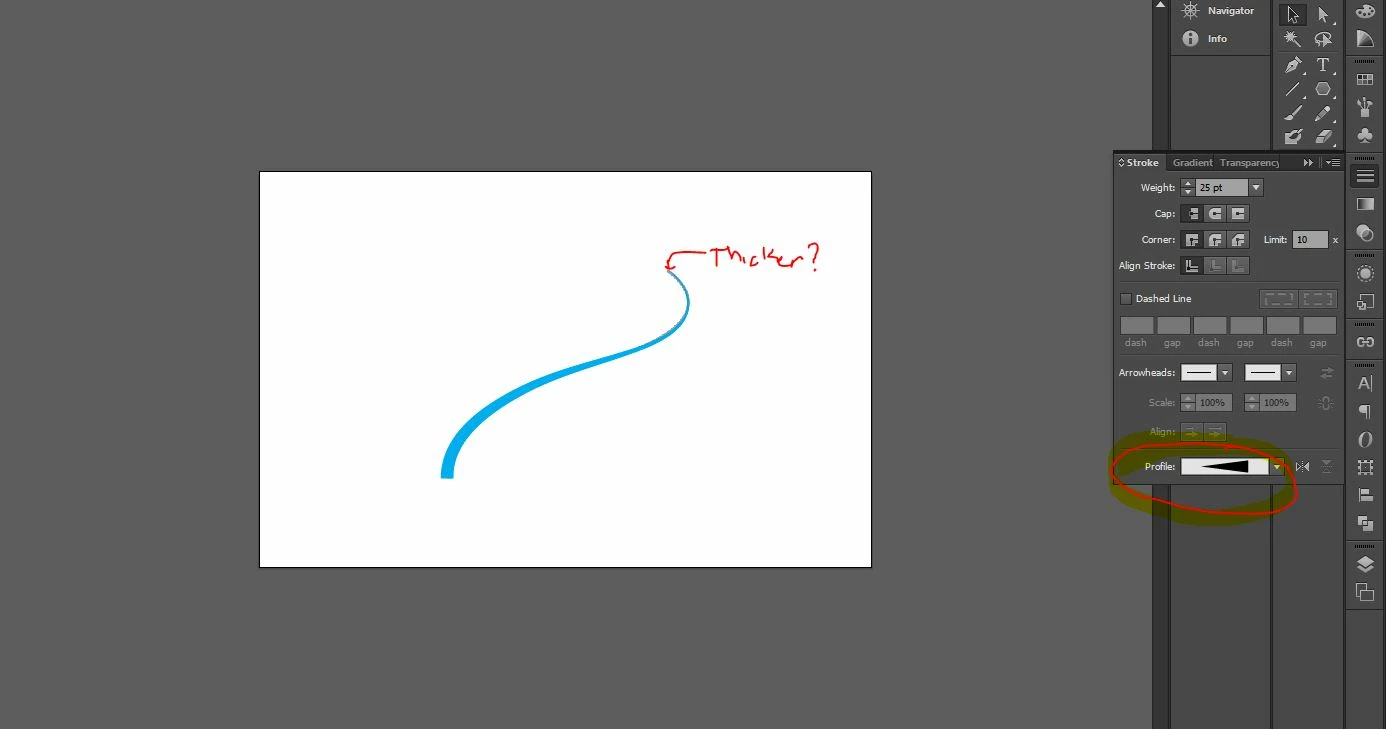
How can you make a stroke get thicker along a path?
I am trying to create a bridge in photoshop that is going back into a perspective. Since the pen tool in photoshop is really primative, I wanted to try to create the line in illustrator and paste it into my PSD file. The brush tool in Photoshop does not have the amount of control I need for this shape.
I have applied a profile stroke styles in illustrator to create a line with variable width, however it does not seem that I can control the starting thickness and ending thickness to create a more controlled appearance to fit within my scene. Is there a way to control the perameters of this profile to create a starting and ending thickness? Or is there another way to achieve this through the blend tool somehow?


 AdChoices