
Ferrari3469
Known Participant
February 18, 2020
Answered

How do I achieve this contour fill in Illustrator

  • February 18, 2020
  • 3 replies
  • 2625 views

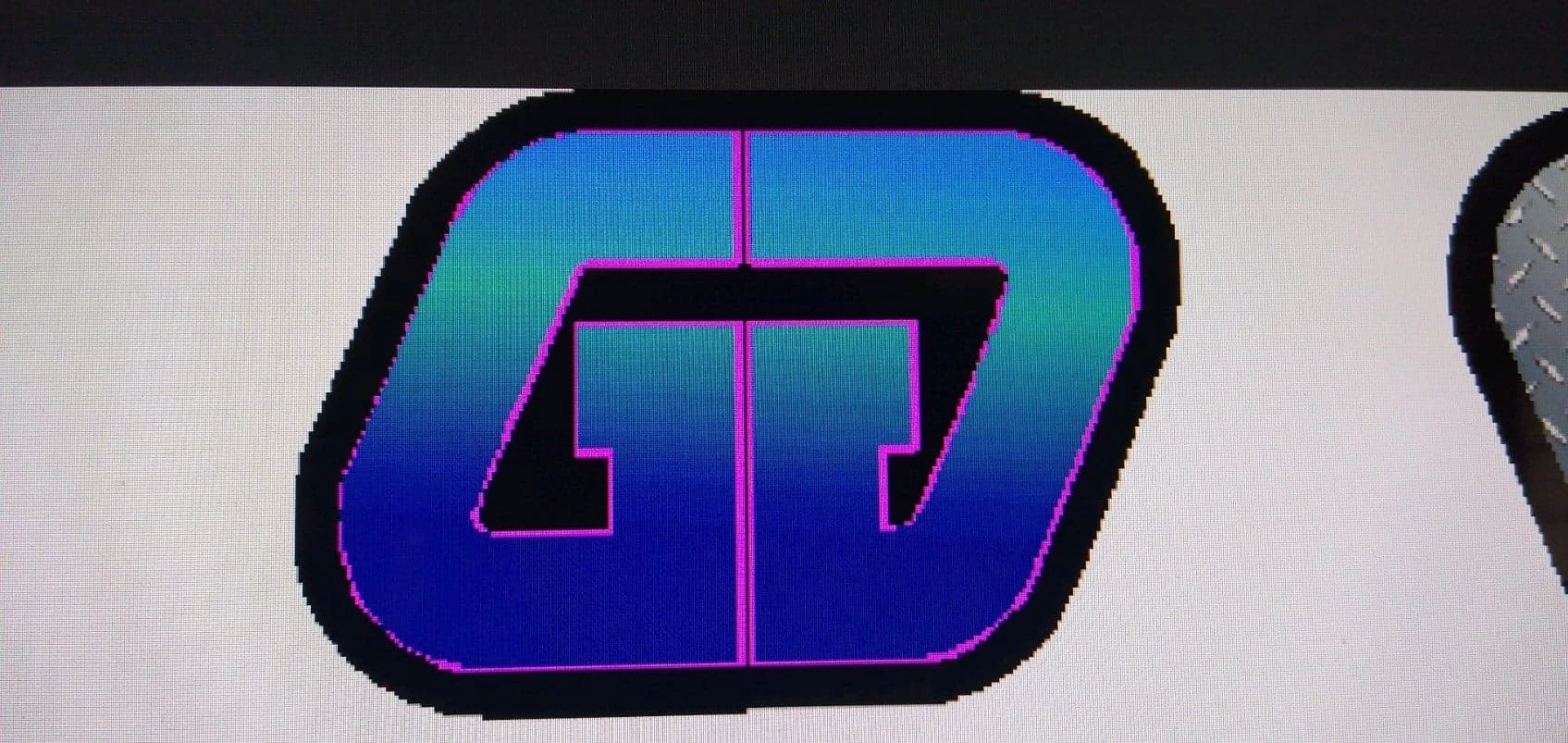
Not sure of the terminology here, but I created this on a crappy sign program at work...trying to recreate it on my Illustrator at Home....just the black contour, not worried about the pink outline. Helpabrotherout?



This topic has been closed for replies.
Correct answer federico platon

3 replies

Ferrari3469
Known Participant
February 24, 2020

FEDERICO, I LOVE YOU!!!!!!


Thank you so very much, sir....I have struggled with this for weeks..... I knew what I wanted was achievable but I couldn't make it happen....thank you again

Jacob Bugge
Community Expert
Community Expert
February 18, 2020

Ferrari,


You can:


1) Create a stroke/nofill rectangle with a width as the distance between corresponding (unrounded) corners and the height, then round the corners, then shear it to the desired angle (you can use Object>Transform>Shear);

2) Object>Path>Offset Path with the offset that gives you a path at the middle of the thick outer black shape, then increase the Stroke Weight as desired;

3) Create two rectangles and cut them out of the sheared rectangle from 1) (you can use Pathfinder>Minus front or Shapebuilder);

4) Select everything and Object>Path>Outline Stroke to get filled paths, then if desired add a (pink) Stroke.


Legend
February 18, 2020

Select the sign and Object>Path>Offset

Ferrari3469
Known Participant
February 21, 2020

Doing that overlaps the two characters 

federico platonCorrect answer
Legend
February 21, 2020