
Participant
April 11, 2023
Question

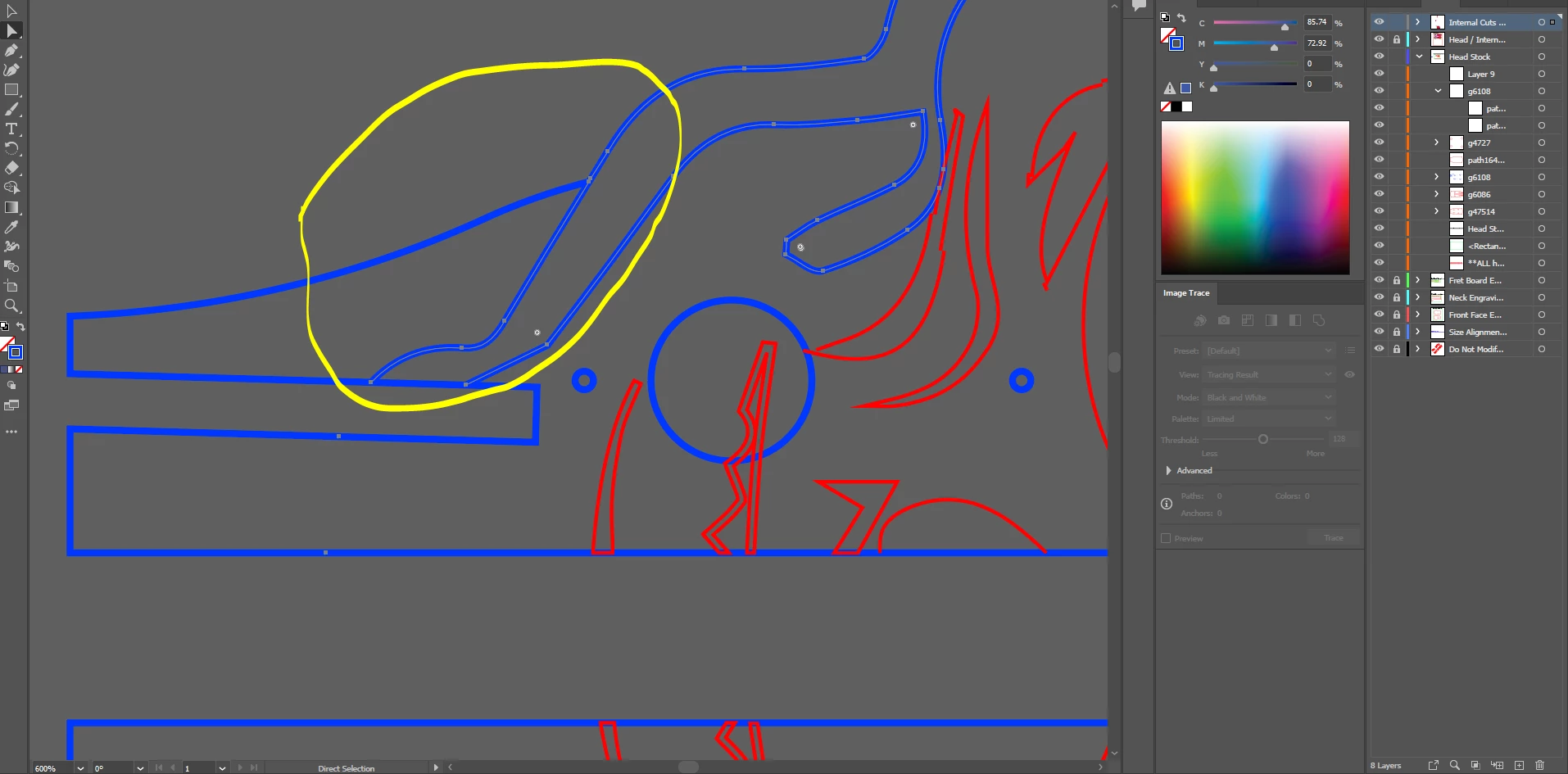
How do I change the color of a line segment, not the whole grouping of lines?

  • April 11, 2023
  • 2 replies
  • 1608 views

Basically I have an outline, I need to only select part of the line to change the color, when I try to change the color it changes the color of not only the selected part, but also the entire group of lines. I only want to change what is circled:


SVG file also attached.
This topic has been closed for replies.

2 replies

Jacob Bugge
Community Expert
Community Expert
April 11, 2023

cooper,


"I am lasercutting with this, so I need to ensure the paths are just single lines."


I wonder whether this calls for another solution that leaves the original paths as they are, or is just silly/unusable, but you might:


1) Starting with nothing selected, click the path segment in question with the Direct Selection Tool (hold Shift and click each path segment if more than one),

2) Hold Ctrl/Cmd and press C then F then X then F to bring a copy to the front as a separate path (set if more than one, and in that case also Join or Group them),

3) Change the colour as desired.

Kurt Gold
Community Expert
Community Expert
April 11, 2023

You may split the paths with the Scissors tool and recolour as desired.


Or you can make a Live Paint group for flexible adjustments.


cooper136Author
Participant
April 11, 2023

I used the scissor tool, it still seems to have an issue, there are points that seperate the line from the other segments, however it still changes the whole group of lines.


Does the live paint tool maintain the paths? I am lasercutting with this, so I need to ensure the paths are just single lines.