Participant
June 6, 2019
Answered

How do I change the color of one side

  • June 6, 2019
  • 1 reply
  • 747 views

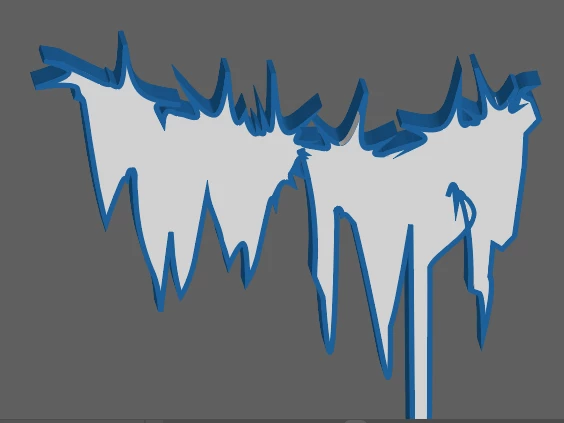
Hi all! I have the image below and what I am trying to do is get rid of the blue outline on the top of the image. I still want the left, bottom and right side to have the blue but not the top. Do you guys have any suggestions of ways I could do this in an easy way? I would use shape but then I have to make a crazy shape at the top which takes some time. Thanks!


I have an image (attached) and I am trying to get the top
This topic has been closed for replies.
Correct answer Mike_Gondek10189183

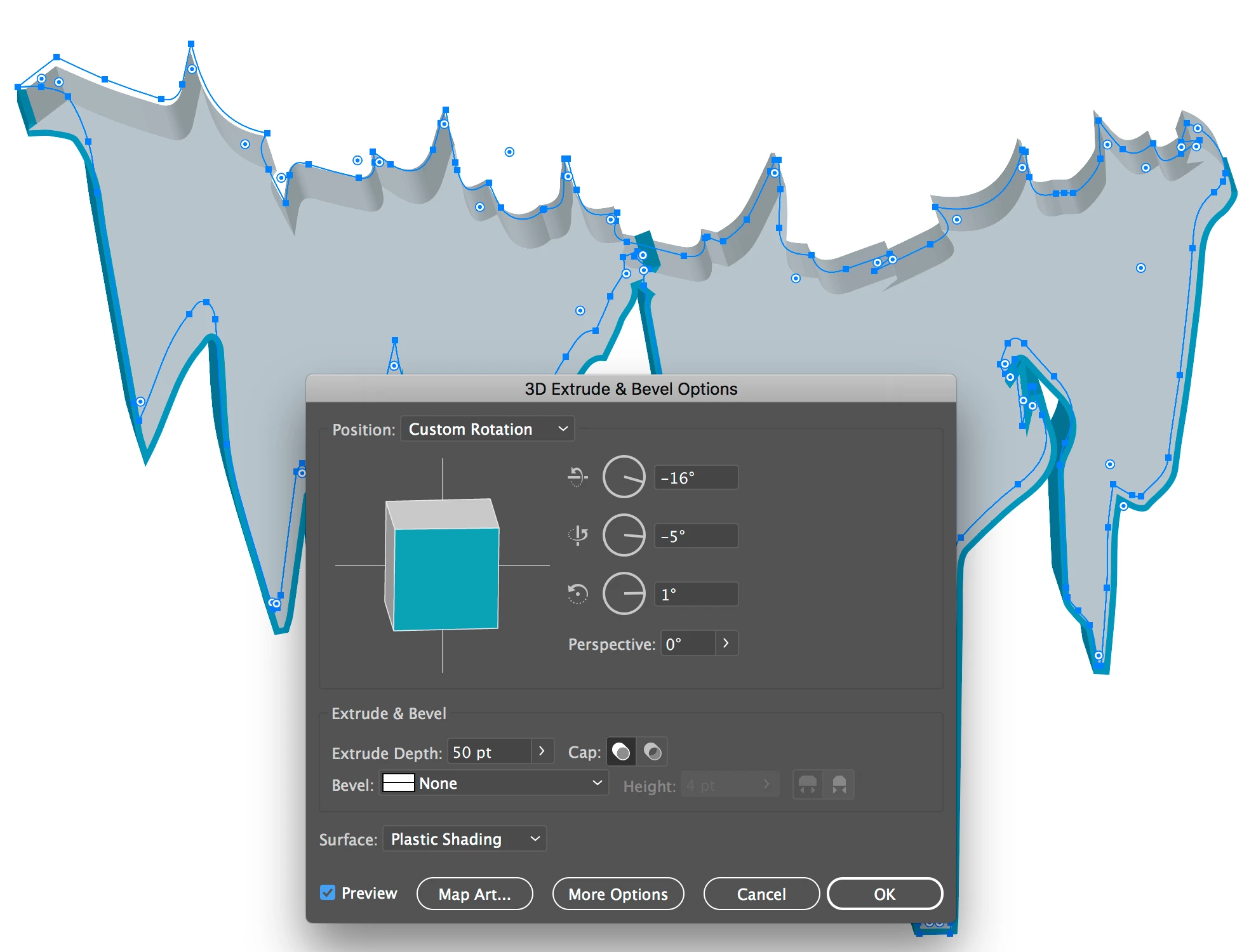
You cannot turn it section of , but you can rotate the x axis (top option your -16° to a positive number) to hide.

Another way is todupl;icate a copy of the shape, one for fill, second for stroke. Remove the points on stroke path you do not want to extrude

1 reply

Mike_Gondek10189183
Community Expert
Community Expert
June 6, 2019

How is this created. My guess is you have a vector shape and used 3D >> Extrude & Bevel.

Try theses settings or similar.

Let us know what your stroke fill and bevel are3 if you need more help. I avoid extrudingstrokes in 3D as gets slow & buggy.

Participant
June 6, 2019

Yupp that's what I did I need help with isolating the the top blue stroke and turning it off. Below are the settings I used.

Monika Gause
Community Expert
Community Expert
June 6, 2019

What exactly don't you want? the complete blue part at the top?