Participant
March 28, 2020
Answered

How do I create a halftone for my image?

  • March 28, 2020
  • 1 reply
  • 429 views

Hello everyone!


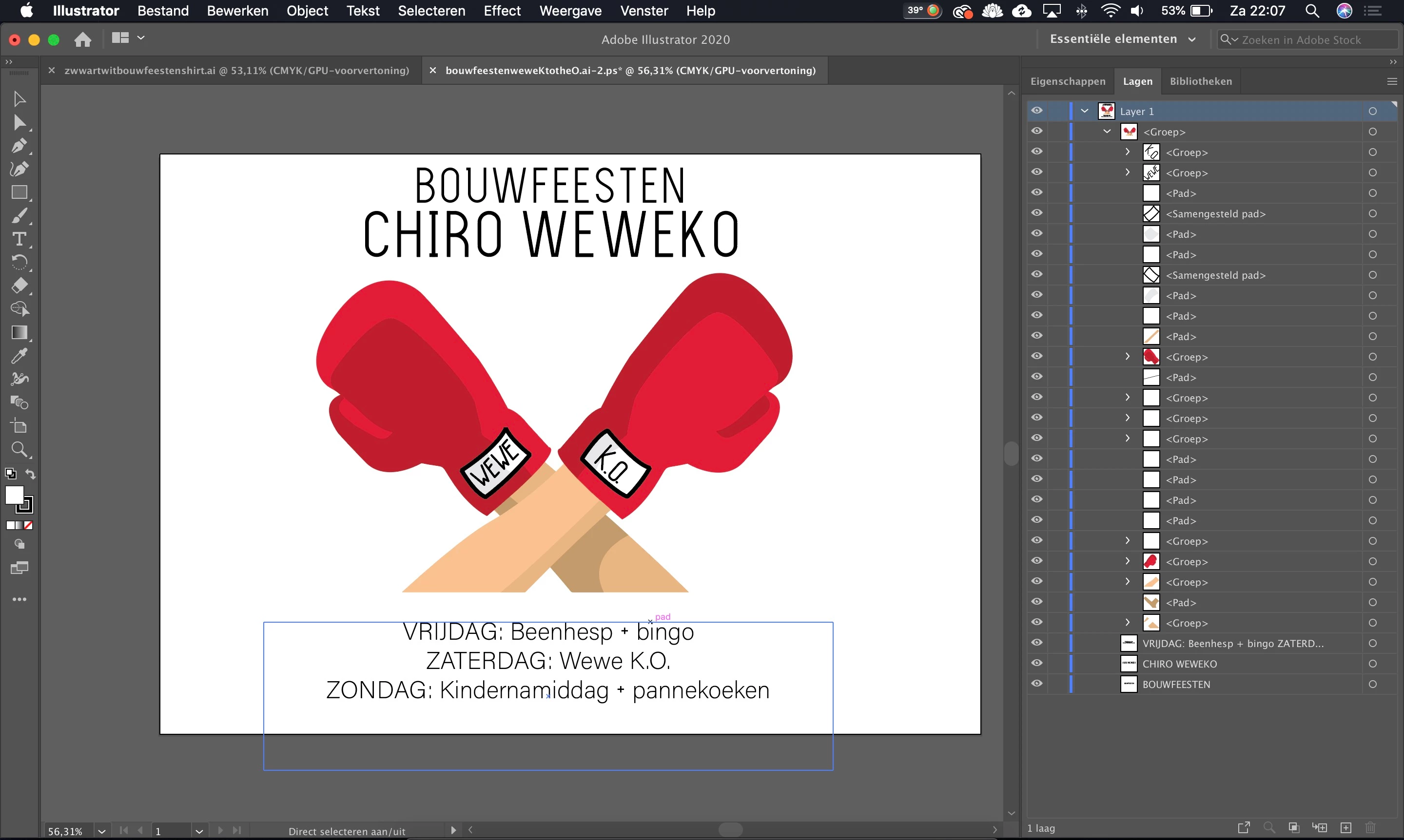
A friend of mine designed a logo in colour for me last year (first photo). I sent the coloured version to the printing office and they printed it with white ink on black t-shirts (second photo). This year, I'd like to remake the shirts and create the black & white version my self. But I am new to Illustrator, so I wanted to ask how I can convert the coloured illustration to a one colour halftone as shown in the second picture? 


Thanks!


This topic has been closed for replies.
Correct answer tromboniator
 

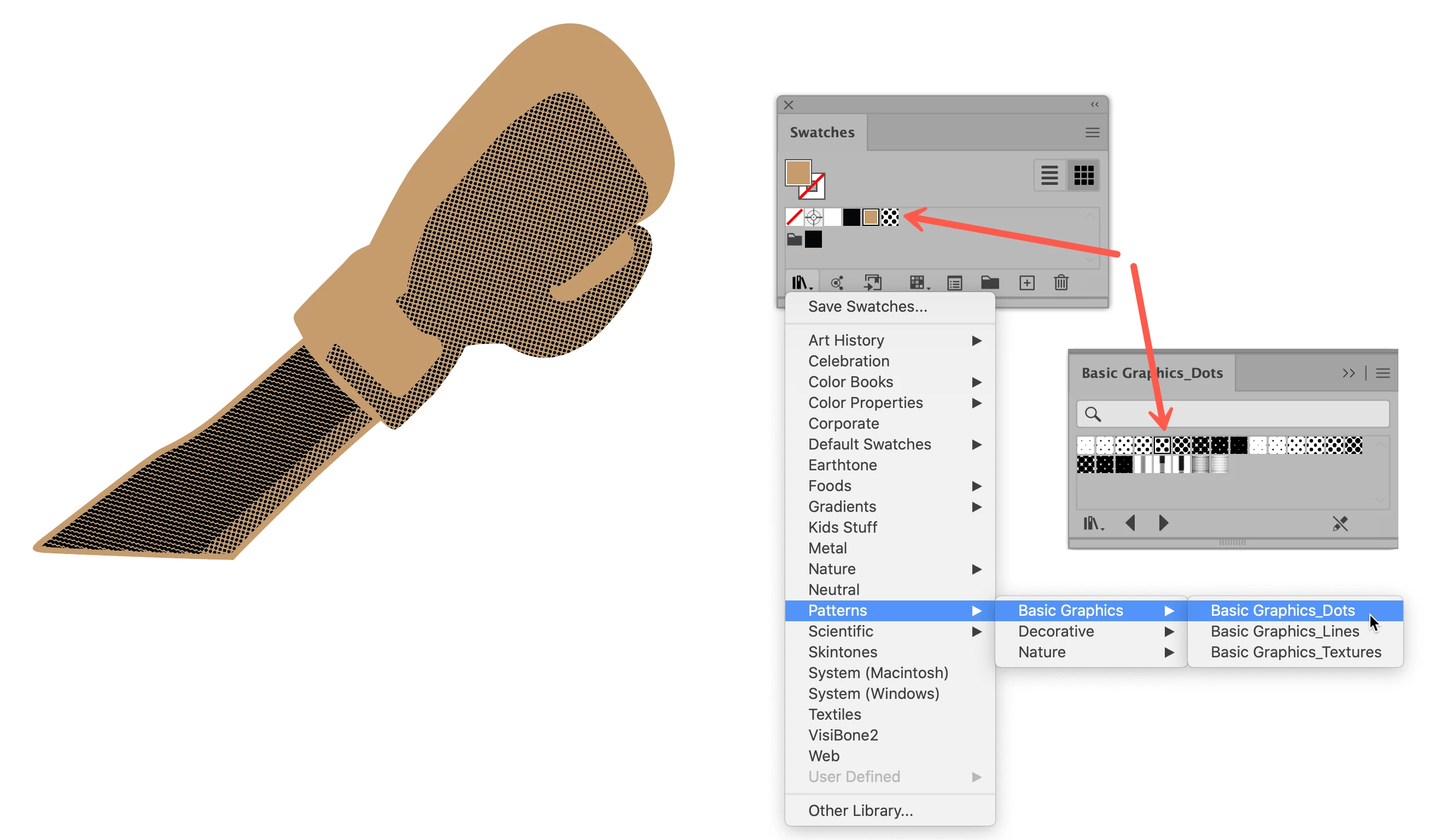
Just draw the shapes of the shaded areas and apply a dot pattern from the Swatches panel (Window menu > Swatches). A selection of dot patterns is available in the Swatches Library in the lower left corner of the panel.


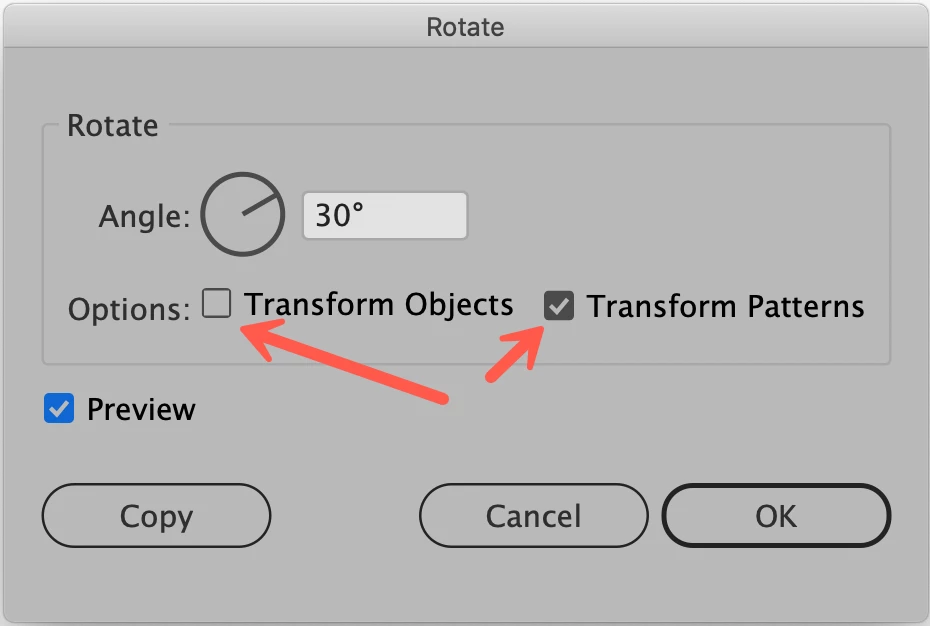
The size and rotation can be adjusted from Object menu > Transform > Scale or Rotate by making sure that Transform Patterns is selected, and Transform Objects is not.


Peter

1 reply

tromboniator
Community Expert
tromboniatorCommunity ExpertCorrect answer
Community Expert
March 29, 2020
 

Just draw the shapes of the shaded areas and apply a dot pattern from the Swatches panel (Window menu > Swatches). A selection of dot patterns is available in the Swatches Library in the lower left corner of the panel.


The size and rotation can be adjusted from Object menu > Transform > Scale or Rotate by making sure that Transform Patterns is selected, and Transform Objects is not.


Peter