

Hung creations
Participant
September 15, 2019
Question

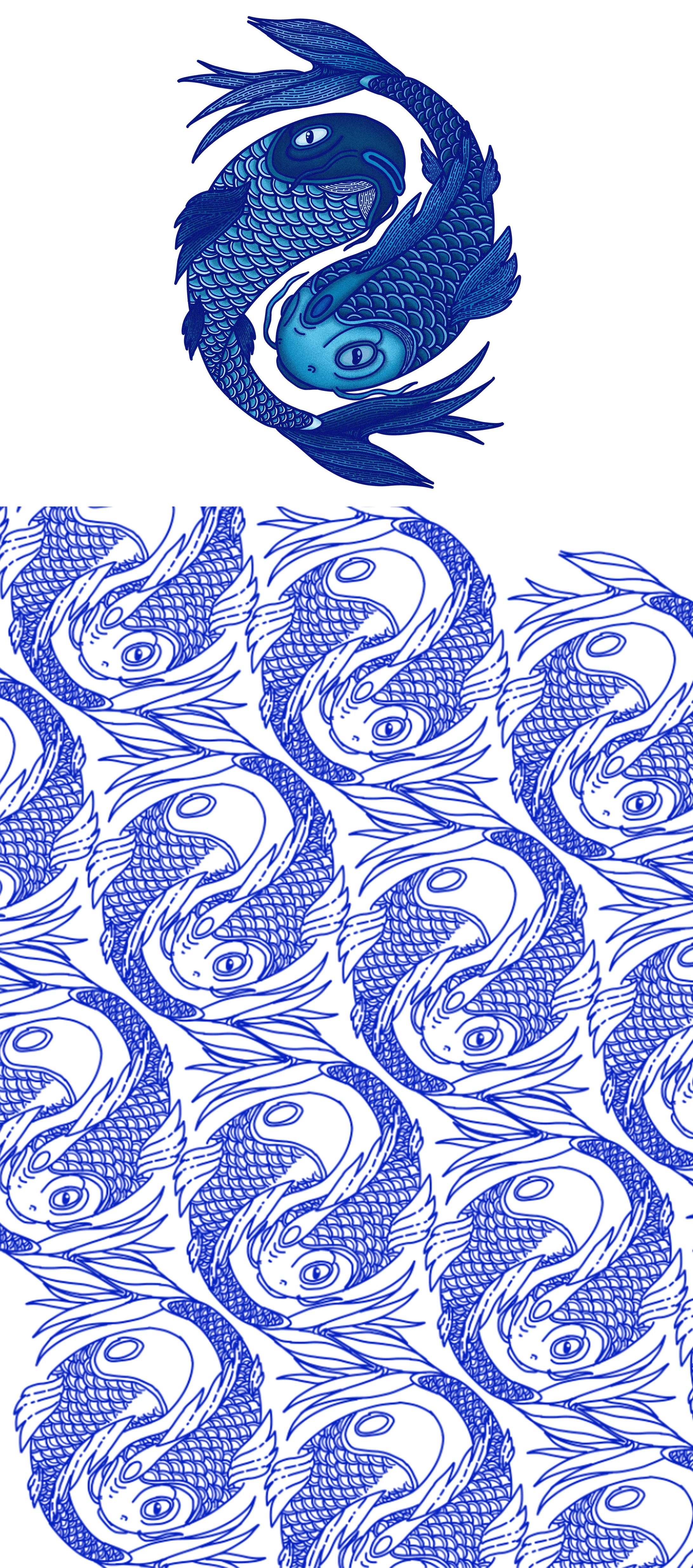
How do I create a repeating pattern from my fish asset to create the repeating pattern below?

  • September 15, 2019
  • 2 replies
  • 862 views

I am really struggling to find the correct configuration to make the repeating pattern in the image using the pattern maker in Illustrator.  I also need to create a pattern tile that is 300mm x 300mm to send to the client. 
This topic has been closed for replies.

2 replies

Anna Lander
Inspiring
November 7, 2020

I'm afraid this is not the case for normal AI Pattern editor. AI needs at least one straight direction, but your sample has offsets by both X and Y. So, the closest possible results are HEX by columns (and adjusting the pattern box size) or Bricks by Columns with offset 1/5. They both are not exactly what you need. 😞

You could try some pluginst, something like Random Pattern Pro or similar

Hung creations
Participant
November 9, 2020

Thanks for your reply. I've tried so many possible combinations. I'll see if there are some similar plugins available.

Monika Gause
Community Expert
Community Expert
September 15, 2019

The problem is the offset. Illustrator will only allow you certain offsets so that the tile doesn't get too big. You will have noticed that your example tile doesn't repeat. Can you please show a screenshot of your design inthe pattern editing mode?

Hung creations
Participant
November 7, 2020

Hi. Okay, I kinda figured out how to get a repeating pattern but not at the angle that I need. I still need a single tile for export at any size or dimension. You can see in my image that I have the repeating pattern and I managed to get a tile, by dragging the swatch onto the artboard and using the rectangle in the pattern to clip it. However, the pattern is at a straight angle. You'll see under that is the pattern and angle that I want. There's also a pattern tile example on the right that someone helped me with a while back, that's pretty close to what I need, but I don't know how to get there. 
Below is my current design in the pattern area.

Monika Gause
Community Expert
Community Expert
November 7, 2020

As I already wrote last year, it might be impossible to get a certain angle at all. You might be referring to wrapping paper. They have special (expensive) software to produce that.


You can create a horizontal angle pretty easily in Illustrator and then apply the pattern and rotate it inside the object. But you want the angle directly inside the repeat, right? Other than fiddling around with the settings in the pattern panel, there's no way.


There is a plugin for this that might perhaps help you better: SymmetryWorks