
Aug 15, 2012 3:31 AM UTC
Answered

How do I create a transparent stroke above other shapes?

Hello

I have the following shape:
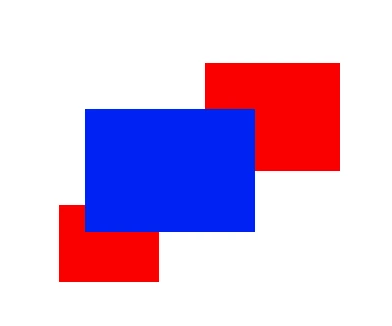
What I'm trying to do is give the blue box a transparent stroke that will "cut through" the red boxes and show the background underneath, whatever that may be ...white, another color, or a photo.

I can easily achieve this when I give it a white stroke. It'll look like this:
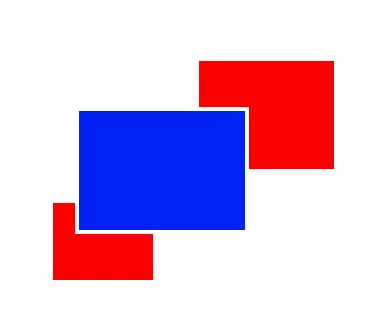
When I change to a background color other than white or even a photo however, I end up with this problem:
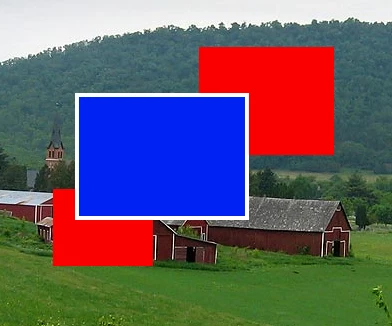
How do I make it so that I have a transparent border (not white) around the blue box? Which effectively cuts a "transparent stroke" (space) between the parts where the blue and red boxes intersect?

Thank you very much for any advice I've been trying to get this done for days without success, so you're my last hope!

This topic is closed to new replies. Start a new post to keep the conversation going.
tromboniator
tromboniatorCorrect answer
Community Expert
Aug 15, 2012 7:10 AM UTC

1. Select the blue rectangle with the white stroke, then do as Silkrooster suggests to set the stroke's opacity to 0. The white stroke will disappear.

2. Select all three rectangles and group them.

3. With the group selected, the Appearance panel should show:

    Group

    Contents

    Opacity

Click on Opacity. In the box that opens, click the box next to Knockout Group until the check/tick mark appears. If the dash appears, click again.

12 replies

tromboniator
Community Expert
tromboniatorCommunity ExpertCorrect answer
Community Expert
Aug 15, 2012 7:10 AM UTC

1. Select the blue rectangle with the white stroke, then do as Silkrooster suggests to set the stroke's opacity to 0. The white stroke will disappear.

2. Select all three rectangles and group them.

3. With the group selected, the Appearance panel should show:

    Group

    Contents

    Opacity

Click on Opacity. In the box that opens, click the box next to Knockout Group until the check/tick mark appears. If the dash appears, click again.

Translate
Aug 15, 2012 11:11 AM UTC

Thank you SO much you both, that worked perfectly

Translate
tromboniator
Community Expert
Community Expert
Aug 15, 2012 9:04 PM UTC

You're welcome.

Translate
Silkrooster
Legend
Aug 15, 2012 4:32 AM UTC

Window>Appearence or shift-F6. Once the appearence panel is open, Twirl down the icon next to the word Stroke, Click Opacity and adjust it to your hearts desire...

Translate