

Participant
December 17, 2019
Question

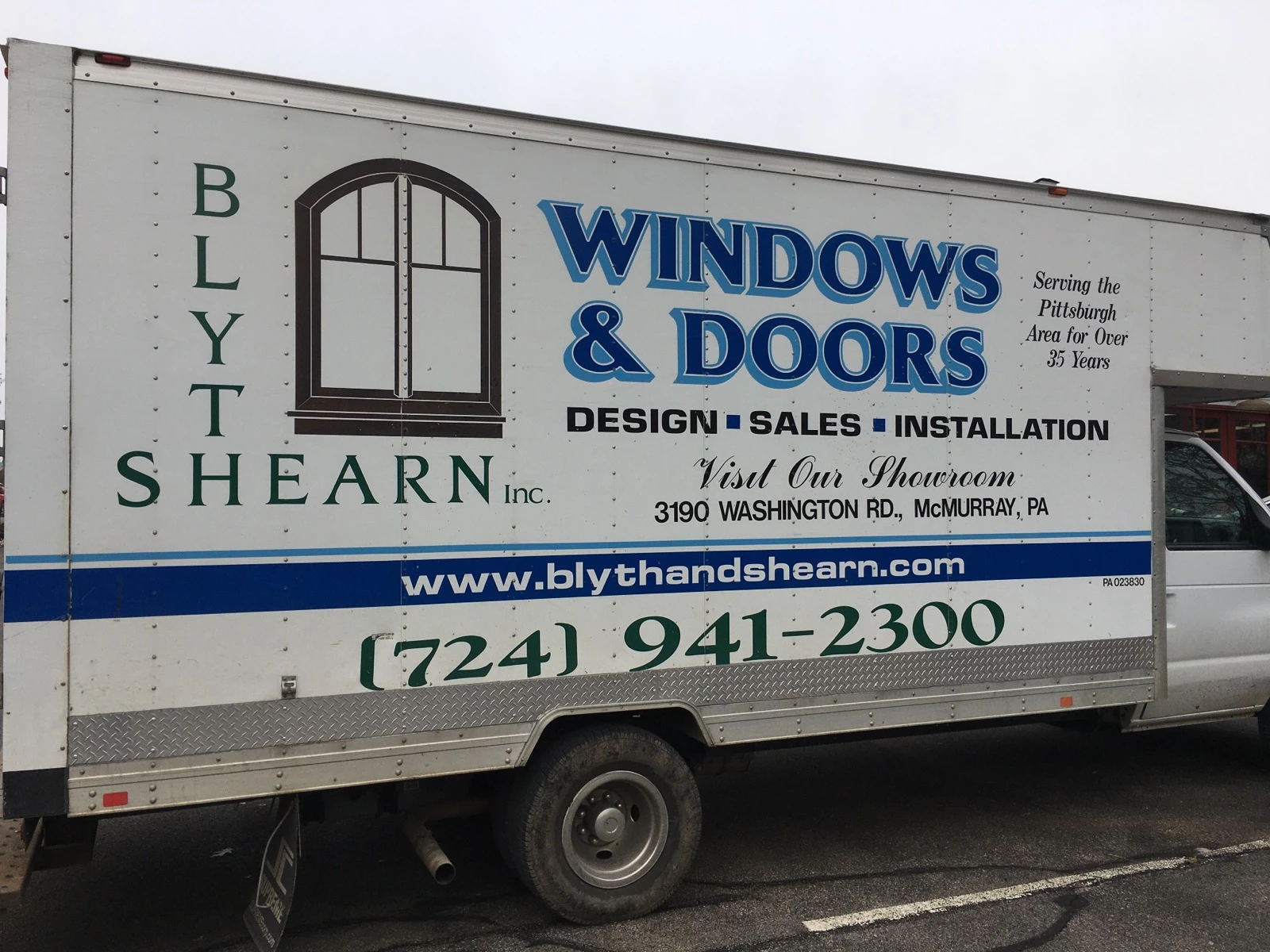
how do i create "outline" like picture
  • December 17, 2019
  • 3 replies
  • 498 views

The windows & Doors. how would i make the light blue around the dark blue? 

3 replies

Monika Gause
Community Expert
Community Expert
December 18, 2019

I would use the opo plugin. http://63mutants.com/subc/products/opo_m01/opo_m01.php

Or this method if you prefer not to install plugins: https://www.vektorgarten.de/long-shadows-with-illustrator.html


This assumes that you want to be able to use the result for cutting. If you want to just export it to pixels afterwards and never intend to export vector files, then there are other methods as well using blends or the transform effect. Those methods will create a gazillion vector paths.

Participant
October 31, 2025

If someone's still trying to find something without the use of a plugin, I've figured out a way. 

Use the "Blend" option to create the illusion of a long shadow between the two objects, expand it, and ungroup it all. Now the lines between will have a bunch of vector points as mentioned above by Monika, which will be a problem unless you're planning to rasterize it anyway. 

Select the "shadow" part of the object by either removing the top part and shapebuilding the long shadow or using the several pathfinder options. Select the "smoothing" option under Object > Path > Smooth. The smooth option only needs approx. 1 - 5% to remove the millions of vector points without rounding out sharp corners.


Monika Gause
Community Expert
Community Expert
November 1, 2025

I posted a link to a method that works without plugins and also without creating all those points that you then need to delete.

Inspiring
December 18, 2019

Participant
December 19, 2019

hi, i have tried adding a stroke and adding different effects. the picture you linked is helpful tho. i am using illustrator 19 i beleive. not the latest version but the one before that...

Kurt Gold
Community Expert
Community Expert
December 17, 2019

There are many ways to do that. What did you try so far in order to get the desired result?


Which version of Illustrator are you using, by the way?

Participant
December 19, 2019

 i have tried adding a stroke and adding different effects. the picture you linked is helpful tho. i am using illustrator 19 i beleive. not the latest version but the one before that..