
We Run Hollywood!
Known Participant
April 17, 2021
Answered

How do I create randomized distribution of text or objects, in Illustrator?

  • April 17, 2021
  • 1 reply
  • 7350 views

Hey You Guys!

I would greatly appreciate it if someone could explain to me how to recreate the randomly distributed text/object effect seen below:
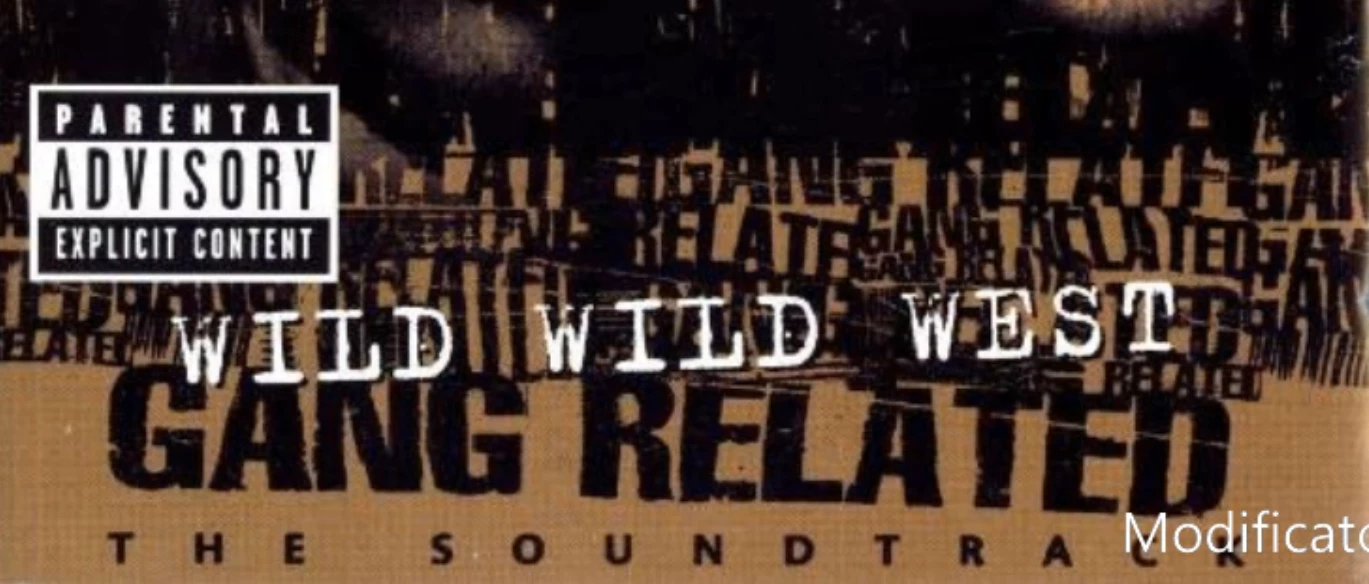
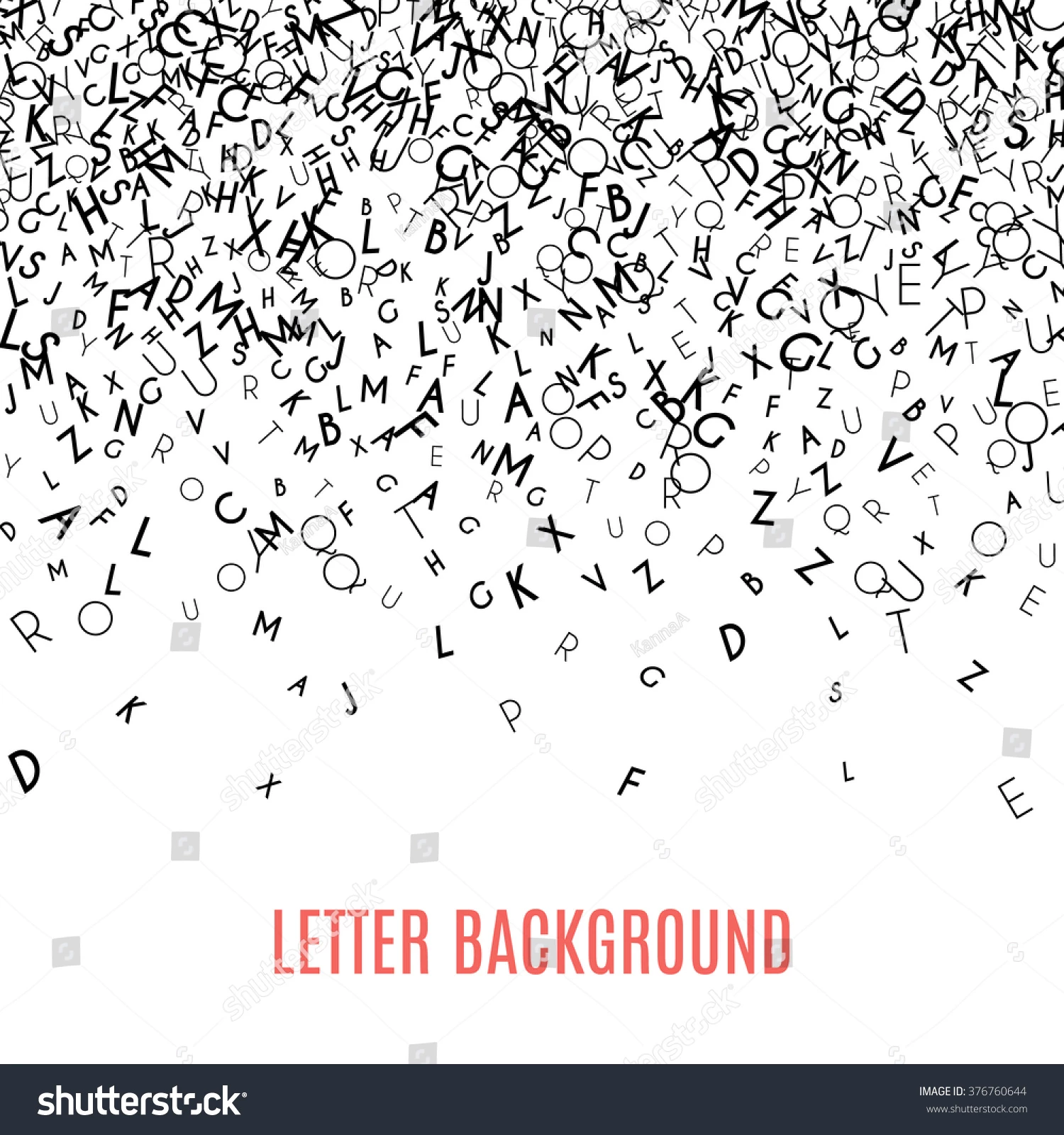


How do you recreate this effect, where it looks like randomly distributed and overlapping words of text, or objects? I know that in Adobe After Effects, there is a calculations effect that achieves something similar, but I would definitely appreciate it if anyone wouldn't mind explaining how to achieve this effect in Adobe Illustrator.


Huge Thank You!
This topic has been closed for replies.
Correct answer ZooN_

I would do this:


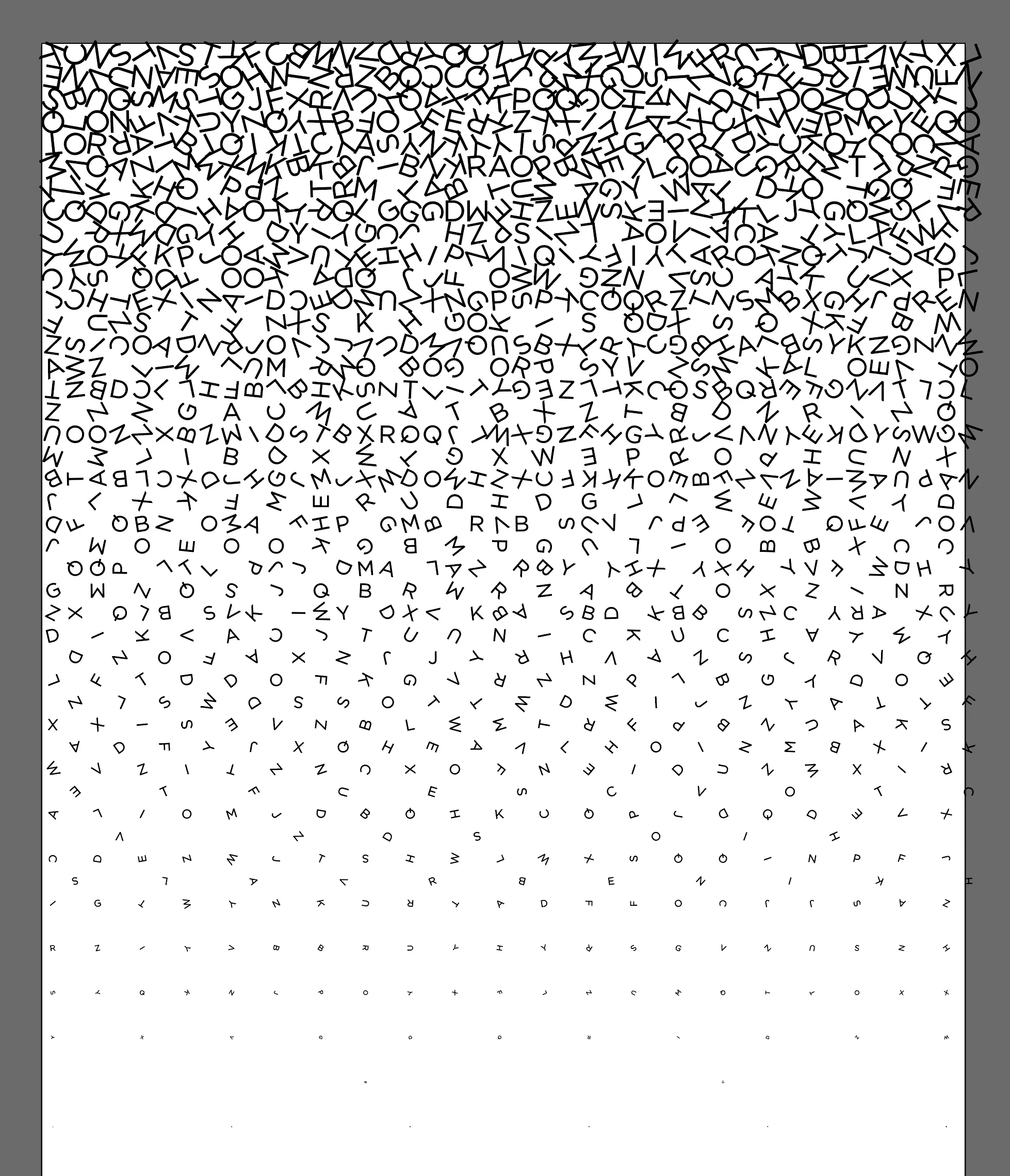
• Use Astute Graphics' Phantasm Halftone Live Effect on a base rectangle shape with a simple white-to-black gradient fill and choosing (and tweaking) the Character option in Halftone's settings until you achieve the desired effect. Choose one of the more "random looking" distribution patterns, ie. Floyd Steinberg frequency modulation, etc. The plugin isn't free but there is a 7-day trial available to download.

• Then I would use a script that will randomly rotate each character. Something like this: http://dotpixeldesign.com/random-rotate-illustrator-script/#downloads

• After expanding the appearance you can further tweak the result manually.

• You can overlay multiple layers with varying font sizes and widths to achieve something closer to your example.


I did this in all of 5 minutes:


1 reply

ZooN_Correct answer
Inspiring
April 17, 2021

I would do this:


• Use Astute Graphics' Phantasm Halftone Live Effect on a base rectangle shape with a simple white-to-black gradient fill and choosing (and tweaking) the Character option in Halftone's settings until you achieve the desired effect. Choose one of the more "random looking" distribution patterns, ie. Floyd Steinberg frequency modulation, etc. The plugin isn't free but there is a 7-day trial available to download.

• Then I would use a script that will randomly rotate each character. Something like this: http://dotpixeldesign.com/random-rotate-illustrator-script/#downloads

• After expanding the appearance you can further tweak the result manually.

• You can overlay multiple layers with varying font sizes and widths to achieve something closer to your example.


I did this in all of 5 minutes:


Inspiring
April 17, 2021

On second thought, you can probably even use the Symbol Sprayer tool.