

Danny51
Inspiring
January 14, 2025
Answered

How do I create sigmoid curves in Illustrator?

  • January 14, 2025
  • 2 replies
  • 489 views

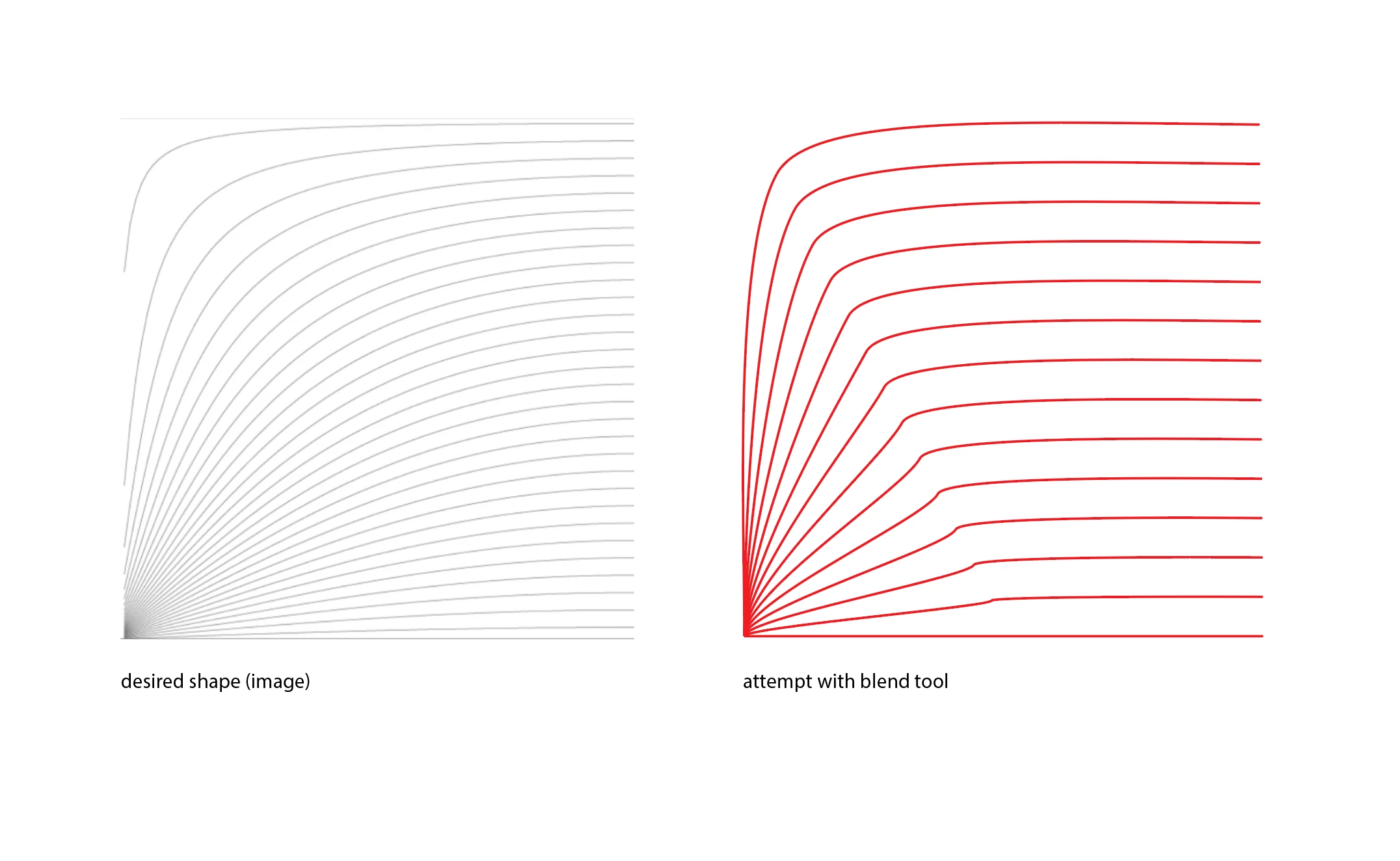
I need to create a pattern of increasingly flattened sigmoid curves, I tried the arch tool and the blend tool, but so far I haven't found a way of automating it in a way that is clean and doesn't require me manually constructing each curve. Is there maybe a function that can reproduce this result?

(I also tried the blend tool with more inbetween steps but it doesn't work, and it doesn't look clean at all)
 

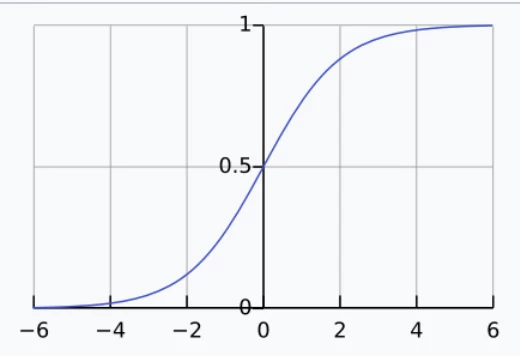
In case this info is needed, a sigmoid curve is an s-shaped graph belonging to the sigmoid function:
 

Correct answer Jacob Bugge

Danny,


Sigmoid curves is a term covering fundamentally different shapes with a rotational symmetry with an upper right and lower left part on either side of an origin, the one in your lower screenshot being just one (logistic).


The curved in the desired shape in the upper left screenshot seems to be a transition of portions of the upper left parts of what looks like fundamentally different ones, further with origins at different horizontal positions.


Therefore I am afraid we are looking at something different to just "increasingly flattened sigmoid curves."


2 replies

Jacob Bugge
Community Expert
Jacob BuggeCommunity ExpertCorrect answer
Community Expert
January 14, 2025

Danny,


Sigmoid curves is a term covering fundamentally different shapes with a rotational symmetry with an upper right and lower left part on either side of an origin, the one in your lower screenshot being just one (logistic).


The curved in the desired shape in the upper left screenshot seems to be a transition of portions of the upper left parts of what looks like fundamentally different ones, further with origins at different horizontal positions.


Therefore I am afraid we are looking at something different to just "increasingly flattened sigmoid curves."


Danny51
Danny51Author
Inspiring
January 14, 2025

Oh I know that, I used it for lack of a better term. They're not "flattened" as in the shape is squished, it doesn't work that way. That would make it so easy...

Jacob Bugge
Community Expert
Community Expert
January 15, 2025

Danny,


Further to your original considerations, about this,


"so far I haven't found a way of automating it in a way that is clean and doesn't require me manually constructing each curve"


I believe the Blend attempt seems to show that you would have to reconstruct the (hopefully only two) original curves to enable a Blend solution, which might be possible by redrawing/recreating (hopefully either of) the shapes with different Anchor Points to obtain the same appearance (closely enough) , and then use a Blend.


This would be different to an automated way, but less so than manually constructing each intermediate curve.


Monika Gause
Community Expert
Community Expert
January 14, 2025

I don't think you can make this work. Unless with a script written for this purpose.

Danny51
Danny51Author
Inspiring
January 14, 2025

Hm yeah I thought so. Gonna do it manually now.

Thanks anyways