
Participating Frequently
April 7, 2018
Answered

How do I create these halftone effects in Illustrator or Photoshop? Please help!

  • April 7, 2018
  • 1 reply
  • 2522 views

Hey everyone,

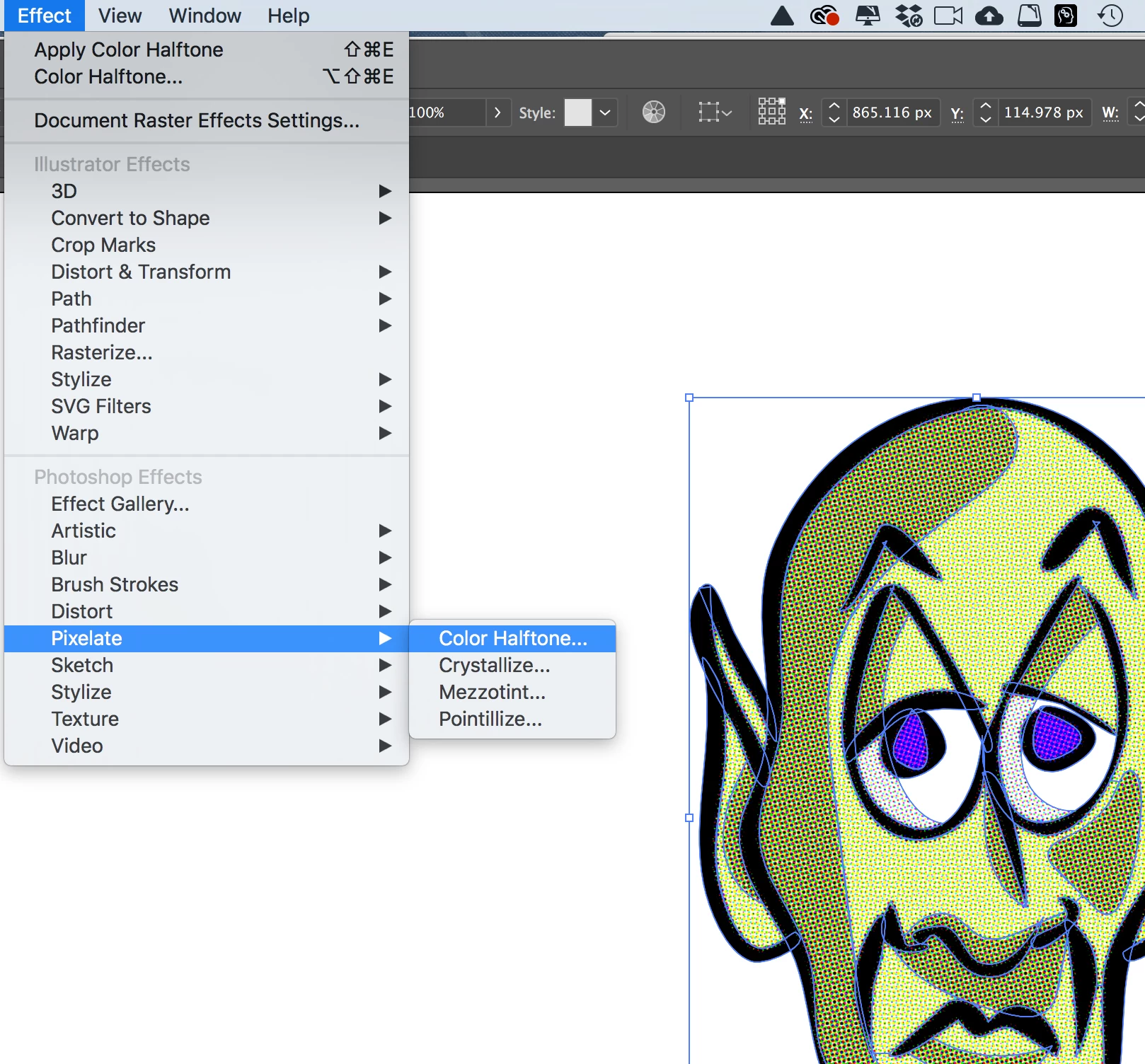
Can someone please explain to me how I can accomplish the Halftone effects below? Preferably using Illustrator or Photoshop? Thank you greatly for any help you can provide! Much appreciated!
This topic has been closed for replies.
Correct answer Michael Riordan

Hi hollywood

can’t see the images you tried to post but halftone effects can be done in Illustrator by choosing the Effect menu, then Pixelate, then Color Halftone. If you need more specific help try reposting the examples directly here on the forum.

1 reply

Michael Riordan
Michael RiordanCorrect answer
Inspiring
April 7, 2018

Hi hollywood

can’t see the images you tried to post but halftone effects can be done in Illustrator by choosing the Effect menu, then Pixelate, then Color Halftone. If you need more specific help try reposting the examples directly here on the forum.

Participating Frequently
April 7, 2018

Hello Michael,

Thank you for your fast reply! Yes this works perfectly...I actually ended up coming across one of those YouTube tutorials without narration that demonstrated the same thing as you.  My final question is once I create the halftone, how do I get rid of the white fill so that the halftone is transparent? Thanks!

Michael Riordan
Inspiring
April 7, 2018

There should be no white background behind your art unless a white box has been drawn and placed there. Illustrator's artboard or 'stage' is white but it does not have an impact on the art. How you get the art out of Illustrator matters though. Are you printing directly or exporting an image file? If exporting you'll need to use a file format that supports transparency, so .png is good but .jpg is not. Printing directly should be fine right from the original illustrator art.