
Answered
How do I create this effect with Illustrator?
Dear members,
I want to create this effect on Illustrator but I don't know how to do it:
Dear members,
I want to create this effect on Illustrator but I don't know how to do it:
One way:
Make a solid rectangle of one color
Then make a very thin and a very thick bar of the other color. Place the bars at the top and bottom of the rectangle, and use Object > Blend > Make to create a blend between the bars, then use Blend options to adjust them to suit.
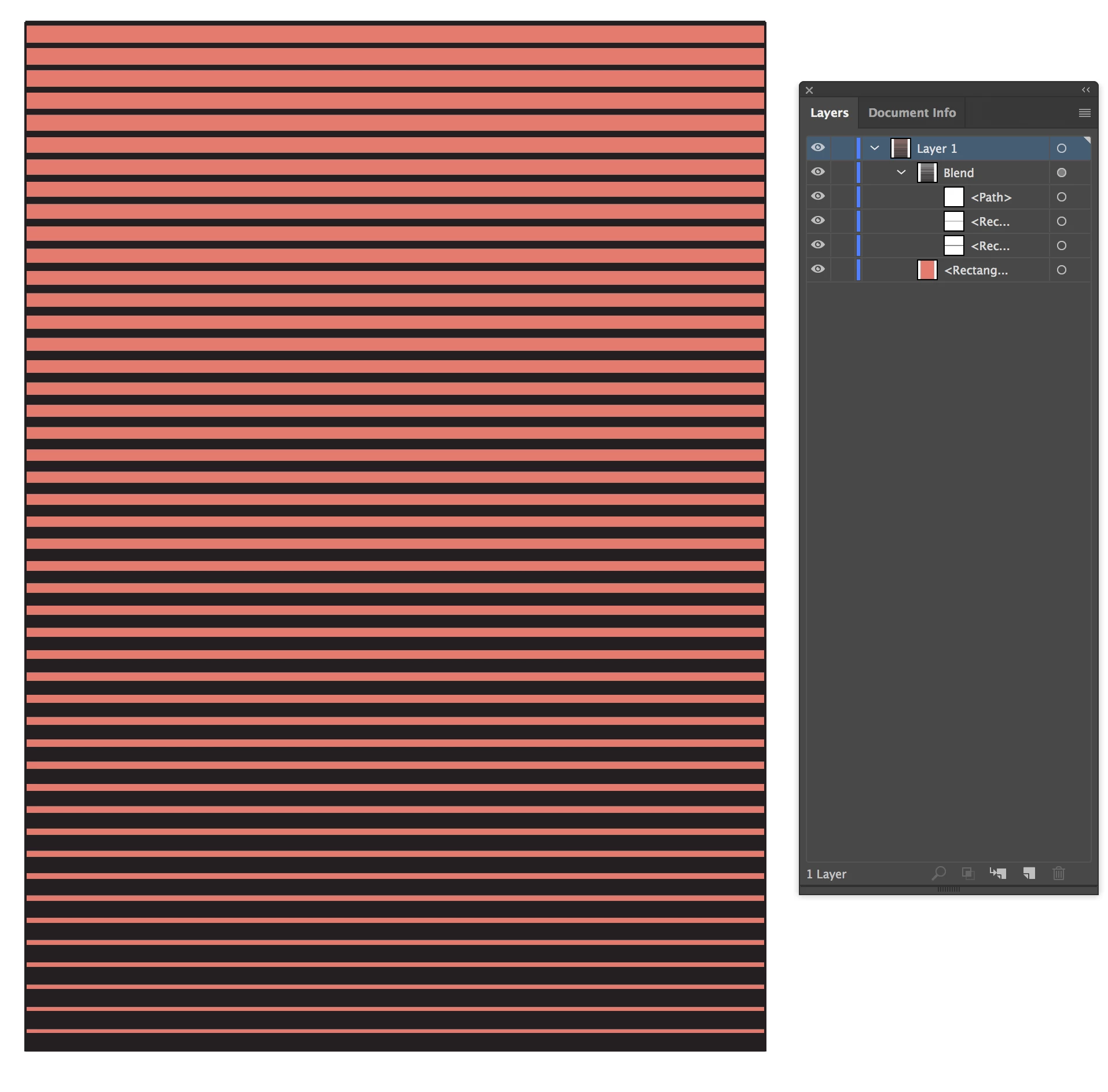
It actually took longer to describe how to make this than it did to make it 
Already have an account? Login
Enter your E-mail address. We'll send you an e-mail with instructions to reset your password.
 AdChoices