This topic has been closed for replies.
Correct answer Omar.Fathy

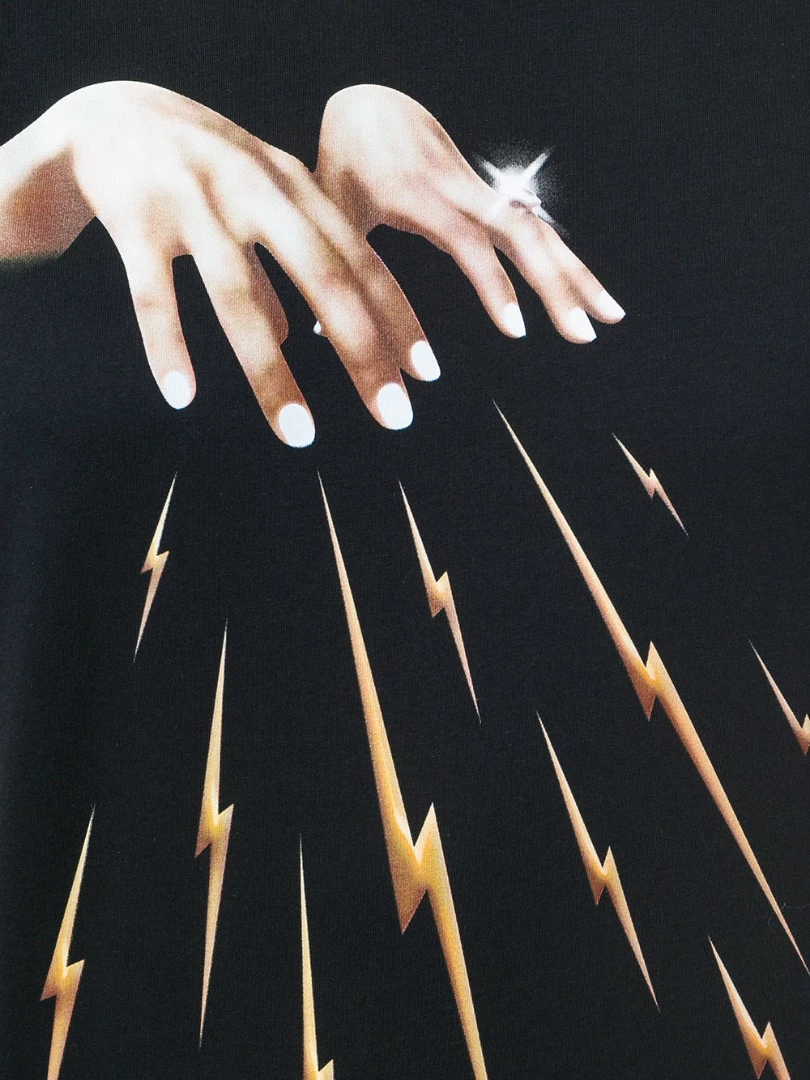
It is just hand image selected and copied from another image. Flashes drawn with pen tool and had a bevel layer style.

And over all of them a texture image with blending mode.

But This is in Photoshop.

2 replies

angie_taylor
Legend
April 26, 2018

You can create the lightning flashes easily in Illustrator. Create one flash with the pen tool. Then drag it to the Symbols panel.

grab the Symbol Sprayer tool. Spray the symbols roughly where you want them.

use the Symbol Scaler tool to change the scale of each object. Use the symbol shifter tool to adjust position. There are also tools for adjusting size, color etc.

finally, create or choose a graphic style with the bevel effect you want to use.

use the symbol styler tool to apply this to the symbols

angie_taylor
Legend
April 26, 2018

You can also place the hands image into the document if you like but I’d recommend opening the hands photograph in Photoshop and then placing the saved Illustrator flashes into the PSD for compositing.

Omar.Fathy
Community Expert
Omar.FathyCommunity ExpertCorrect answer
Community Expert
April 26, 2018

It is just hand image selected and copied from another image. Flashes drawn with pen tool and had a bevel layer style.

And over all of them a texture image with blending mode.

But This is in Photoshop.