


Participant
February 16, 2025
Question

How do I delete artboard presets? (29.3 macos)

  • February 16, 2025
  • 4 replies
  • 766 views

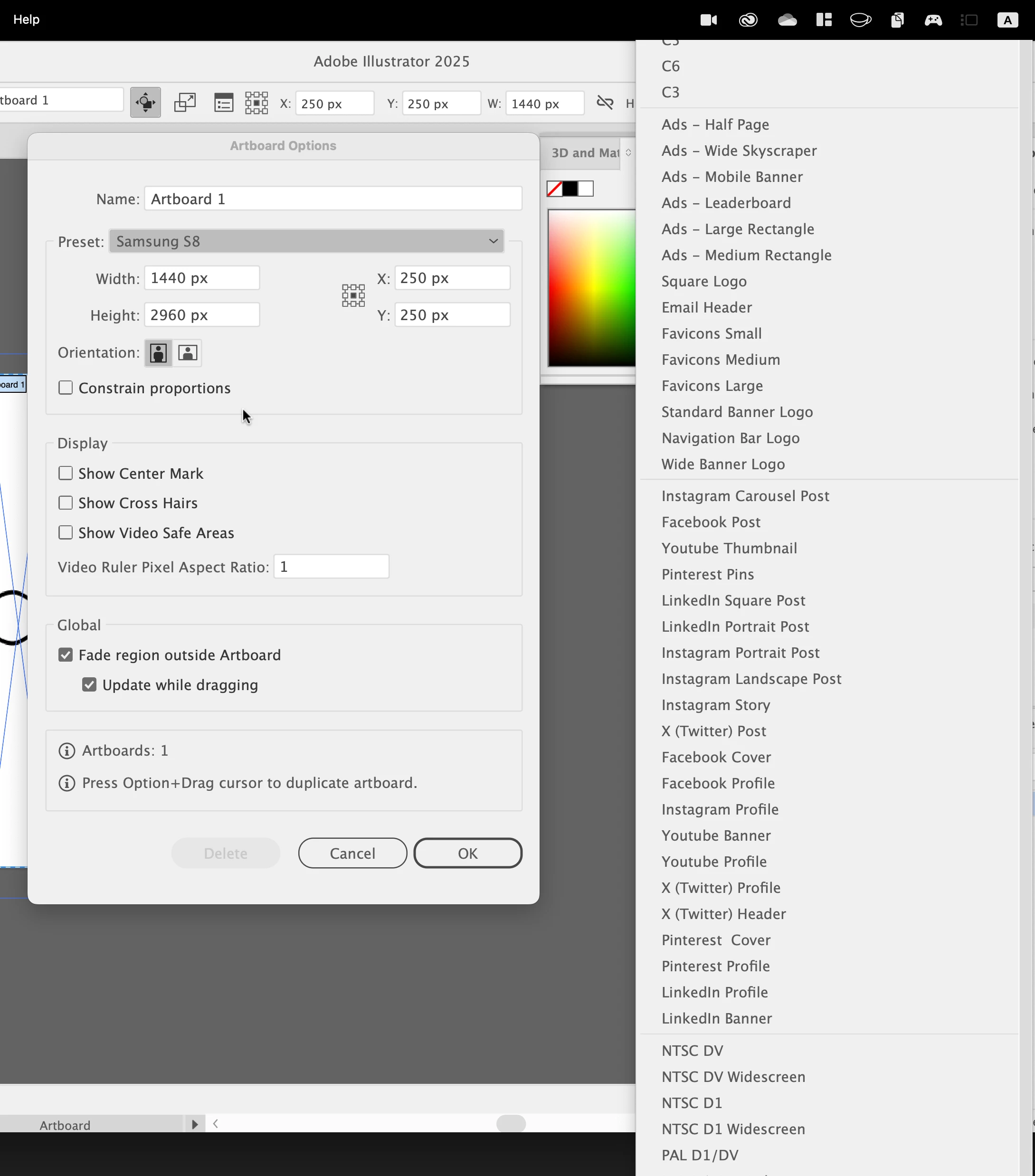
Today I went to do my regular process of selecting some art, and opening the Artboard tool to fit the artboard to the selected art ... and that's not only missing, but the list of artboards is a) longer than my screen, b) doesn't line up with the drop down at all, and c) contains dozens of presets that I will never use.


How do I delete artboard presets?
 

4 replies

SecretChimp
Known Participant
February 20, 2025

I couldn't agree more. There needs to be a way to at least move the dozens upon dozens of smartphone artboard sizes into a folder that I will probably never open so that I can at least get "letter" and "legal" and a few others that I actually will toggle between up near the top of the list.


They know that these artboard sizes will be obsolete in a year or two, right?

Ton Frederiks
Community Expert
Community Expert
February 20, 2025

Do you have multiple screens? In another thread that seemed to cause the problem.

If you do, please report it at UserVoice:

https://illustrator.uservoice.com/

Participant
February 21, 2025

What do you mean by multiple screens? I use a macbook with one screen. I do switch between multiple desktops, I keep illustrator on one desktop, browser on another, etc.

Participant
February 17, 2025

I am wondering too, I do print work, and am incredibly annoyed by all the new presets for various phones and more BS that were added in the recent update. Please let me know if you figure it out. They should have separate presets for print, web, phone, etc, and some way to toggle between them depending on what you need. I have to save my work in various sizes,  for print and proof versions, so alternate between custom artboard and letter, and letter is wayyy down the list now.

Ton Frederiks
Community Expert
Community Expert
February 17, 2025

I see that list too, but not in that place.

If you want to fit the artboard to the selected art it is easier to select Object > Artboards... > Fit to Selected Art

Participant
February 16, 2025

Oh, and the list cannot be scrolled.