
Question
How do I display the CMYK Color Sliders?
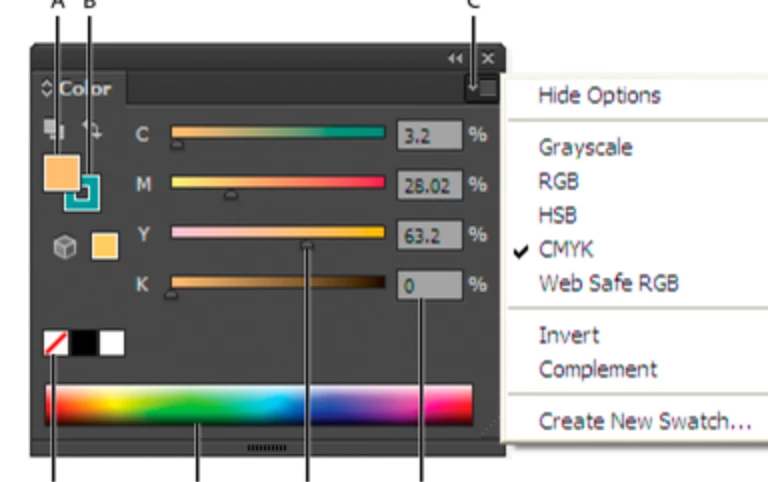
I have just installed Illustrator CC (2015.3). I can't figure out how to get the color sliders to display in the color bar on the right. I know how to create a new color swatch in the pop-up light box, but I just want the CMYK sliders available in the tool bar like all the older versions of illustrator. What I am looking for is attached to this post. I found an image of it online to take a screenshot, but I can't find instructions on how to keep the sliders always visible in my color tool bar. Any help would be appreciated.
Thanks!
 AdChoices