Known Participant
May 15, 2024
Question

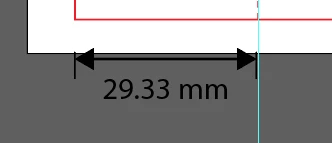
How do I enter a specific size with the dimension tool? I'm trying to enter 30mm

  • May 15, 2024
  • 3 replies
  • 233 views

This topic has been closed for replies.

3 replies

pixxxelschubser
Community Expert
Community Expert
May 15, 2024

As I said before, unfortunately I don't know your settings.


But maybe it helps to deactivate "Use Preview Bounds" and draw your rectangle exactly 30 mm wide?

pixxxelschubser
Community Expert
Community Expert
May 15, 2024

@packaging specialist 

I would not do this (unless it is absolutely necessary for some reason). Because after that the measure is no longer live.


Hi @James3669094303ct 

Why do you need a different measurement than your object has? What settings are you using?

Inspiring
May 15, 2024

Expand apperance then you can enter any value