

Chris  P.  Bacon
Inspiring
November 18, 2022
Question

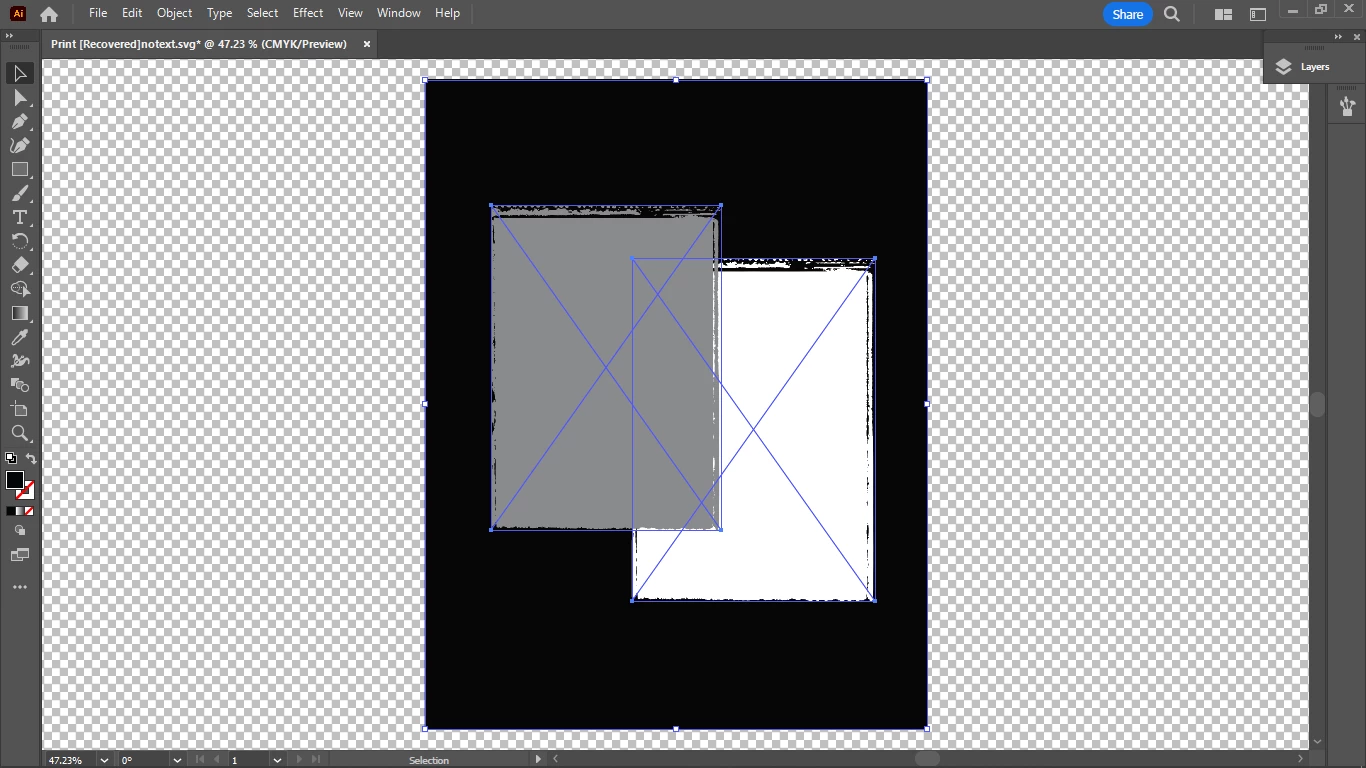
How do I export all 3 elements at once so that they would be separate SVG elements once in Indesign?
  • November 18, 2022
  • 2 replies
  • 601 views


That is, placing them from Illustrator into InDesign so that they could be moved or partially or fully edited.

They should be separate paths of the same SVG if not separate SVGs.

Placing them one by one as SVGs or AIs from Illustrator to InDesign wouldn't really be an option because then I would need to recompose the thing.

These are 2 vectors and one background fill. They might have blend modes already applied in Illustrator.

Can they still come as separate, and imported at once?


This topic has been closed for replies.

2 replies

Mylenium
Legend
November 19, 2022

It's not a background, it's just another SVG object. The rest probably doesn't make a lot of sense. It's just not how things work and I can't figure what would be the problem with separate objects and making them interact in ID. It supports blending modes and simple masking, so what would really be the problem?


Mylenium

Chris  P.  Bacon
Inspiring
November 19, 2022

"I can't figure what would be the problem with separate objects and making them interact in ID."

If I place this artboard as .ai into InDesign, or if I select all objects and place it as exported SVG into InDesign, the objects are not separate.  

So the problem is that they are not separate.

Chris  P.  Bacon
Inspiring
November 18, 2022

Oh sorry it does export everything, except the background fill frame.

However they are not separated.

Why isn't the background fill frame exported with the svgs, and made a black svg fill?