Participant
February 7, 2018
Answered

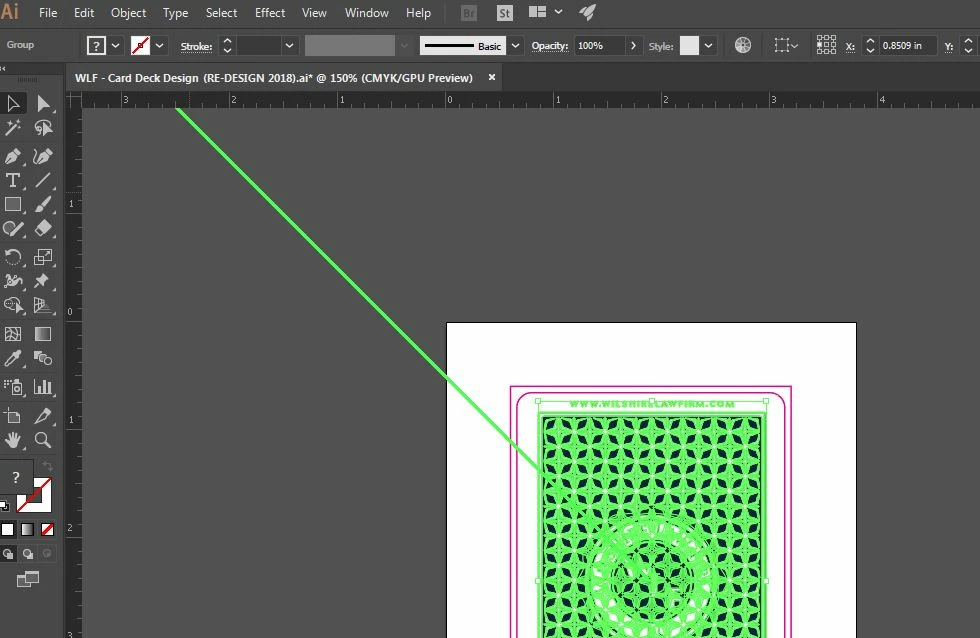
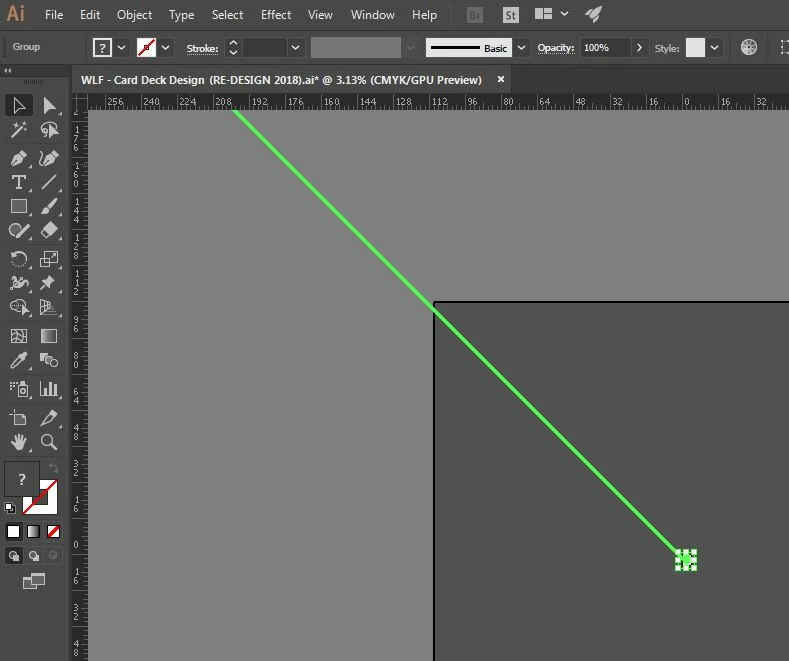
How do I get rid of this green diagonal line on Illustrator CC 2017?

  • February 7, 2018
  • 1 reply
  • 663 views

There is a green diagonal beam that spreads across the entire illustrator board, and I can't figure out how to get rid of it. It's driving me insane! I thought it was only on one file, but it's on every file I open now. What is this and how do I make it go away?!
This topic has been closed for replies.
Correct answer tonyharmer

Hey there. Could you turn off GPU acceleration, please? Tap the rocket in the Control Strip or go to Preferences > Performance and switch it off there. Does that make a difference?

1 reply

tonyharmer
Community Expert
tonyharmerCommunity ExpertCorrect answer
Community Expert
February 7, 2018

Hey there. Could you turn off GPU acceleration, please? Tap the rocket in the Control Strip or go to Preferences > Performance and switch it off there. Does that make a difference?

Participant
February 8, 2018

It worked, thank you!