


How Do I Install my Own ZXP plugin
Hello, I need some assistance with Making my own plugin for Illustrator. I have been following the documentation and have my folder set up as below, I am able to sign and create the ZXP file via powershell, but when i go to install via ZXPinstaller or extension manager, i get an error “failed to install, status = -410! ” This error seems to point to an issue with the file structure when signing the ZXP, but I’m pretty sure I’m doing it correctly. My plugin is a tool that allows the user to Select a number of points or a line and generate an Elepse that best fits them.
The signing code:
.\ZXPSignCmd.exe -sign "C:\Users\name\Downloads\com.atsuji.ellipsefit.panel" "C:\Users\name\Downloads\EllipseFitPanel.zxp" "C:\Users\name\Downloads\cert.p12" Password
File structure:
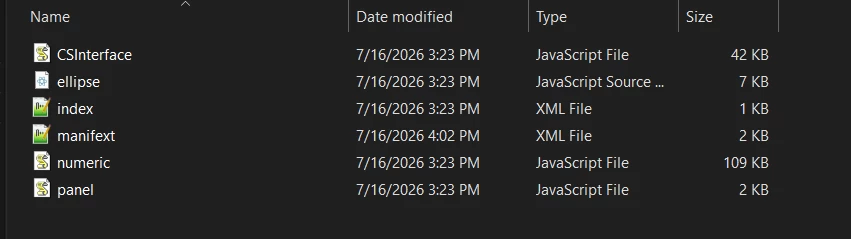
Any assistance on this would be awesome. I attempted to previously make this as a ZSX script, but ran into limitations with what i could do due to incompatibility around the numeric.js file.
I suspect tits an issue with the Manifest so i posted it below as well. I’m on the moist current version of Illustrator via Creative cloud

 AdChoices