


Inspiring
June 6, 2026
Question

How do I make both the Rotate and Scale tools live in the Toolbar at the same time?

  • June 6, 2026
  • 2 replies
  • 19 views

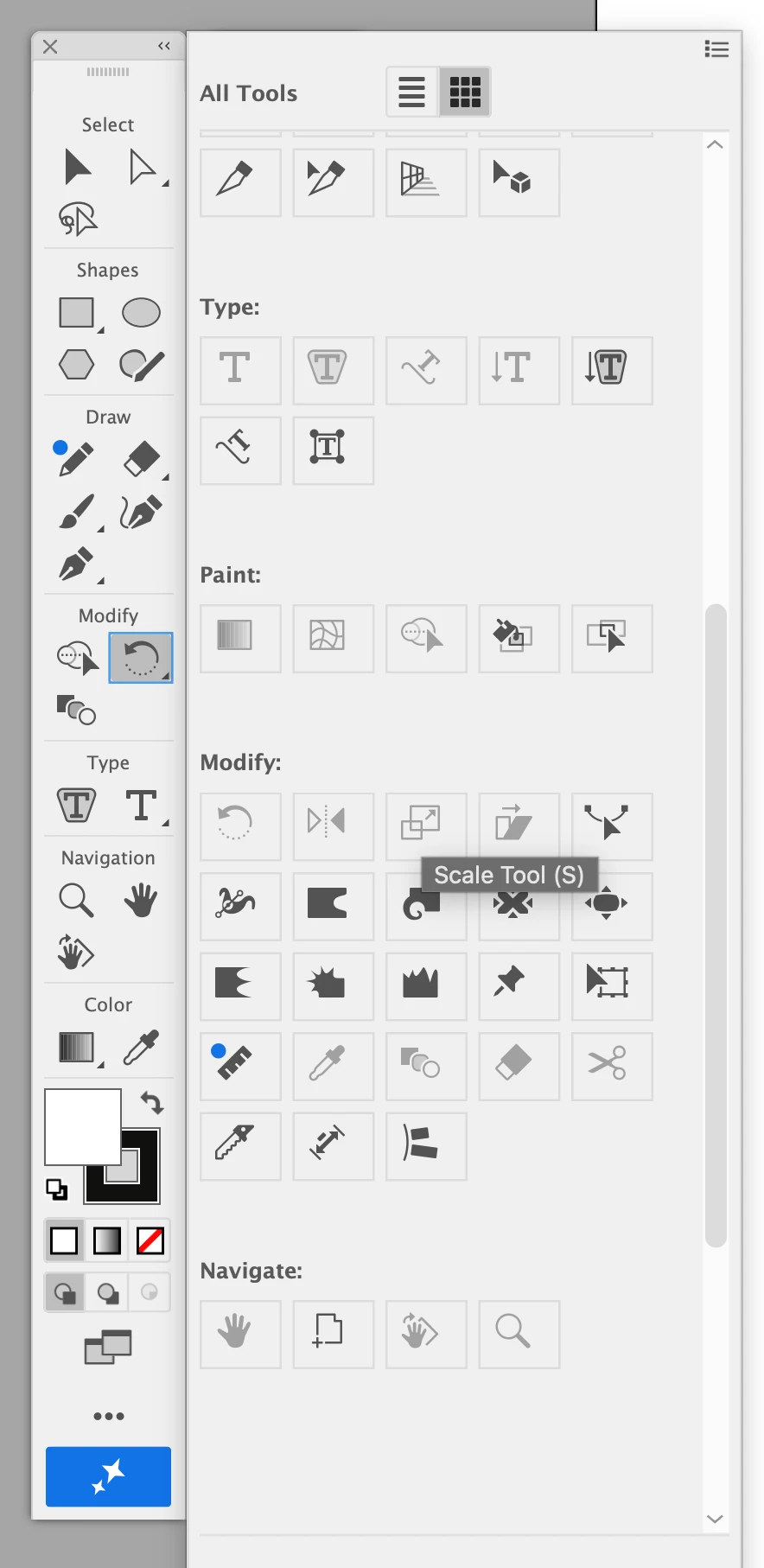
Might be a simple thing - but how do I get the Rotate and Scale tools to both be visible at the same time in the Toolbar. At the moment it looks like I can either have one or the other live and I have to click on the little arrow in the bottom right corner to toggle between them. When I have the Rotate tool active and click on the 3 dots at the bottom of the tool bar (to edit the Toolbar) the Scale tool is greyed out - so I cant add it as a separate tool in the tool bar? Why is this? And is there also a way to have both active at the same time. The same question applies to the white pointer arrow and the arrow with the ‘+’ next to it. Why cant these both be in the Toolbar at the same time? See image below - showing a greyed out Scale icon that can’t be added whilst Rotate is shown in the Toolbar. 
 

    2 replies

    Monika Gause
    Community Expert
    Community Expert
    June 6, 2026

    You basically first drag it out and then drag it in again. Like this: 


    Do you know that you can also drag both of the tools out in their own little panel? And that via Window > Toolsbars > New toolbar you can create your own toolbar with just the tools you need?

    Inspiring
    June 6, 2026

    Ok. So I was an idiot and didn't have the ‘Advanced’ Toolbar open. I now have that and I can have the Scale and Rotate both live at the same time. So how do I do this for the white arrow and arrow with the ‘+’ next to it. Again it looks like you can only toggle between these two tools. Is there a way to get both of them to appear in the Toolbox at the same time? When I go to edit and try and drag the arrow with the ‘+’ next to it - it's greyed out - so can’t be added (see image below).