WanderElla
Inspiring
May 20, 2019
Answered

How do I make object fit in a screen in Illustrator?

  • May 20, 2019
  • 5 replies
  • 4136 views

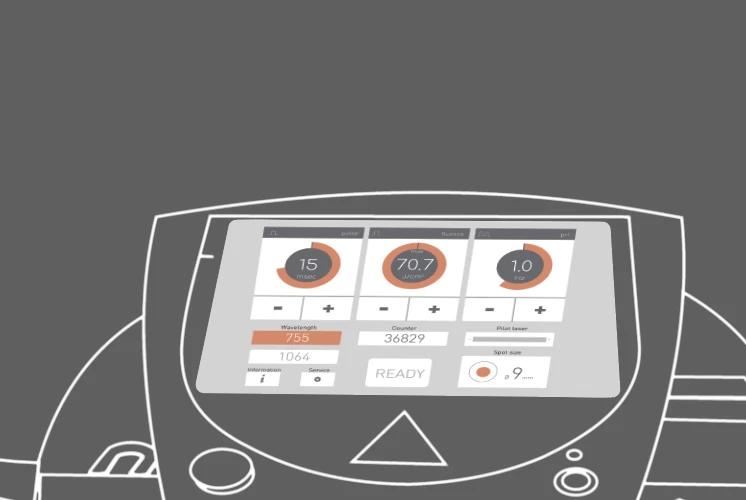
So I want to fit my generated screen into the screen of the machine. How do I do that? I've tried perspective, shear and warp but wasn't getting the expected result. It looks wrong like this. Please help. Thanks

This topic has been closed for replies.
Correct answer Ray Yorkshire

I'd draw it out flat

make a symbol of the screen content

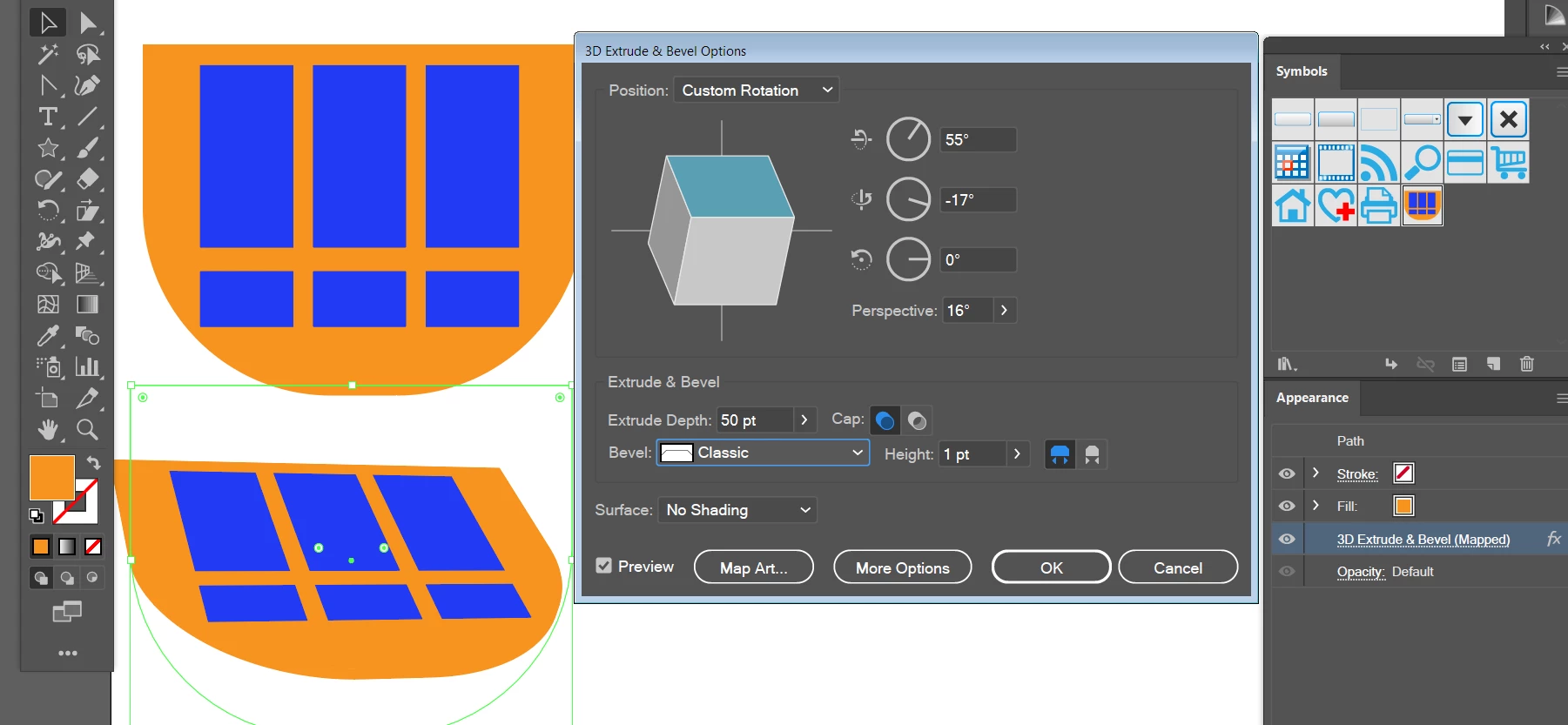
use Effect > 3D > Extrude and Bevel on the shape of the screen, just the orange background here/

Get the faces angles correct by highlighting the angles and using the mouse wheel or arrow keys'

Then Map art  mapping the new symbol

You can alter it via the appearance panel latter.

use the same settings for the rest of the parts of the monitor

How to create 3D objects in Illustrator

5 replies

kphotopage
Legend
August 2, 2019

Like Peter, I also choose Object> Envelope to match the perspective.

Ai Game Plan: Live Text + geometric shapes, easy edits.

For the Gradient mesh, I first chose 1 x1.

Adjusted the 4 corners.

Then with Gradient Mesh tool, I added the vertical lines, then added the horizontal lines.

EZ edits.

Edit Contents or Edit Envelope.

K

KShinabery212
Community Expert
Community Expert
May 20, 2019

For me... I would take the background image and set that as a template layer in Illustartor.  Then start building the screen based on the one you produced.  Use that as a guide for what you are building.

Let's connect on LinkedIn. https://www.linkedin.com/in/kshinabery/
Ray Yorkshire
Ray YorkshireCorrect answer
Participating Frequently
May 20, 2019

I'd draw it out flat

make a symbol of the screen content

use Effect > 3D > Extrude and Bevel on the shape of the screen, just the orange background here/

Get the faces angles correct by highlighting the angles and using the mouse wheel or arrow keys'

Then Map art  mapping the new symbol

You can alter it via the appearance panel latter.

use the same settings for the rest of the parts of the monitor

How to create 3D objects in Illustrator

Peter Villevoye
Community Expert
Community Expert
May 21, 2019

That's a good one, Ray ! Actually, I think that might be best solution, if it's just a matter of finding the right perspective. I also tried using the Effect > Distort > Free Transfer, but that just stretches the whole group, without any perspective depth distortion.

BTW: in your approach, why not simply group the design elements and apply the 3D Rotation Effect to it (skipping the Symbol part) ?

So apart from all offered solutions, I think the designer first needs to make up his/her mind about the fact that the lower part of the design won't easily fit the intended display. Does the design need to be cut off, or warped into it ?

Michael Bullo
Community Expert
Community Expert
May 20, 2019
  1. Group all of your elements that make up the display.
  2. Draw a shape that defines the boundary of the screen.
  3. Make sure that the screen graphic sits over (Right mouse click > Arrange > Bring to Front) the display graphic.
  4. Select both the screen and display graphics.
  5. Object > Envelope Distort > Make with Top Object
Michael Bullo
Community Expert
Community Expert
May 20, 2019

In addition to what I wrote above…

  1. You can continue to manipulate the object that makes up the screen.
  2. To manipulate the contents that make up the display simply double click the graphic, make the changes and then double click a blank part of the canvas to get out.
  3. There are more options available under Object > Envelope Distort such as Options and the ability to Release.
WanderElla
Inspiring
May 20, 2019

This is my generated screen.

Peter Villevoye
Community Expert
Community Expert
May 20, 2019

Try using the Envelope feature Make with Mesh !

Distort or reshape using envelopes in Illustrator

Using a mesh of 2 x 2, you'll get a very good envelope to edit the anchor points and their directions, like below:

WanderElla
Inspiring
July 23, 2019

Yeah! Thanks. This kinda works too. <3