Participant
August 14, 2020
Answered

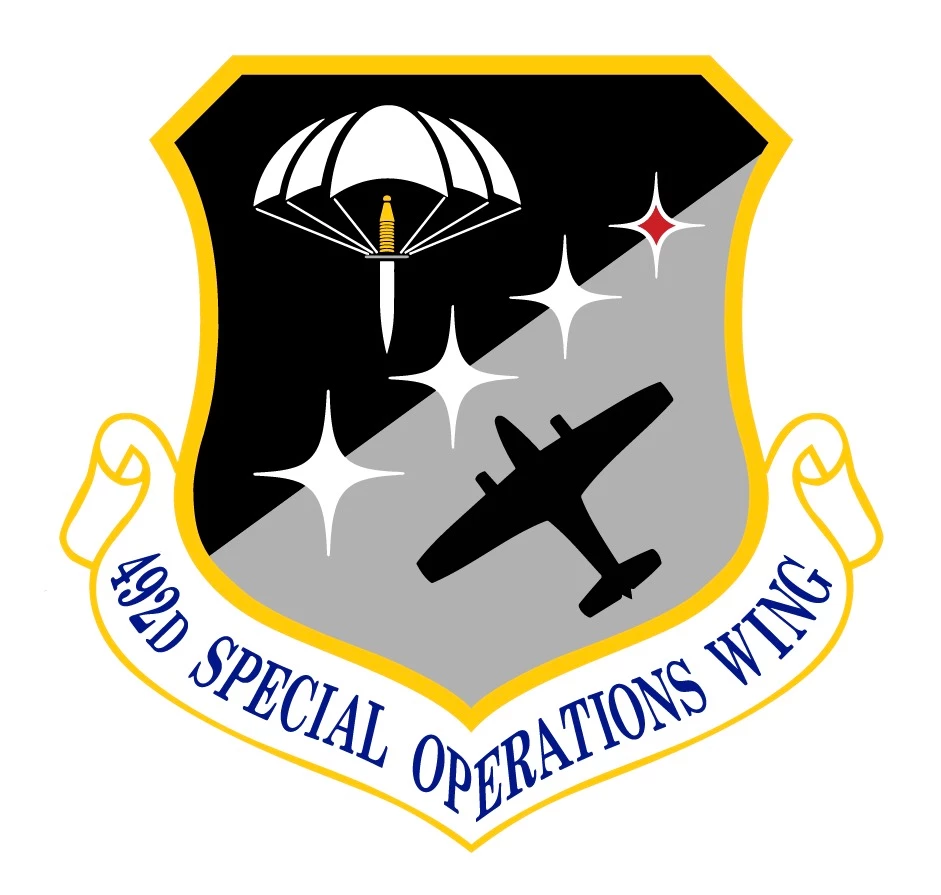
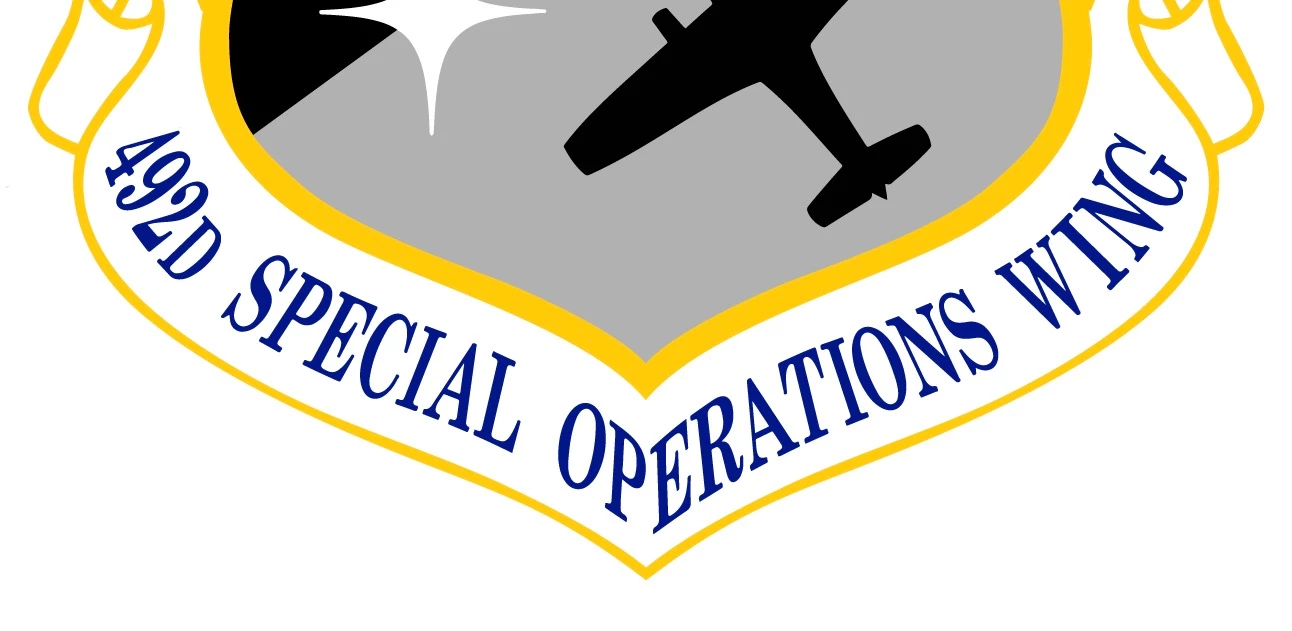
How do I make text look like this in Illustrator?

  • August 14, 2020
  • 3 replies
  • 672 views

I work for a Sign company in Georgia and we are constantly making military signs like the one attatched. I need to know how do I make my text look like the text attatched?

I have tried everything I can think but I just dont know how! Please help!
 

(Renamed by MOD)

This topic has been closed for replies.
Correct answer Srishti_Bali

Hi there,


In addition to the suggestions shared above, here are a few video tutorials that might help:


https://www.youtube.com/watch?v=7MZnm50W0k0

https://www.youtube.com/watch?v=jahyOzJ_gOQ


Let us know if this helps or if you have any further questions.


Regards,

Srishti

3 replies

Srishti_Bali
Srishti_BaliCorrect answer
Legend
August 15, 2020

Hi there,


In addition to the suggestions shared above, here are a few video tutorials that might help:


https://www.youtube.com/watch?v=7MZnm50W0k0

https://www.youtube.com/watch?v=jahyOzJ_gOQ


Let us know if this helps or if you have any further questions.


Regards,

Srishti

tonyharmer
Community Expert
Community Expert
August 14, 2020

You'll most likely need to create two paths, and use text on a path for each: one for the left (i.e. 492nd Special Op) and one for the right (i.e. erations Wing) as that angle isn't likely to work well with a single path. As Monika pointed out, you may also need to tweak the results with a couple of warps or envelopes, too.

Monika Gause
Community Expert
Community Expert
August 14, 2020

What did you try?

Probably path text and envelopes?

What did not work?