Participating Frequently
June 5, 2019
Answered

How do I make this pattern in Illustrator?

  • June 5, 2019
  • 1 reply
  • 551 views

    This topic has been closed for replies.
    Correct answer Peter Villevoye

    FINALLY !

    An example to use that good-old and strange Twirl tool in the Reshape & Distort section !

    Adobe Help: How to scale, shear, and distort objects in Illustrator
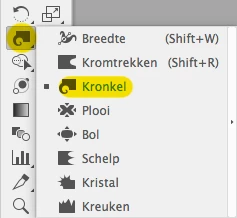
    For the example below, I used the Rotation tool to copy a line with a varying line width profile 17 times at 20 degrees (I intentionally clicked the registration point point a bit off-centre, and used the option key to invoke the dialogue, and hit Cmd-D for 17 times...)

    BTW: did you spot the Varying Line Width tool at the top, in case you need oddly varying line widths ?

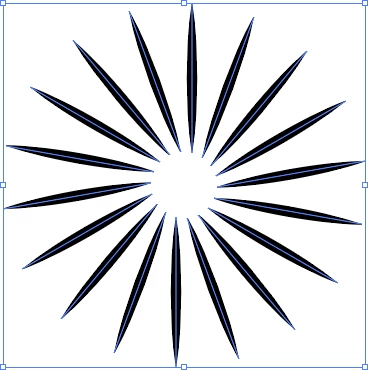
    Anyway, no matter how you create/repeat/duplicate the line's shape and transformation, this should be the result to continue with:
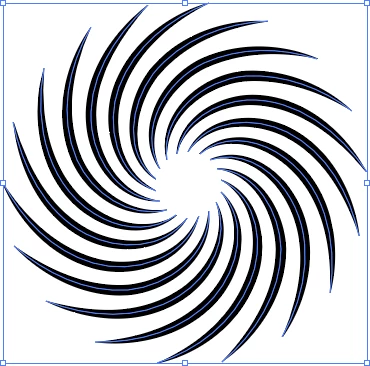
    Then I took the Twirl tool (change its effective size by double clicking the tool first) and just played with it.
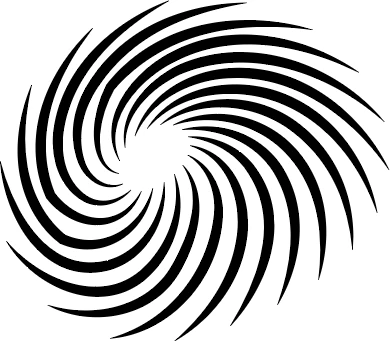
    Using it off-centre as well created this very nice irregular effect:
    Have fun !

    1 reply

    Peter Villevoye
    Community Expert
    Peter VillevoyeCommunity ExpertCorrect answer
    Community Expert
    June 5, 2019

    FINALLY !

    An example to use that good-old and strange Twirl tool in the Reshape & Distort section !

    Adobe Help: How to scale, shear, and distort objects in Illustrator

    For the example below, I used the Rotation tool to copy a line with a varying line width profile 17 times at 20 degrees (I intentionally clicked the registration point point a bit off-centre, and used the option key to invoke the dialogue, and hit Cmd-D for 17 times...)

    BTW: did you spot the Varying Line Width tool at the top, in case you need oddly varying line widths ?

    Anyway, no matter how you create/repeat/duplicate the line's shape and transformation, this should be the result to continue with:

    Then I took the Twirl tool (change its effective size by double clicking the tool first) and just played with it.

    Using it off-centre as well created this very nice irregular effect:

    Have fun !

    Participating Frequently
    June 5, 2019

    Perfect!  Thanks