
Participant
August 29, 2022
Answered

How do I open a 2019 Illustrator file in Illustrator 2020?

  • August 29, 2022
  • 2 replies
  • 693 views

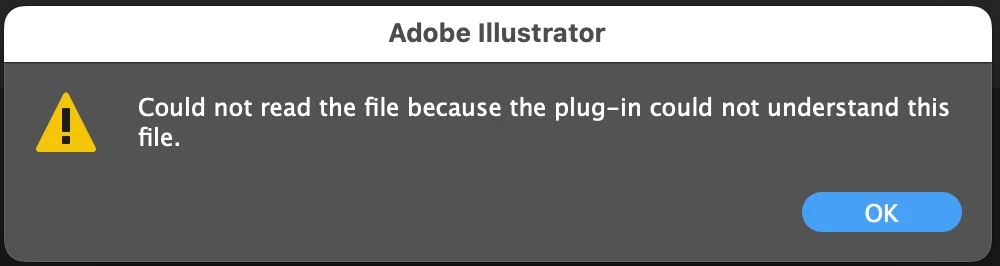
Can somebody help me because I couldn't open my 2019 illustrtor files in Illustrator 2020 ... Everytime i open the 2019 illustrator files in Illustrator 2020, I got the msg as below screenshot ... Since I'm a basic illustrator user, I don't know to solve this problem. Your guidelines are highlty apprecited!!! Thanks!!! 
This topic has been closed for replies.
Correct answer zawwinthan

Thank you very much ... Actually I was using Illustrator 2019 but after updated my mac OS to latest version, my Illustrator got crashed and couldn't open any existing ai files. So that I updated my Illustrator 2020 as well and then I tried to open my ai files in 2020 version but I got this error msg.

Now my problem is solved. I moved the entire project folder includig ai files folder to desktop and all ai files are now working properly. 

2 replies

Mike_Gondek10189183
Community Expert
Community Expert
August 29, 2022

Did you create this or someone else? Someone may have had an ESKO plug in or similar that you need installed to open the file. You migth be able to open the PDF half in Acroant, then save as PDF and open in Illustrator. Be careful as plug in  items like UPC code  might drop or other.

zawwinthanAuthorCorrect answer
Participant
August 29, 2022

Thank you very much ... Actually I was using Illustrator 2019 but after updated my mac OS to latest version, my Illustrator got crashed and couldn't open any existing ai files. So that I updated my Illustrator 2020 as well and then I tried to open my ai files in 2020 version but I got this error msg.

Now my problem is solved. I moved the entire project folder includig ai files folder to desktop and all ai files are now working properly. 

Ton Frederiks
Community Expert
Community Expert
August 29, 2022
Participant
August 29, 2022

Thanks much!