I’m trying to recreate the letter "K" in the style shown in the attached image. It’s made of horizontal black stripes that bend into smooth waves to form the shape of the letter?
Has anyone made something like this before? What’s the best way to get those consistent curves?
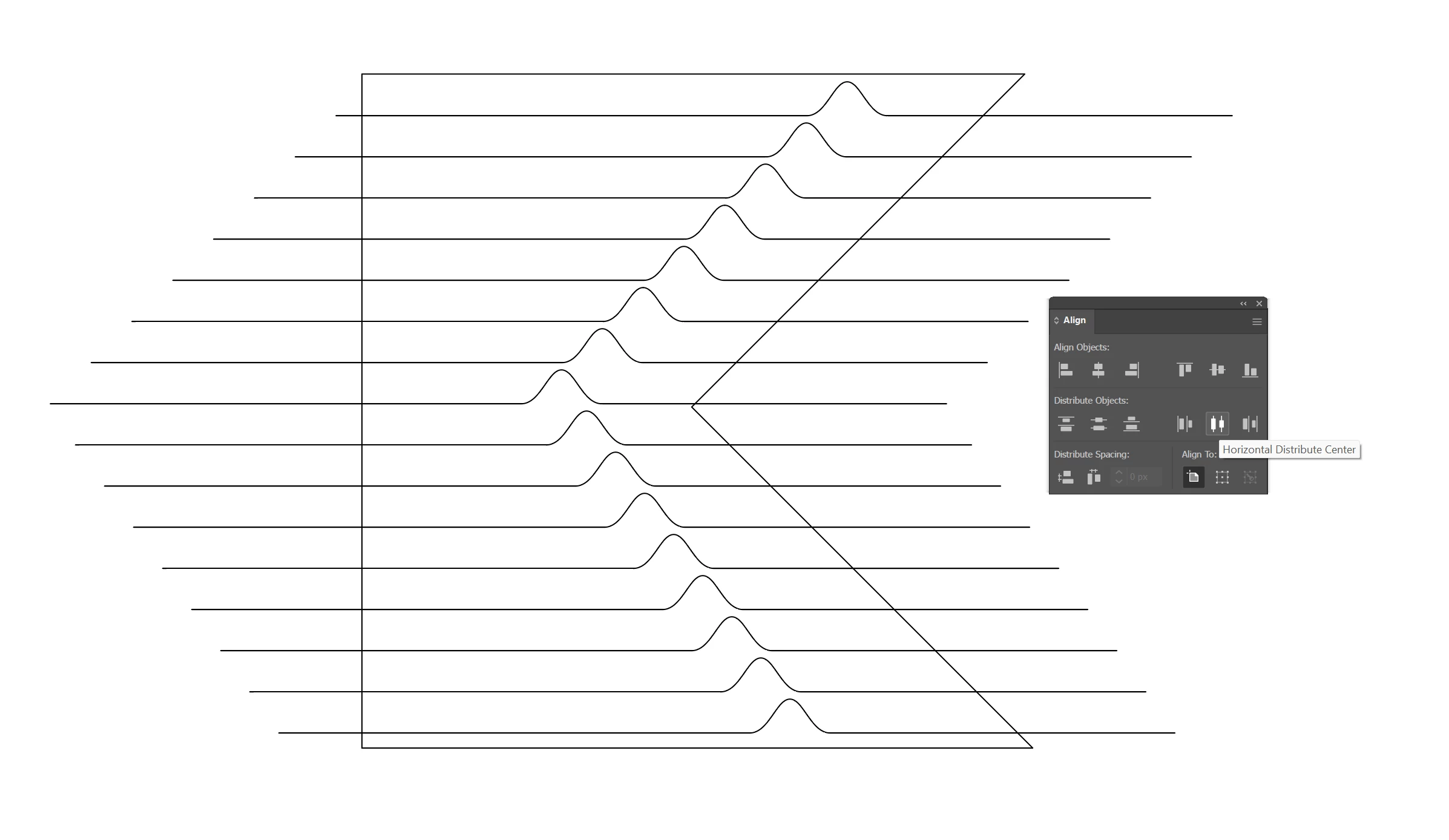
If you can draw a line with a hump in it, you can draw the rest:
Duplicate. Draw your bounding 'K' shape. Position the furthest left and right humps in line with the K, and use the align distribute options for the in-between ones in each direction.
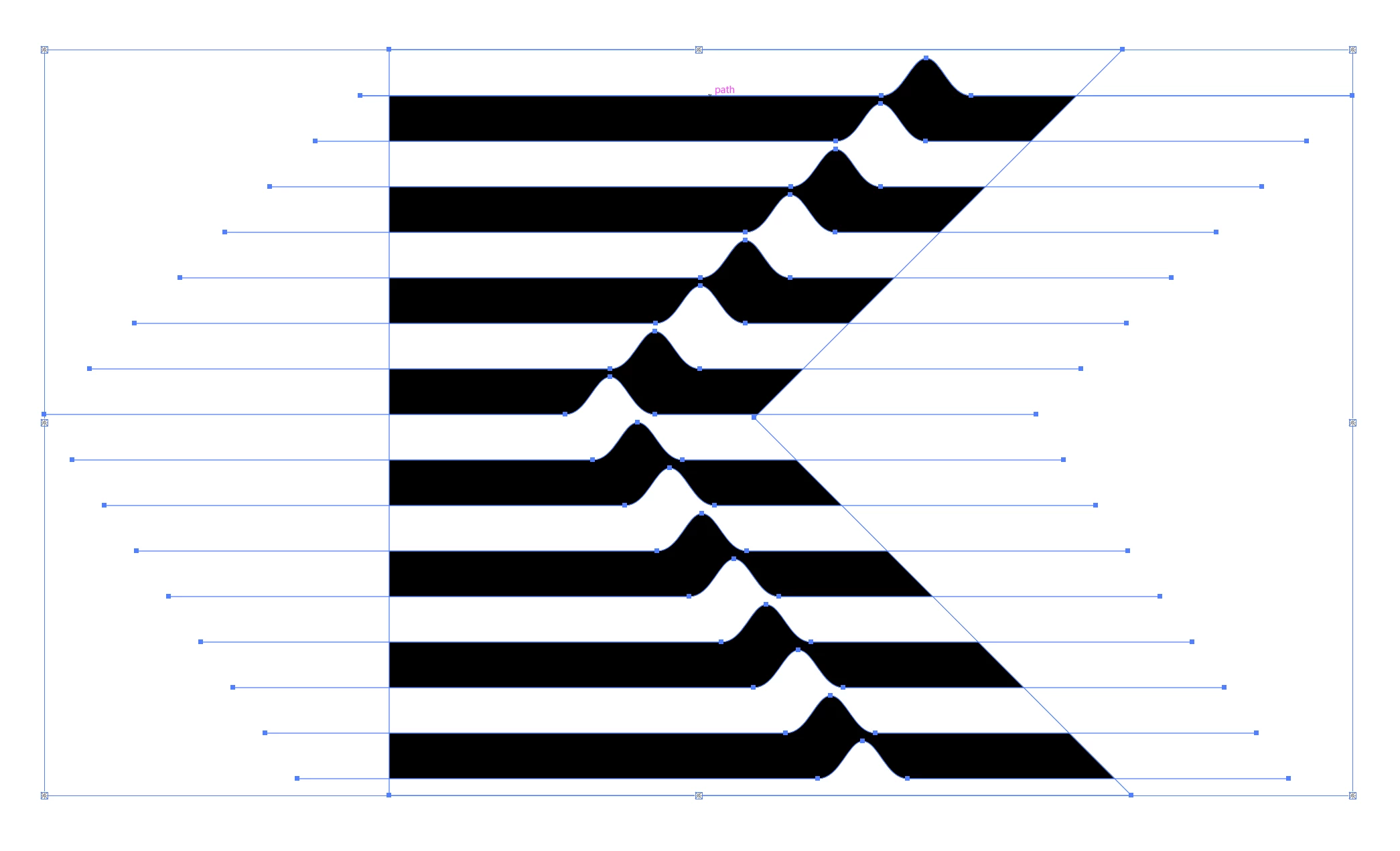
There are many ways of filling it in, but the quickest might be to create a live paint group (K), fill in alternate zones with black, then remove the strokes:
If you can draw a line with a hump in it, you can draw the rest:
Duplicate. Draw your bounding 'K' shape. Position the furthest left and right humps in line with the K, and use the align distribute options for the in-between ones in each direction.
There are many ways of filling it in, but the quickest might be to create a live paint group (K), fill in alternate zones with black, then remove the strokes:





 AdChoices