
Participant
November 25, 2024
Question

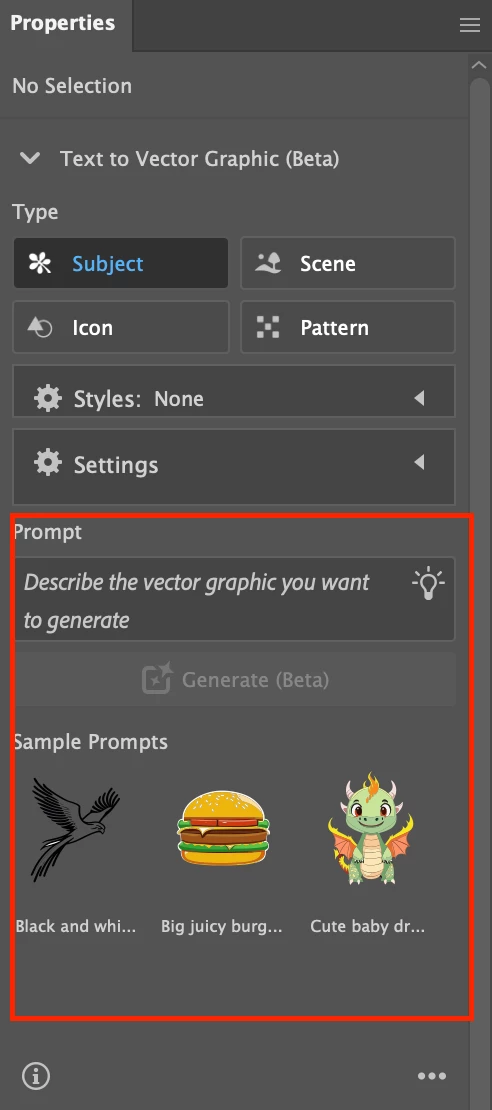
How do I remove the generative AI from the properties panel?
  • November 25, 2024
  • 2 replies
  • 214 views

It takes up so much space and I will never use it, I don't want to look at it. It's just annoying and unnecessary. If it HAS TO  be there it should be a completely separate panel that I can hide.

This topic has been closed for replies.

2 replies

Kurt Gold
Community Expert
Community Expert
November 25, 2024

Weird that you see all the options although your screenshot shows that nothing is selected.


If nothing is selected I can only see an unobtrusive Text to Vector button in the Quick Actions section of the Properties panel (Illustrator 29.1).


What happens if you click on the tiny arrowhead left to "Text to Vector Graphic (Beta)"?

Anubhav M
Community Manager
Community Manager
November 25, 2024

Hello @allie_7910,

Thanks for reaching out. Currently, Illustrator does not have this functionality. Would you mind creating a UserVoice for this feature request (https://adobe.ly/4fLR8Jc) and adding your comments there? Doing this will help us prioritize this request, and you will be notified of any updates.


Feel free to reach out if you have more questions or need assistance. We'd be happy to help.


Anubhav