Participating Frequently
February 13, 2023
Answered

How do I shade 3D text?

  • February 13, 2023
  • 1 reply
  • 726 views

Hello!  I'm so very sorry but you have a self taught newbie here.  So, I'm not sure the correct verbiage to use, hopefully my explanation will be clear enough.  I've included a screenshot.  While not exactly what I want to do - I believe it's close enough to help me get me there.


So, I'm making a 3d text.  I can extrude and bevel and all that and it looks great.  


But here's what I really want to do.  I want the original text before extruding to be one color.  Then I want the extruded part to be another color.  I found one tutorial but they use both Photoshop and Illustrator to accomplish this.


Do I really need Photoshop too?  Any tutorials you can point me to would be seriously appreciated.


Thank you!!


This topic has been closed for replies.
Correct answer Monika Gause

You have the dark fill on the text.

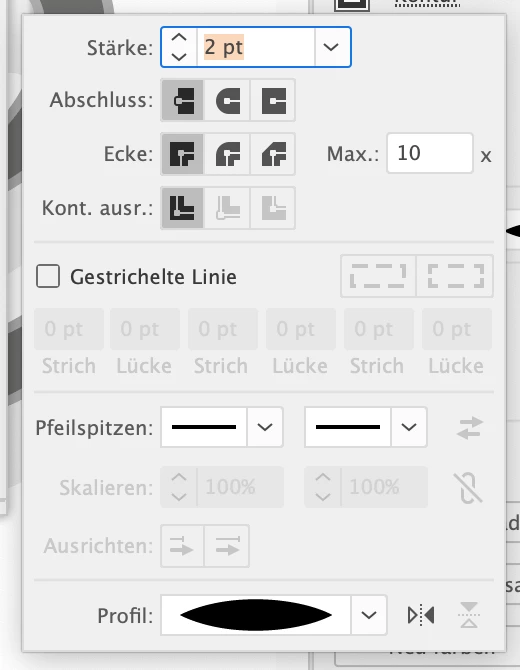
And then you add a lighter stroke to the text object ion the Appearance panel.

Move that stroke below the fill and make it fat.

Then you apply the 3D effect.

And then those shadows are just added by either generating them from the base shapes (using pathfinder functionality) or by just drawing them.


This is quick and dirty:

The text object with the 3d effect

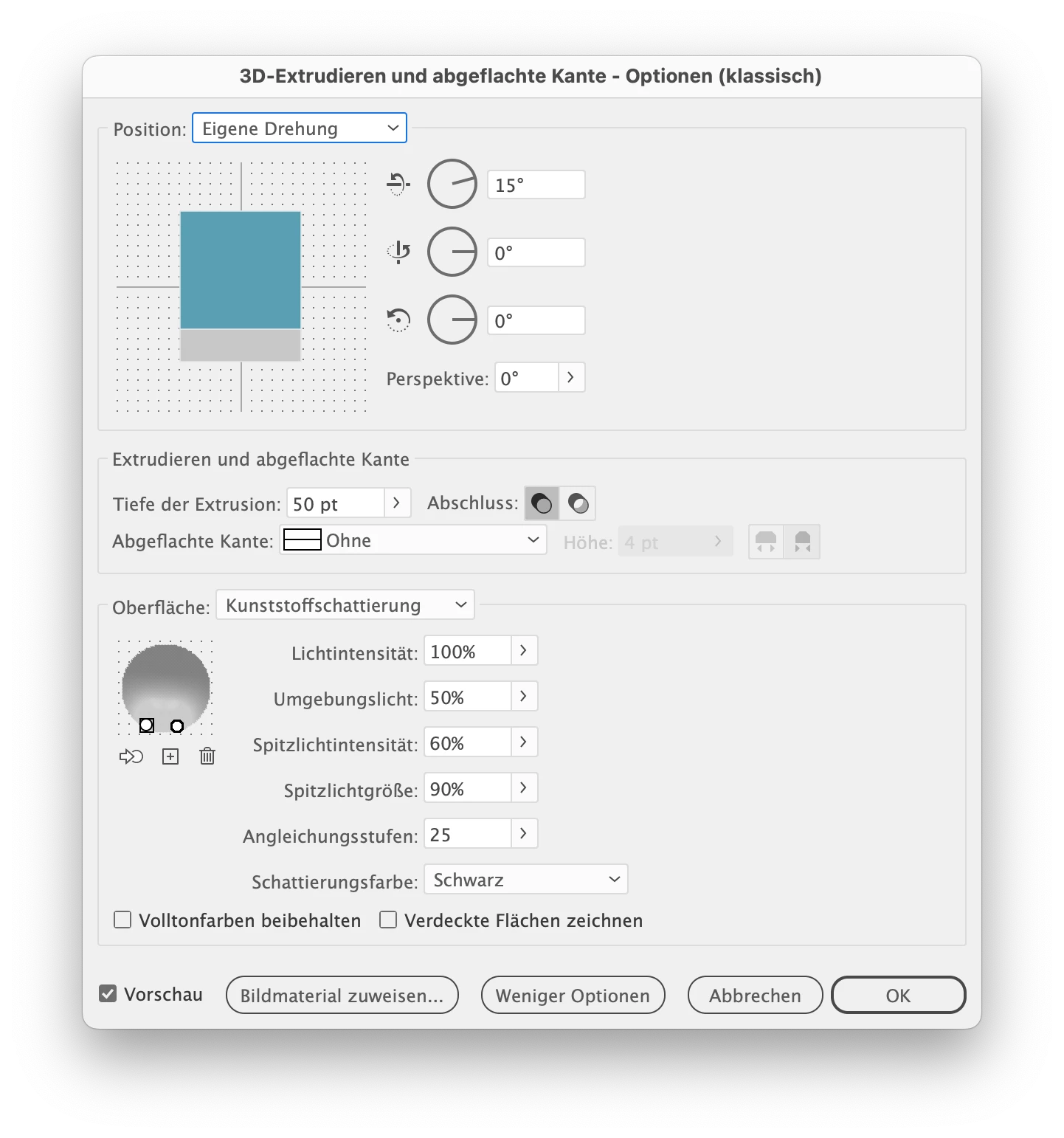
3d options:

The shadow

1 reply

Monika Gause
Community Expert
Monika GauseCommunity ExpertCorrect answer
Community Expert
February 13, 2023

You have the dark fill on the text.

And then you add a lighter stroke to the text object ion the Appearance panel.

Move that stroke below the fill and make it fat.

Then you apply the 3D effect.

And then those shadows are just added by either generating them from the base shapes (using pathfinder functionality) or by just drawing them.


This is quick and dirty:

The text object with the 3d effect

3d options:

The shadow

Participating Frequently
February 13, 2023

Thank you Monika - you are always so quick and helpful.  Let me go try what you've explained and see what I get!