Hello @default21996913n2ksd6,
Thanks for reaching out. The screen recording permission request in Adobe Illustrator is related to the Eyedropper tool. When selecting a colour from a placed image, Illustrator uses this permission to access the screen and accurately capture the colour.
While it might seem indirect, this method ensures that the application can accurately sample colours from the displayed content on your screen. By recording the screen, Illustrator can obtain precise colour values without being influenced by external factors.
If you have any further questions or if there's anything else I can assist you with, please don't hesitate to let us know.
Anubhav



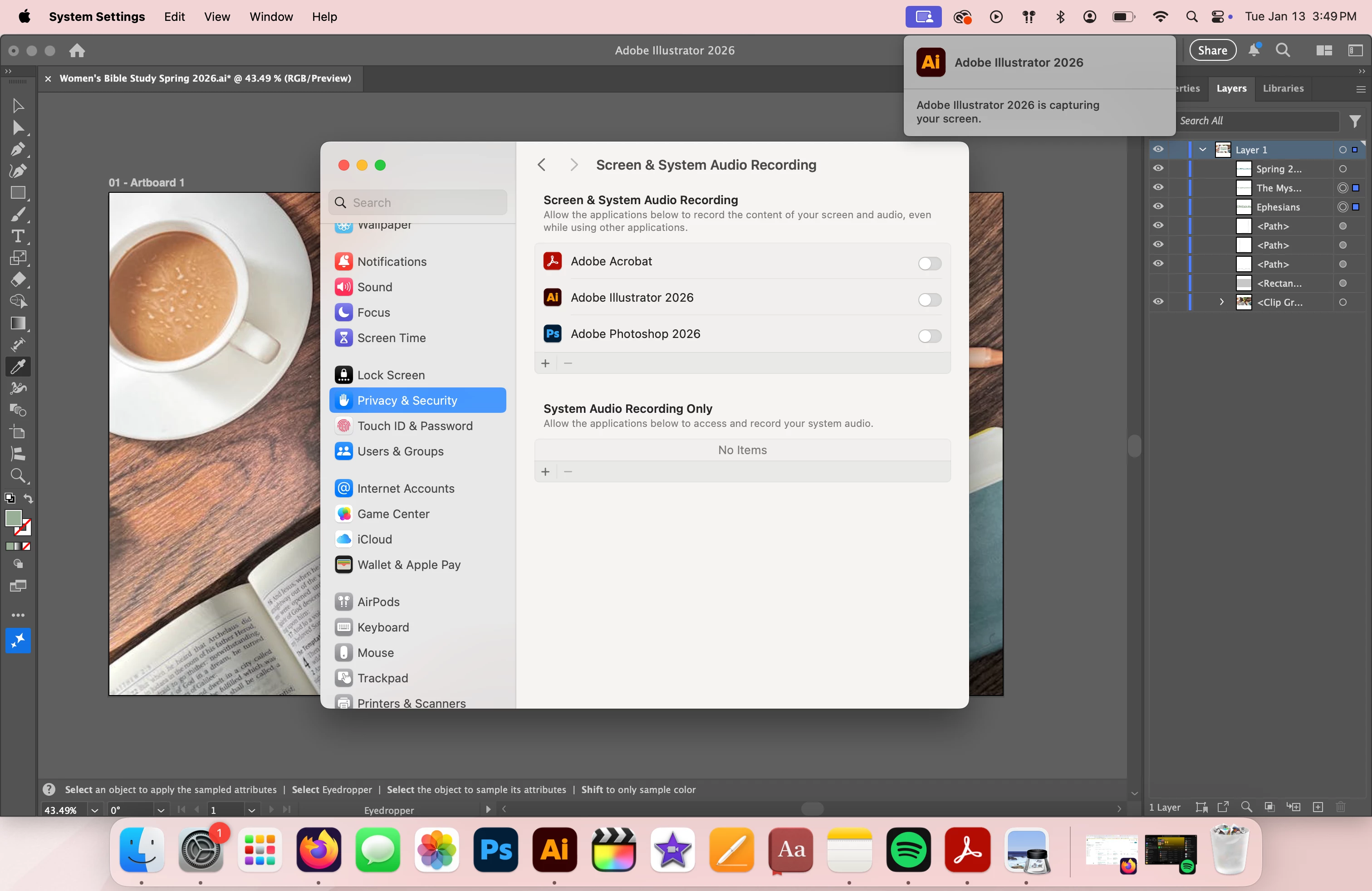 Adobe, please explain this to me. According to my privacy settings on my Mac, I have not given permission to be screen recorded. However, it still happens every time I use Illustrator. Does anyone else have this problem and find it concerning?
 AdChoices