frano63271451
Inspiring
May 4, 2017
Answered

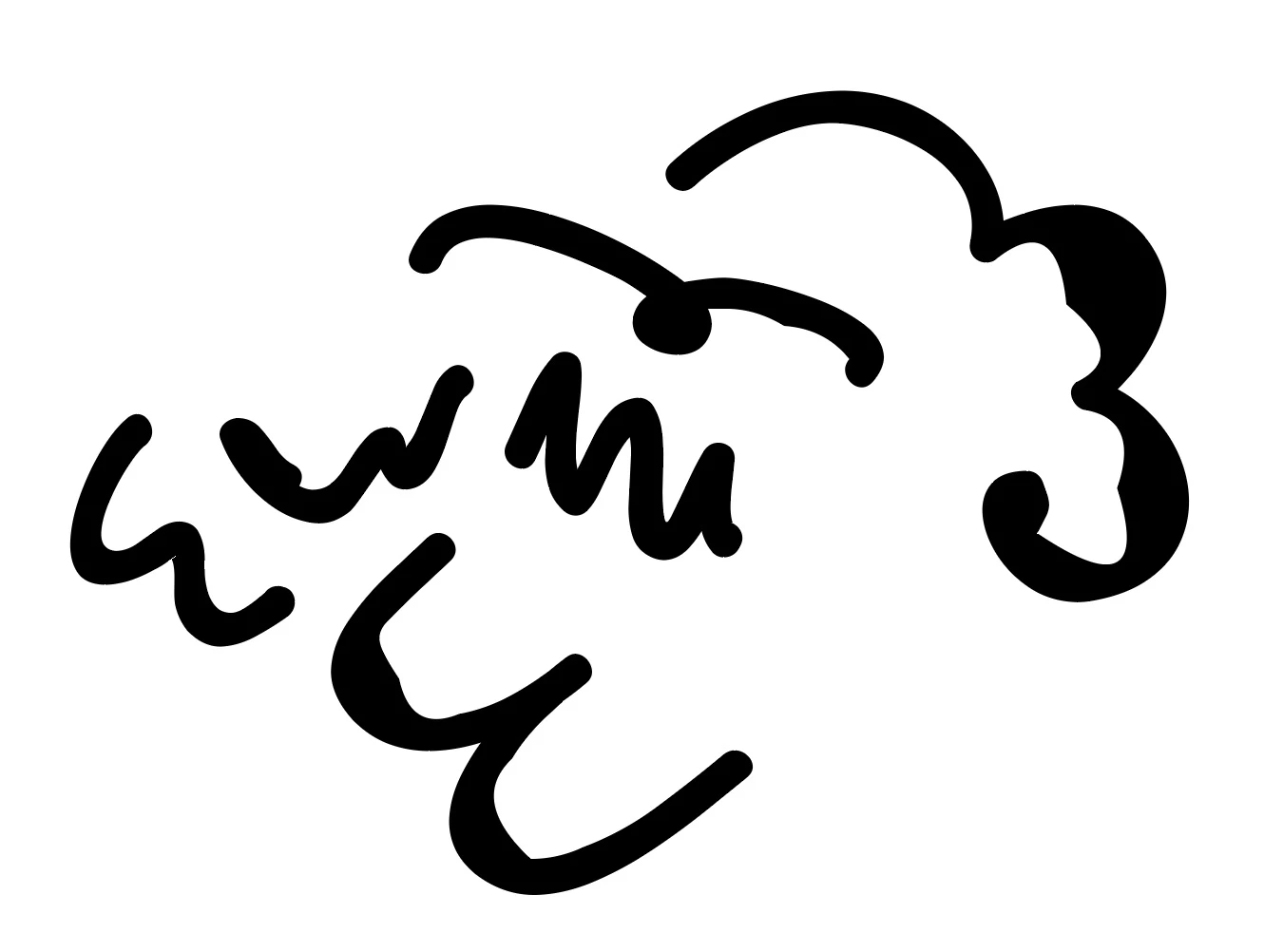
How do i stop the adobe illustrator line i am drawing randomly filling? the 'fill new brush stokes' button isoff
  • May 4, 2017
  • 1 reply
  • 4611 views

This topic has been closed for replies.
Correct answer rcraighead

Yes sorry, its very frustrating. I am creating a video scribe video and need a smooth single weight line.


Appearance screen capture?

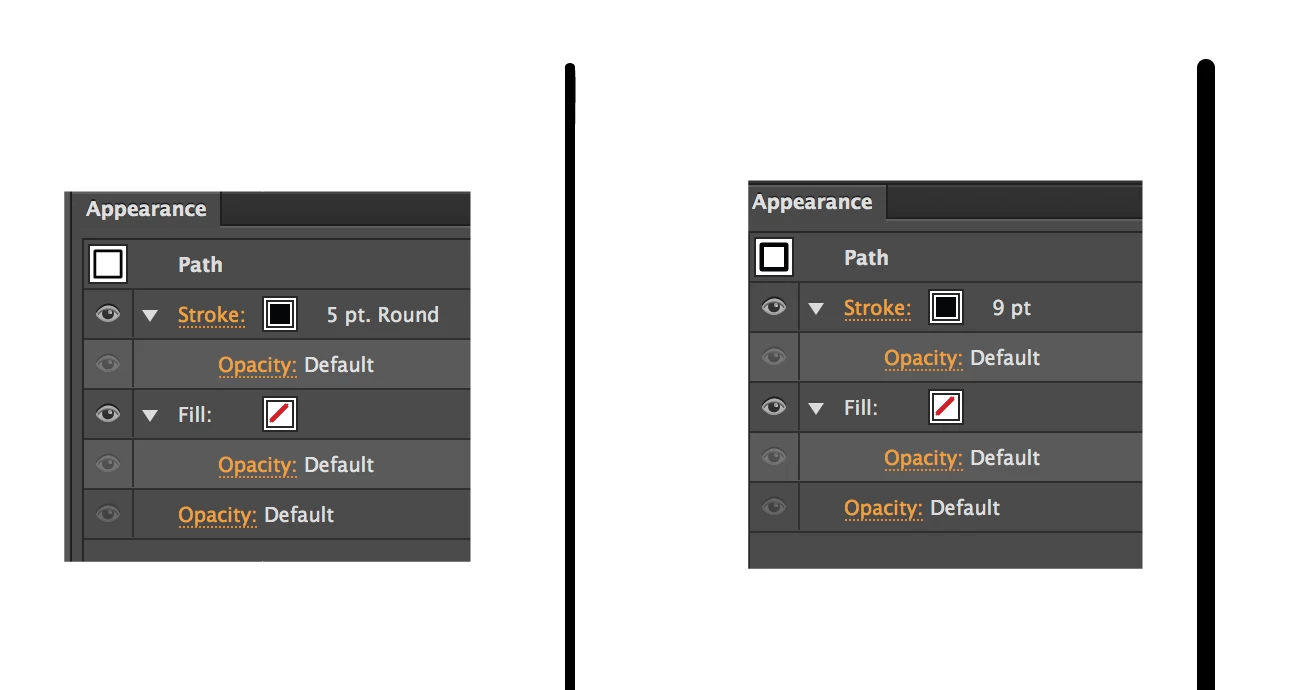
I realize you know AI. I do too, but sometimes we do things we don't mean to. This screen capture shows two strokes; one has Brush stroke applied the other does not. I am guessing your strokes have a "Brush" applied, unintentionally.
1 reply

Monika Gause
Community Expert
Community Expert
May 4, 2017

This is not a fill, but the brush not working too well.

Do you really need a calligraphic brush for this or will a simple rounded stroke do as well?

In case you really need a calligaphic brush, apply the zigzag effect to you paths with a Size of 0. Then adjust the Ridges per segment as needed, which might be a rather high value like 50 or even 100

frano63271451
Inspiring
May 4, 2017

HI

Its not a calligraphic brush its a rounded stroke and thats why it is frustrating. we both know illustrator very well and can see no reason for this. We have found in another formum that it could be we are drawing too small, so we have changed our image size to A2 from A4 and seems ok.

Monika Gause
Community Expert
Community Expert
May 4, 2017

This is a typical issue of calligraphic brushes. Please select one of those and show a screenshot of the appearance panel.