
How do I turn an image into a vector image while keeping some of the detail from the original image?
Hi,
I am trying to make a logo similar to the logo below:
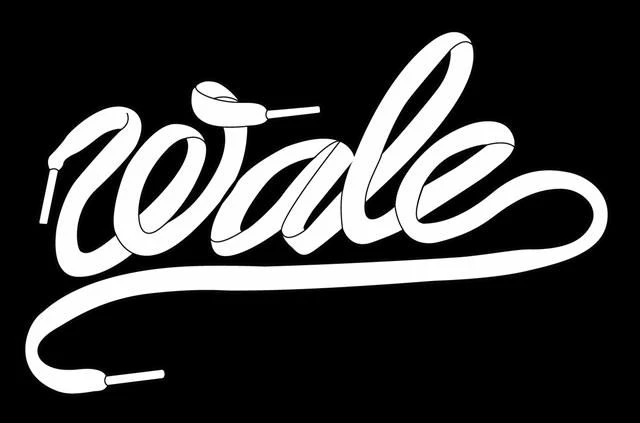
I found an online tutorial for 'How to Make a Shoelace Font' here.
I've completed the font (below), but now I want to (and think I should) make my logo a vector image so that it looks like the logo above -- I would like my logo to have white laces, not blue and without all of the detail that you see below. However, when I try to make my logo a vector by Rasterize and then Image Trace, there is either too much or too little detail lost. I've tried adjusting the color, threshold, noise, pixels, etc. I even tried using the 'Silhouette' and inverting the colors through Edit Colors, but nothing seems to be working.
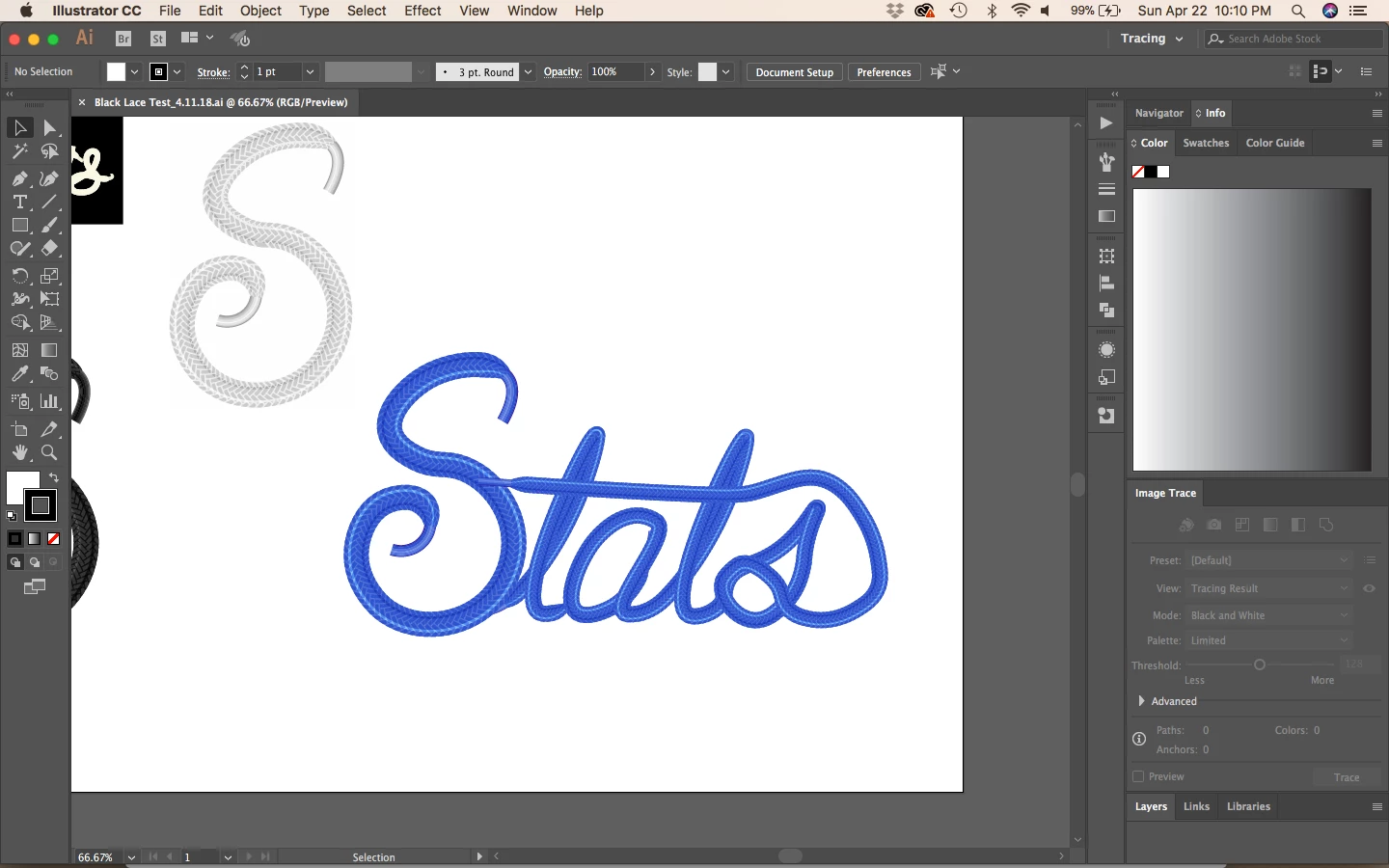
I'm wondering if the top image is a vector image layered with lines on top to create the outline of the letters, and give it that "shoelace" feel without all of the detail?
Hoping someone may have some thoughts or suggestions on next steps I should take.
Thanks!
 AdChoices