



Supernaut63
Inspiring
May 23, 2025
Answered

How do I turn this off?

  • May 23, 2025
  • 1 reply
  • 458 views

I just updated to the newest Illustrator.

Been working in a 2018 version for years. Hitting things I don't know how to shut off.

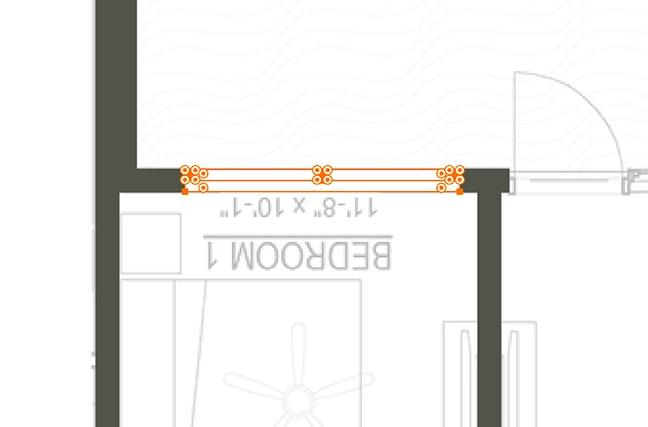
I don't want these tiny circle things on. They are making it hard to grab objects and move them.

How do I turn this off?
 

Correct answer Bobby Henderson

Yes, the corner widgets allow corners to be rounded manually. In Preferences there is a setting to define a cut off for how sharp a corner's angle has to be to stop displaying the widget.

1 reply

Community Expert
May 23, 2025

The circles with dots inside look like Corner Widget controls. But those usually disappear on really narrow rectangles unless the zoom level is pulled in tight. Have you tried going to the View menu and selecting Hide Corner Widget?

Supernaut63
Inspiring
May 23, 2025

Thank you! That worked.

Is that the control for turning sharp edge squares into rounded corners?

I can't remember.

Bobby HendersonCommunity ExpertCorrect answer
Community Expert
May 23, 2025

Yes, the corner widgets allow corners to be rounded manually. In Preferences there is a setting to define a cut off for how sharp a corner's angle has to be to stop displaying the widget.