


Participant
December 10, 2019
Question

How do I use Tilde key function in illustrator from Japanese keyboard?

  • December 10, 2019
  • 4 replies
  • 10467 views
 

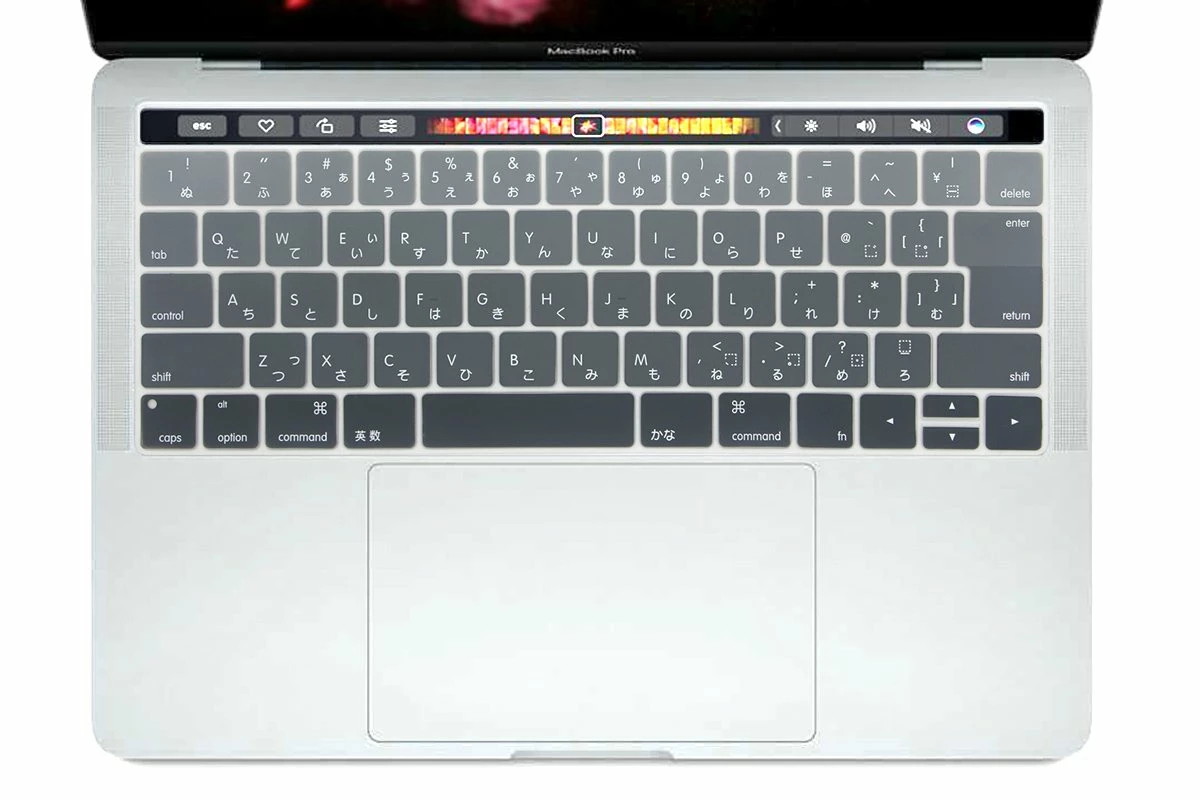
I have a mac Japanese keyboard. The tilde key is shift+^. But when I tried to use the tilde key in illustrator to make "waving effect"of the drawing of a shape, it doesn't work. I tried all other keys on the keyborad but could not get the effect. How can I find the right key or how can I access this function in illustrator menus (not using shortcuts)? Thanks a lot.


Here is a photo of my keyboard setting that I found online:


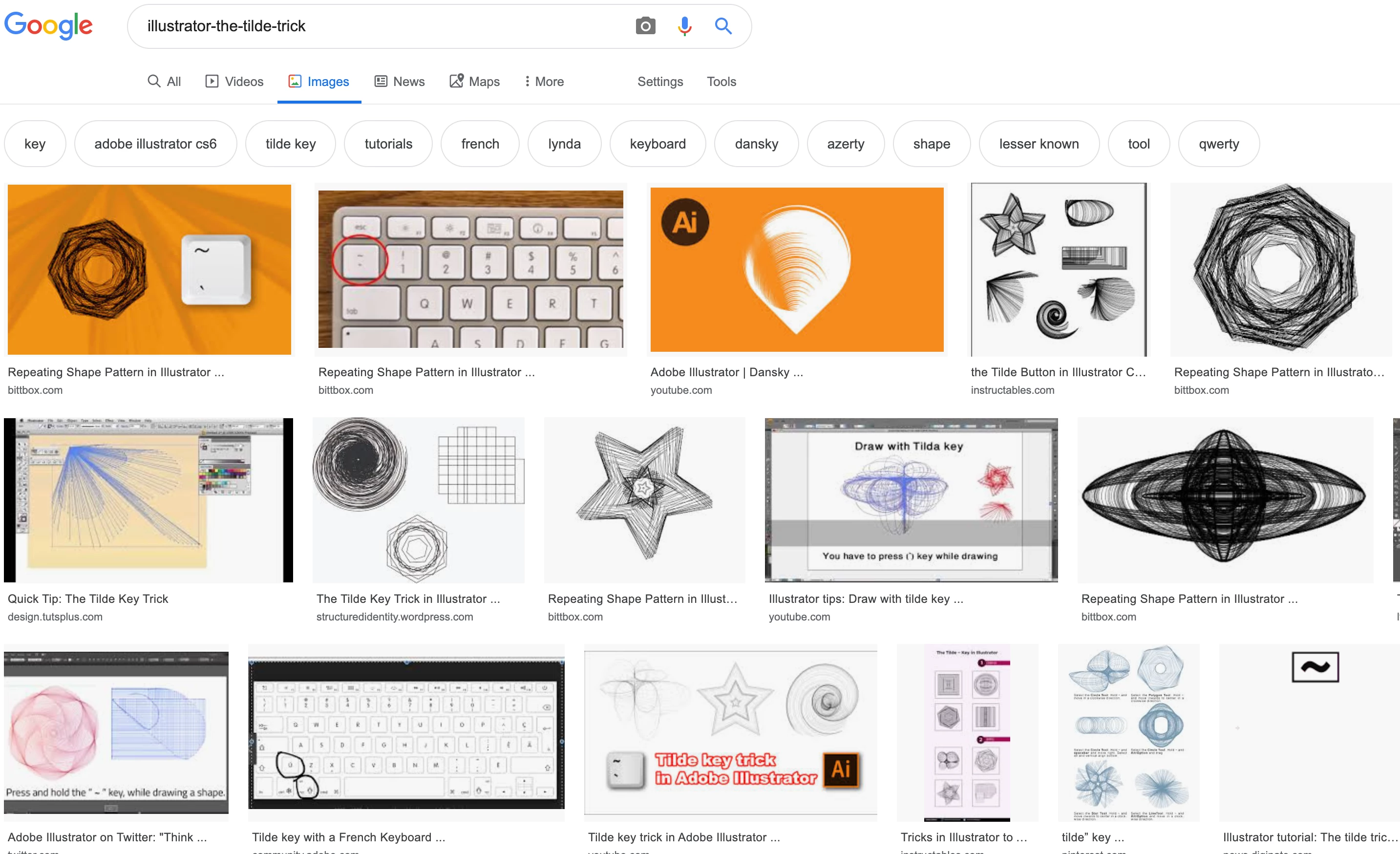
And here is the effect which is called "the tilde tricks" works on other types of keyboard. It normally works by holding the tilde key, you can drag to create new shapes following your mouse direction. But mine cannot...
This topic has been closed for replies.

4 replies

Participant
February 22, 2023

Hello. I was also struggling to find the key to execute this effect. I have a Norwegian keyboard and couldn't find the tilde key. I finally got the effect to work when using the "more than/less than" button located right next to the shift button on the left of my keyboard.

Participating Frequently
February 28, 2023

If I press the "more than" key while my object is selected, the pattern fill is replaced by a gradient. If I press the "less than" key, the pattern fill is replaced by white.

I have opened a(nother) case with Adobe. Someone has called me, accessed my pc remotely, and is now trying to solve this problem. I am still working. I mentioned this thread here and showed them they did not answer none of the posts.

It is important to mention that I can replicate the so-called tilde trick, i.e., create an object while holding the key before number one (tilde in american keyboards, double quotes/single quote in mine). So for one thing that is originally done with the tilde key the quotes key works; for another thing, it doesn't.

silk-m
Community Expert
Community Expert
December 10, 2019

Hi,

To use a Japanese keyboard in Illustrator, you must install Illustrator in Japanese.

Do not uninstall the English version. Please install overwrite Japanese version.

When installation is complete, copy "Illustrator 初期設定.kys" to the Your user's preferences.

/Applications/Adobe Illustrator 2020/Presets.localized/ja_JP/キーボードショートカット/Illustrator 初期設定.kys

/Users/user name/Library/Preferences/Adobe Illustrator 24 Settings/en_US/This place


Switch the Keyboard Shortcuts to "Illustrator 初期設定".

In this way, the shortcut switches to the Japanese keyboard.

Maybe this should work, but I haven't tested it because I don't have a Japanese keyboard.


--Susumu Iwasaki
Participant
December 17, 2019

Hi Iwasaki san, Thank you very much and appreciate your help. unfortunately this way is still not working. I have also tried it with shift, opton , fn,  control.


silk-m
Community Expert
Community Expert
December 17, 2019

If you set switch the Keyboard Shortcuts to "Illustrator 初期設定"

Can't do it?

--Susumu Iwasaki
Jacob Bugge
Community Expert
Community Expert
December 10, 2019

Wei2,


Have you tried all key combinations, including those where you hold Option or Command or Shift and then press the different other keys?


On some other keyboards, you have to hold one of those keys and press another one.


The Tilde ~ only works on a US keyboard.


キィィ─!!!
Participating Frequently
December 10, 2019

“Waving effect”?
Is it “Curvature tool”?
If so, the Japanese version is "shift + `"

What about an English version with a Japanese keyboard?
What about changing keyboard shortcuts?


PS

Oh, sorry, I now understand what the "Waving effect" is.
But I don't know how it will be possible.

Participant
December 10, 2019

Thanks anyway. I am still tring on it.