

June Rabbit
Known Participant
September 8, 2023
Question

How do we hyperlink only a few words in a text block in Illustrator?

  • September 8, 2023
  • 2 replies
  • 1089 views

Is there a way to only add a hyperlink to a few words in a sentence without adding the hyperlink to the entire text block?
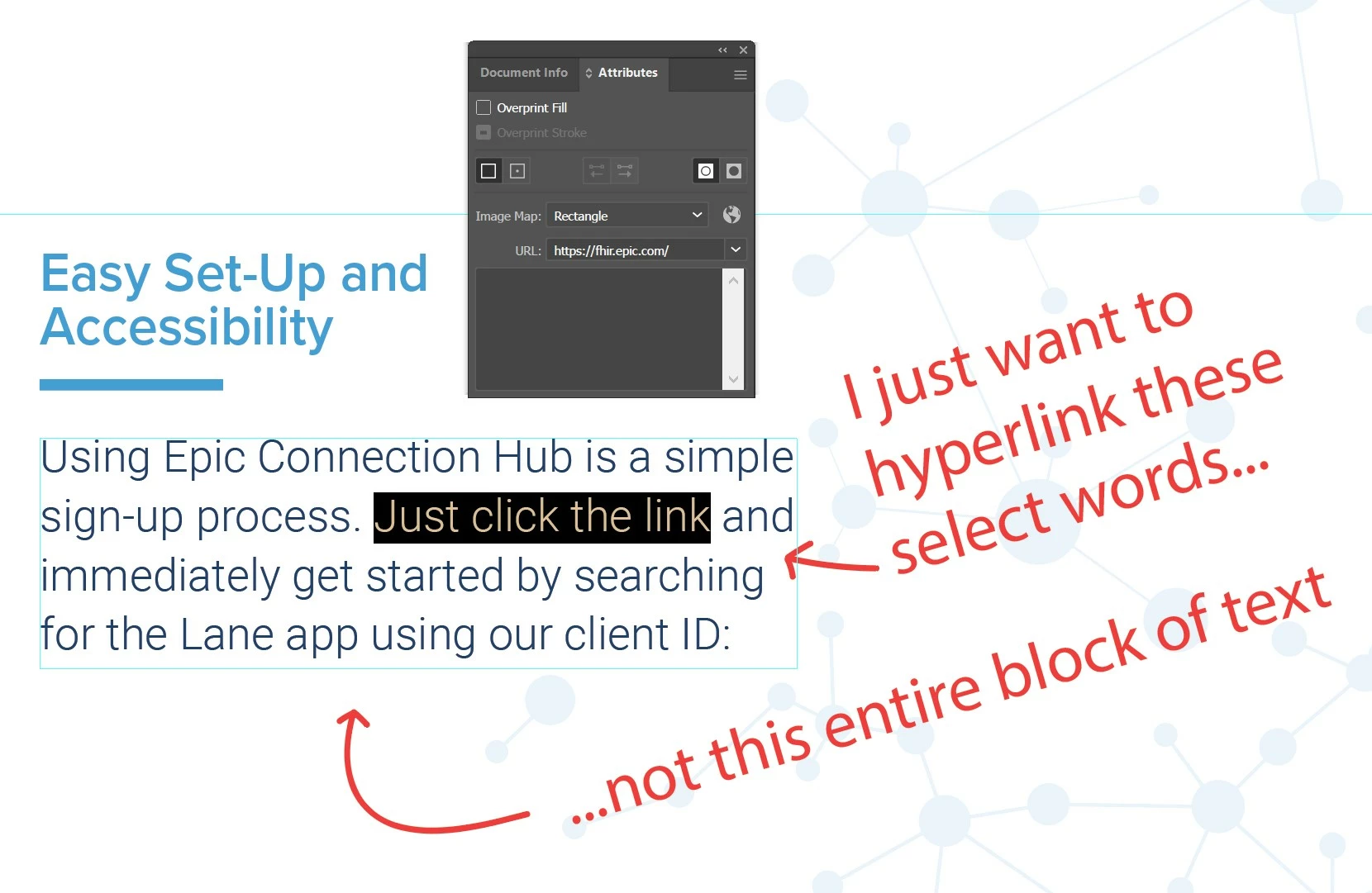
Thanks to a recent update, I can use the Attributes window to add a hyperlink to a selected object, even a block of text. What I am looking for is a way to add a hyperlink to a string of words within that text, instead of hyperlinking the entire text box.


I know that a workaround would be to create an invisible shape—layered above the selected words—and add the hyperlink to that instead, but if there is an integrated method I'd love to learn about it.


Thanks for your time.

This topic has been closed for replies.

2 replies

Mike_Gondek10189183
Community Expert
Community Expert
September 8, 2023

In InDesign, highlight text and use Window >> Interactive >>Hyperlink.


June Rabbit
Known Participant
September 8, 2023
quote

In InDesign, highlight text and use Window >> Interactive >>Hyperlink.


By @Mike_Gondek10189183

Will this allow me to copy hyperlinked text from InDesign and paste it into text boxes in Illustrator?

Michael Bullo
Community Expert
Community Expert
September 9, 2023

Expanding on the suggestion by @Mike_Gondek10189183, could you use InDesign? Place any Illustrator graphics into InDesign and format your text within InDesign where you will have greater control and formatting options.

Monika Gause
Community Expert
Community Expert
September 8, 2023

Other than the hack you already mentioned: no, it's not possible. Use Acrobat for creating links in PDFs. Or create layouts in InDesign and make links.