
christineavatar
Legend
January 31, 2021
Answered

How do you change the color of the line around your drawing

  • January 31, 2021
  • 1 reply
  • 732 views

It seems so obvious but I can't figure it out. I have tried evertything to get the assigned line color to change but to no avail. I know I've done it before but for some reason I can't do it now. I have two areas where the assigned color is too close to the color I am using. Help!
This topic has been closed for replies.
Correct answer femkeblanco

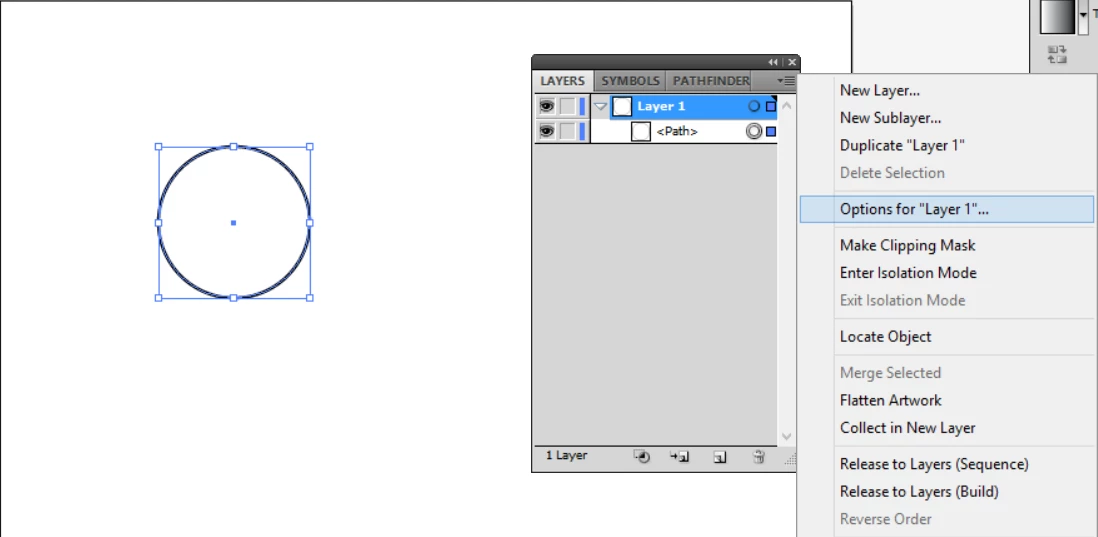
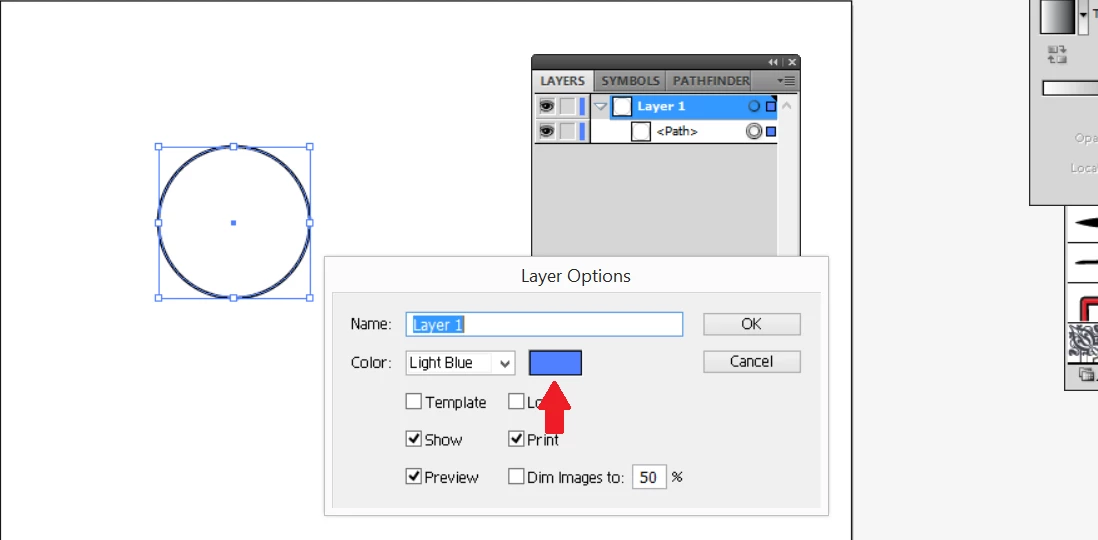
In the Layers panel, select the layer in question, click the upper right corner of the Layers panel to open the dropdown menu and click "Options for Layer ...".  In Layers Options, click the color to change. 

1 reply

femkeblanco
femkeblancoCorrect answer
Legend
January 31, 2021

In the Layers panel, select the layer in question, click the upper right corner of the Layers panel to open the dropdown menu and click "Options for Layer ...".  In Layers Options, click the color to change. 

christineavatar
Legend
February 2, 2021

Thank you. The infomation was on the nose.