
How do you create your own custom brush window/panel?
Hi, I've made my own custom art brushes in Illustrator by "drag and dropping" the objects on the left to the brush window/panel on the right. But the thing is, I plan to do more custom art brushes and it might become disorganized later on if I just continue "drag and dropping" this here on this particular brush window/panel.
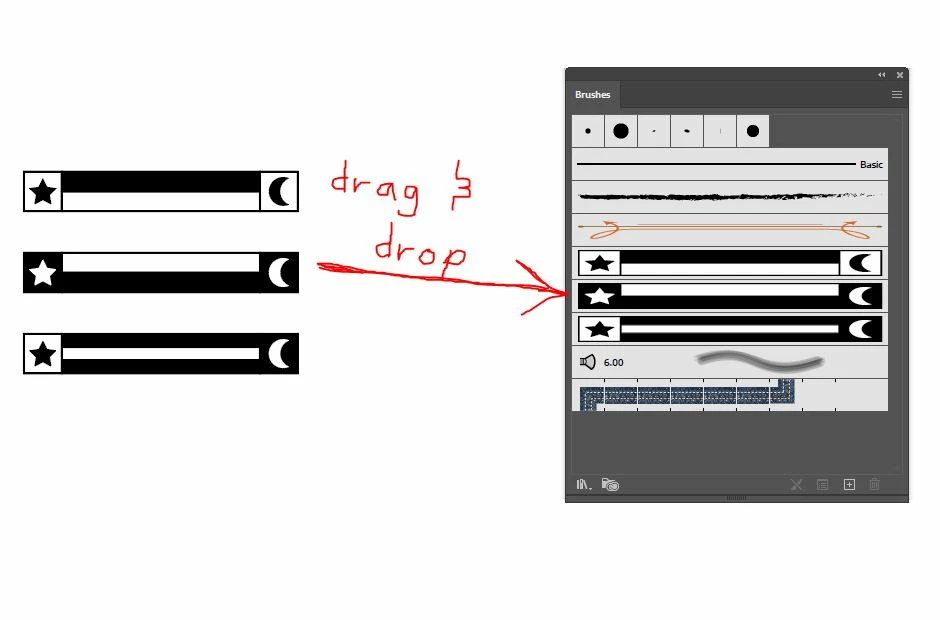 I've just made one set of my custom art brushes, I plan to do more sets of custom brushes in the future. How can I make it organized that each brush set I make is separated? I want each set to have it's own brush window/panel with only the custom brushes I want in it, I don't know how to remove the preset brushes. I also want to know how to rename a particular brush window panel.
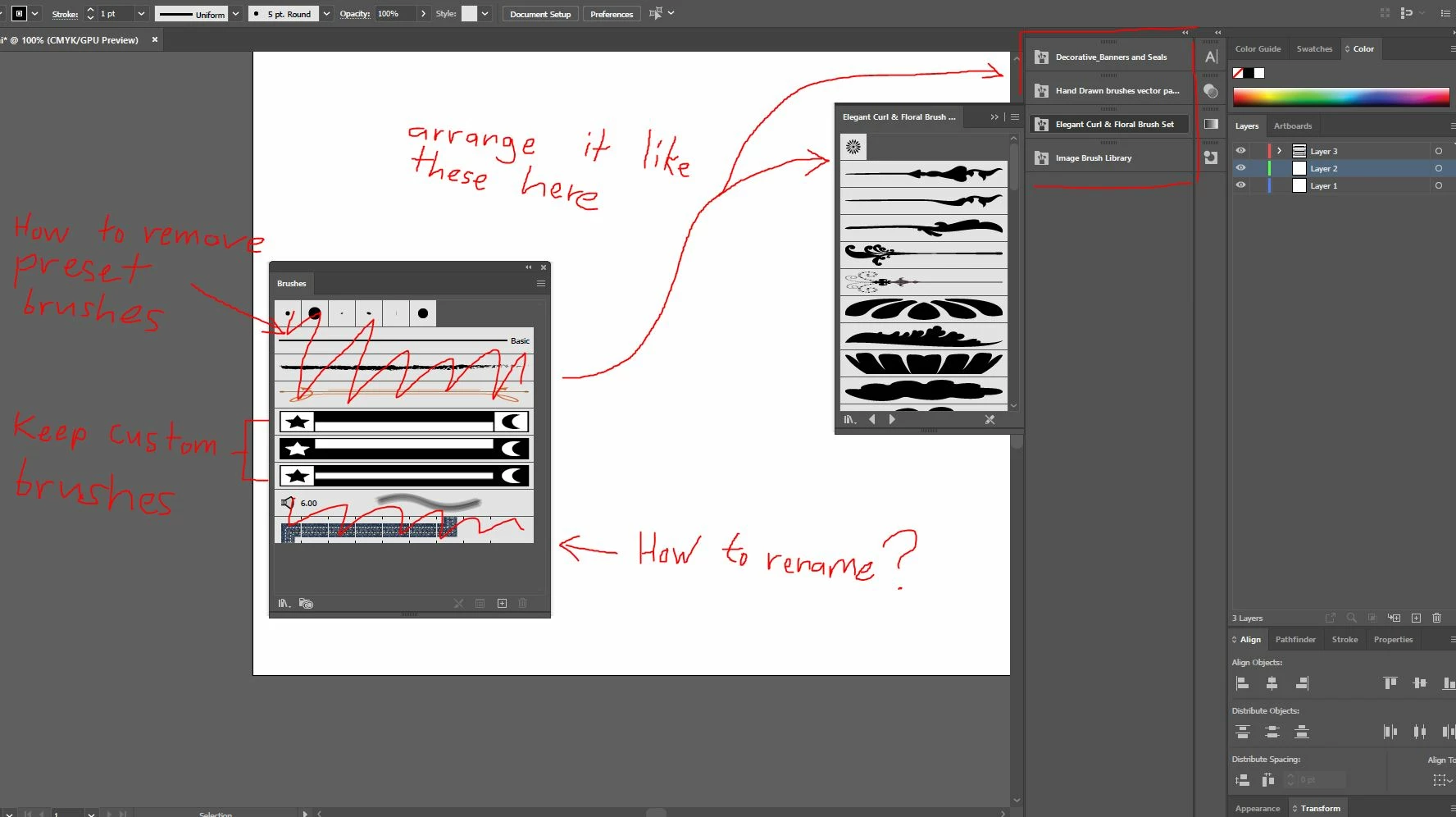
I want to make my set of custom brushes look like the ones I've arranged on the right of my user interface (the preset brush libraries, ex: decorative banners... etc.) . Please help.
 AdChoices