
Participant
July 11, 2018
Answered

How do you identify the legacy version of an AI file?

  • July 11, 2018
  • 4 replies
  • 14070 views

We are a global company and send AI files out to companies requesting CS5 or CS6 or even Illustrator 8. And to avoid mistakes we like to double check the version before sending out the file. You used to be able to GET INFO (command + I) on a file and see what version it was. This still works for Illustrator 8 files, but it no longer works for the newer legacy versions. Once you export a CC file out as a CS file, there doesn't seem to be any way to identify if that file is a CS file. I have to be missing something. Any help would be appreciated.
This topic has been closed for replies.
Correct answer Ray Yorkshire

If you are using Windows this utility is simple

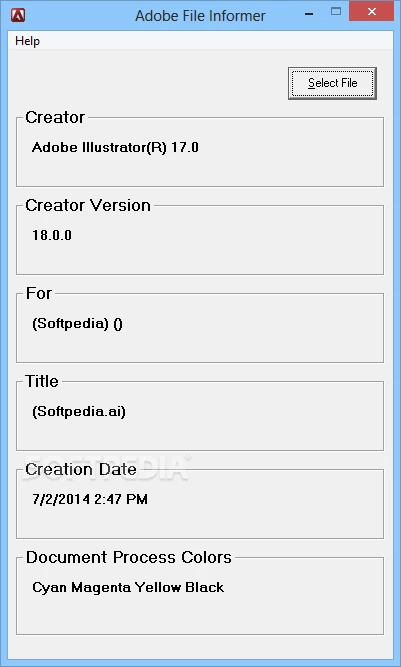
Adobe file informer

as recommended by member Zeeshan_Aslam here   Illustrator file version

Dropbox - Adobe File Informer.msi

or  details and download at softpedia

Download Adobe File Informer 1.0

4 replies

Ray Yorkshire
Ray YorkshireCorrect answer
Participating Frequently
July 11, 2018

If you are using Windows this utility is simple

Adobe file informer

as recommended by member Zeeshan_Aslam here   Illustrator file version

Dropbox - Adobe File Informer.msi

or  details and download at softpedia

Download Adobe File Informer 1.0

Kurt Gold
Community Expert
Community Expert
July 11, 2018

Obviously it is not very comfortable, but you can – for example – duplicate a folder that contains .ai files, batch rename the file extension from .ai to .txt, use a Spotlight search for this string:

Creator: Adobe Illustrator(R) 15.0

in order to identify .ai files that were saved to Illustrator CS5 format (15.0 means CS5)

Or you can search for:

Creator: Adobe Illustrator(R) 12.0

That means CS2 format.

16.0 would be CS6 format.

And so on.

Participant
July 12, 2018

THANK YOU!!! This is perfect! We are MAC based and this will be super helpful! Thank you! Thank you! Thank you!

Ton Frederiks
Community Expert
Community Expert
July 11, 2018

Maybe not very helpfull, but the old version that it was saved back to is in the file.

It is just not very visible.

If you remame the extension from .ai to .txt and open the file in a text editor, you can search for the word: RoundtripVersion

RoundtripVersion 16 is CS6, RoundtripVersion 14 is CS4

Bill Silbert
Community Expert
Community Expert
July 11, 2018

Every way that I looked at for identifying Illustrator versions (File Info under the File Menu, the metadata section of Bridge) only lists what version the file was created in—not what it has been backsaved to. A workaround for this might be to include the version number as part of your file title ("Client_Job_CS5.ai").

Participant
July 11, 2018

Thank you, Bill. This is probably the way to go. Now to just get our entire team to make this a habit!

Bill Silbert
Community Expert
Community Expert
July 11, 2018

Happy to help.